
Video Encoder Settings
Bosch VideoJet VJE-X40 XF E
TODO:
* Attach saved settings file.
Hardware
This project uses the (*sigh*, discontinued) Bosch VideoJet VJE-X40 XF E. It has four analog video inputs. It monitors the analog video and digitizes/encodes it for streaming.
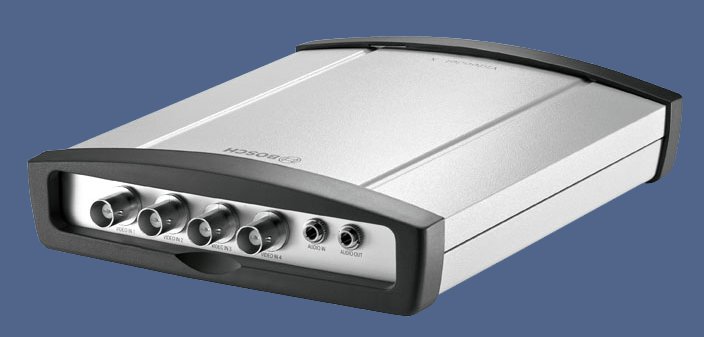
This machine uses three of them.
- Overhead
- R1
- R2
Configuration Portal
The device uses DHCP by default. We configure it to use a static IP address on the Machine Network (192.168.208.75)
The device has a web configuration portal. It should be on the Machine Network and uses the default HTTP port (TCP:80): http://192.168.208.75.
Network Settings
On the configuration portal, click Settings. Then, under Advanced Mode / Network / Network Access configure the network interface for a static IP address on the Machine network.
The default IP address is 192.168.0.1/24. If you factory reset the device, you will need to (temporarily) configure the Machine Network adapter to use an IP address on that network, like 192.168.0.10/24, in order to configure the device for the first time.
| Automatic IP assignment | Off |
| IPv4 | |
| IP address | 192.168.208.75 |
| Subnet Mask | 255.255.255.0 |
| Gateway address | 0.0.0.0 |
Click Set to apply these settings. The encoder will need to reboot.
Encoder Parameters
We experienced a marked degradation in video quality (similar to image compression generation loss).
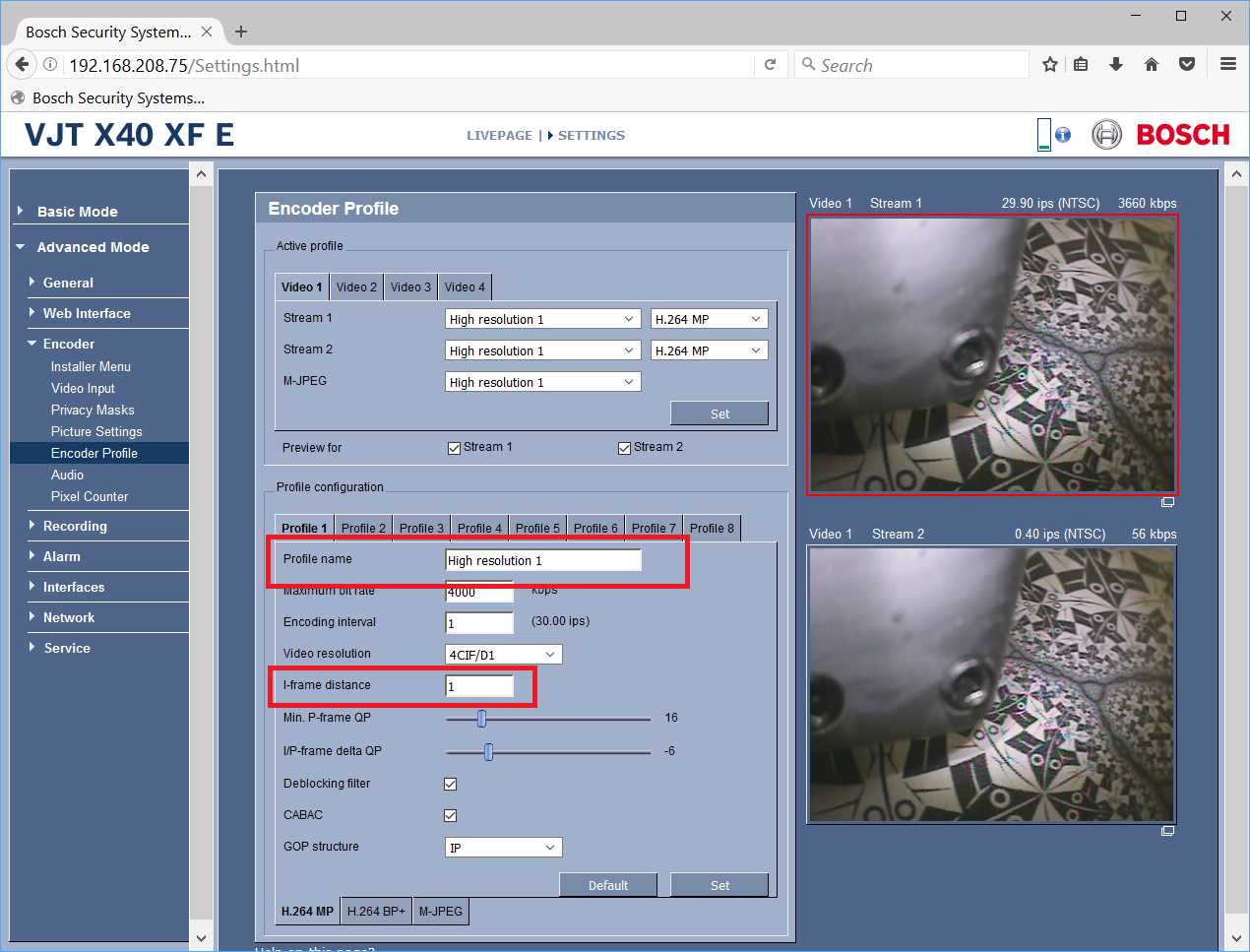
The workaround for this was to change a video encoding parameter, I-frame distance. The default value is 0 (automatic). When we set it to 1, the quality degradation was not pronounced. (Larger values may be better, but we didn't test them.)
This is what the (embedded) help says about this setting.
This parameter allows you to set the intervals in which the I-frames will be coded. 0 means auto mode, whereby the video server inserts I-frames as necessary. An entry of 1 indicates that I-frames are continuously generated. An entry of 2 indicates that only every second image is an I-frame, and 3 only every third image etc.; the frames in between are coded as P-frames.
Save/Restore Settings
Browser + Java
As one might expect with old software, it relies on old (now, forcibly disabled) technology: Java applets. This only allows a bit more functionality in the configuration portal, but one of them is significant: upload/download settings.
We managed to find portable versions of Firefox ESR and Java8 that will permit the use of an embedded Java applet, and give you the full(est) use of the configuration portal functionality. On the control, it is saved under C:\MachMotion Programs and Drivers\Firefox_Java.
-
- disabled updates
- always use 32-bit version
- set home page (and bookmark) to VJE-X40 configuration portal
- Java: ask to activate