
Tool Specific Softlimits
Each "tool" is capable of storing its own soft limits for the usable area of the machine. We can use this feature to limit the area that is accessible while the ID wheel head is in the lowered position. These positions are entirely in your control so they must be setup anytime the ID wheel head is being used and the "safe" space on the Z axis has changed.
Press the "Viewing Part" button bellow the axis DROs to view the orange "machine" or "absolute" positions.
On the Calibrate page, select the ID tool number you intend to use. By default, the tools numbered 9 through 16 are setup as ID tools.
Press the tool number, then press the Cycle Start button. After the tool change is complete, verify that the tool change was successful.
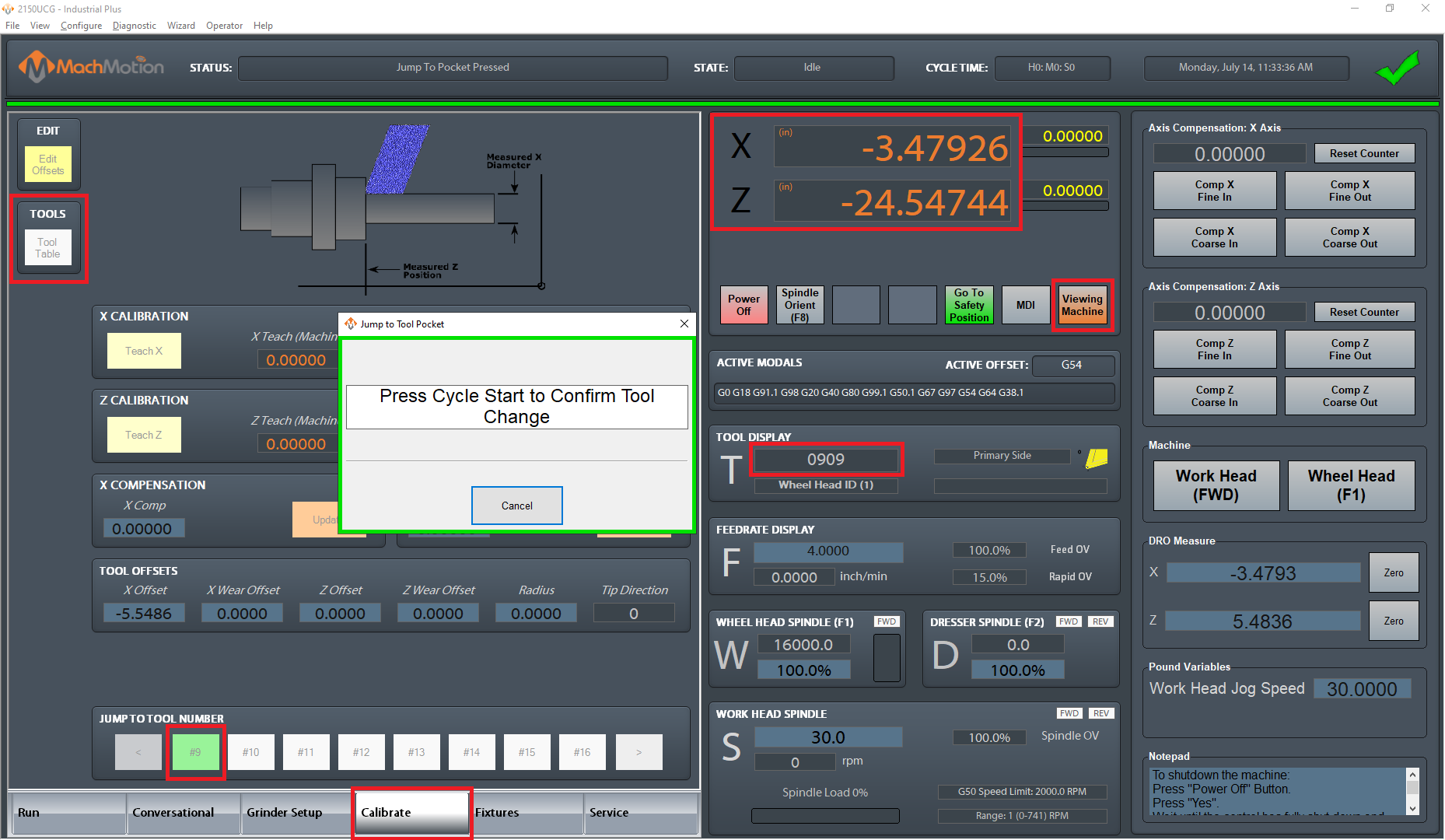
Open the Tool Table from the Calibrate page or by selecting View > Tool Table.
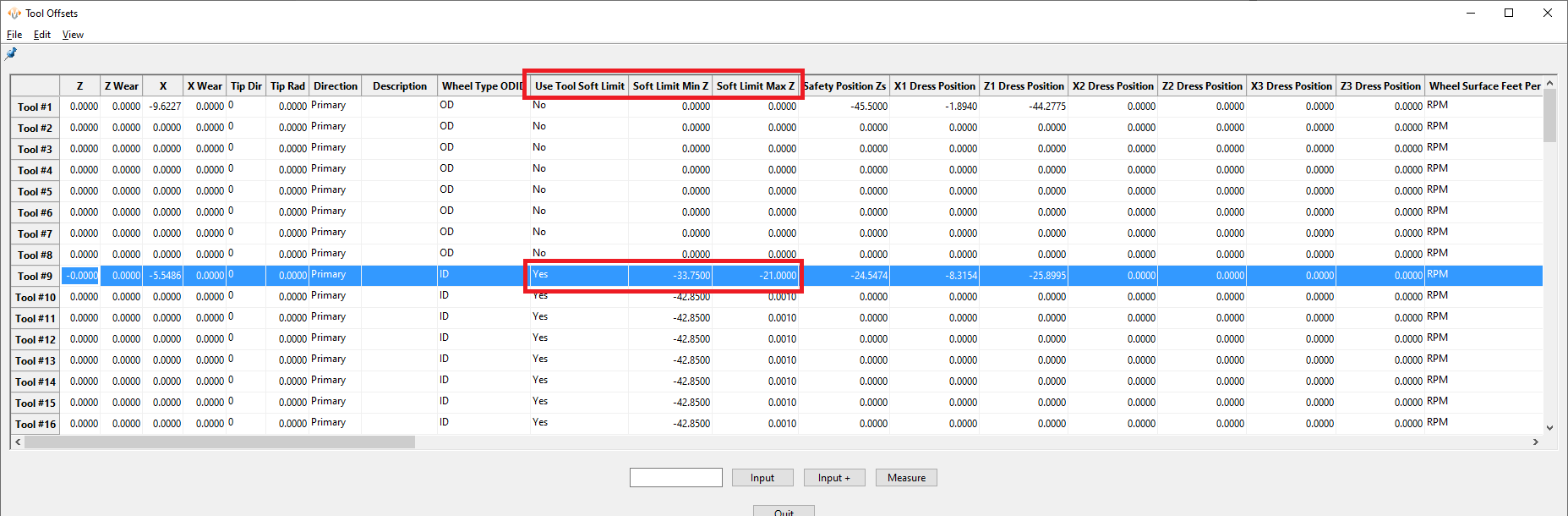
Locate the tool number you will be working with, and the fields for tool specific soft limits.
Carefully jog the machine to the minimum and maximum positions you want the axis to be able to reach and enter each position
If the current soft limits are too restrictive and do not allow you access to the desired Min and Max positions, you can temporarily set the Tool Specific Soft Limits selection to "No", then do a tool change again to the same tool to active the settings.
Once you're done, be sure to set the soft limit selection back to "Yes"
Enter in the new values from the axis DROs at the new positions where you want the limits to be. Remember these must be the orange "machine" or "absolute" positions.
Remember, the positions you enter must encompass all positions that the machine needs to access during the cycle with that tool. Double check that your safety positions and programmed cycle positions will be inside this area. If you get a Softlimit Error message while running a file, check your positions again and consider opening them up to allow for more travel.
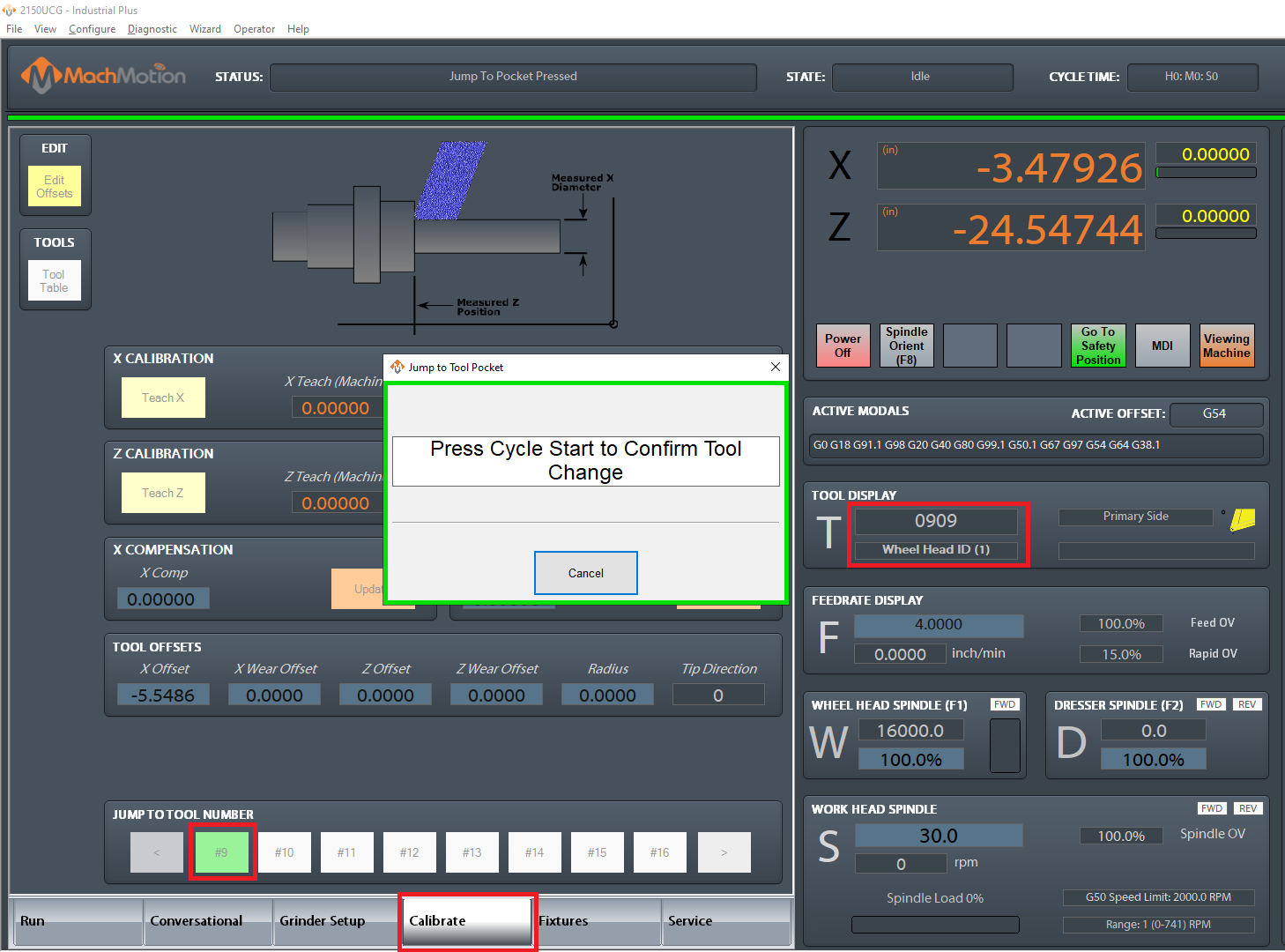
Do a tool change again to the same tool to active the settings. This step is critical to activate the settings you just made!
Slowly jog the machine to your newly set Min and Max positions to make sure that your settings are correct and the machine stops before going too far.
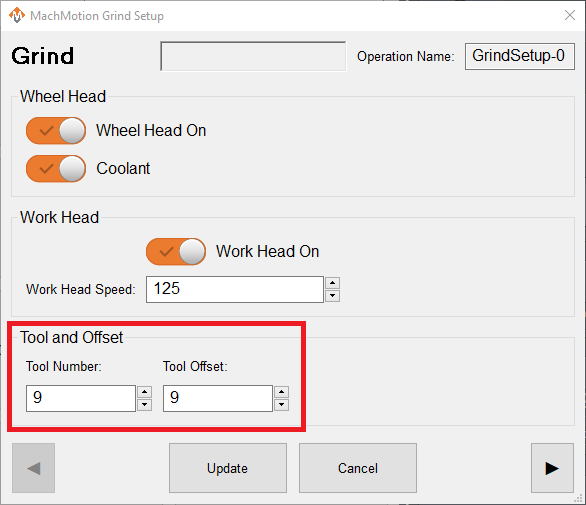
Remember to call the correct tool number in the Conversational Grind Setup process