
RapidPath Offset Origin
Where does RapidPath save offset origins?
When homing an absolute encoder on a RapidPath control, it will save the current encoder count in a file stored in the Program Data folder. To access this file open the start menu and type %programdata% and click the program data folder. From there follow this path MachMotion>RapidPath and you will find the SingleRMPController configuration.
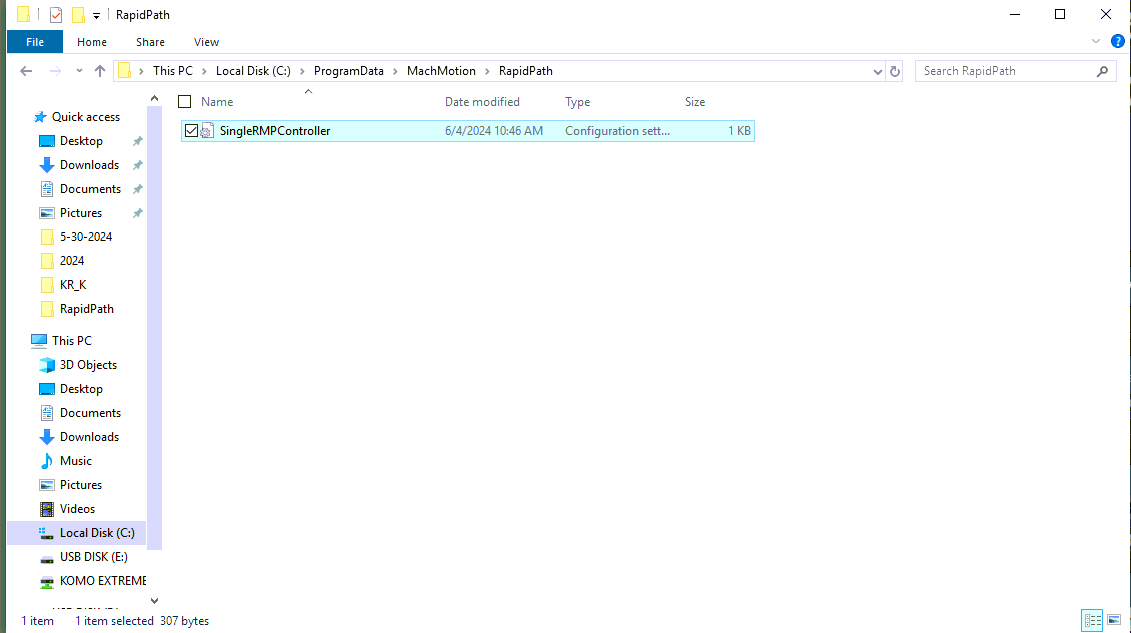
When you open this file you will see each motor has an origin offset that will be saved after homing the motor.
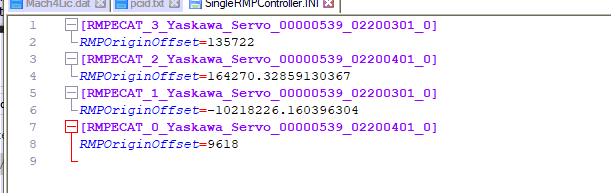
One thing we have noticed when using a company network domain, this file may be affected. If the homing process was done before the customer switched to the network domain, it will result in this file being read only.
Symptoms
If you have lost position for any reason and need to rehome the machine, it will not write the encoder count into this file. The axis will show 0.000 for the machine coordinate until you restart Mach which will result in the offset being reapplied with the old values.
Solutions
Andy is aware of this and looking into build fixes. In the meantime this worked for me.
- Open Mach4 Profile on the desktop as an admin. (This allowed me to home and it wrote the values to the correct file) This is a quick temporary solution)
- Copy the SingleRMPController file to the desktop in case you need to recover it. Next you will delete this file from the directory. (ProgramData>MachMotion>RapidPath) Then open Mach and home the motor or motors in question. This will result in the file being regenerated under the current user Domain and unlock the file for future use.