
MachPro Package Installation

MachPro 26 CNC Software Roadmap
Prerequisites
| Minimum | Recommended | |
| Windows (supported versions) | Windows 10 Enterprise LTSC 2021 | Currently sold version |
| Processor | 2.0 GHz processor | 3.0+ GHz multi-core CPU |
| RAM | 8 GB | 16 GB |
| Storage | 2 GB | 10 GB, SSD preferred over HDD |
| Ethernet |
1 dedicated port (for M31 Motion Controller) |
Intel or Realtek Gigabit Ethernet adapters |
- Local administrative rights on the computer
- Internet access so that the current software packages can be downloaded
- A supported or compatible motion controller
- Use standard Ethernet adapters for machine connections
- WiFI increases DPC latency and should not be used
- USB-to-Ethernet adapters increase CPU usage and create data bottlenecks
Run the Mach Package Installer
The Mach Package Installer will download and install the software and tools necessary to run MachPro. This includes the plugin for your supported or compatible motion controller.
Download and run this installer: https://pkgcdn.machmotion.com:8765/static/Mach_Package_Installer.exe.
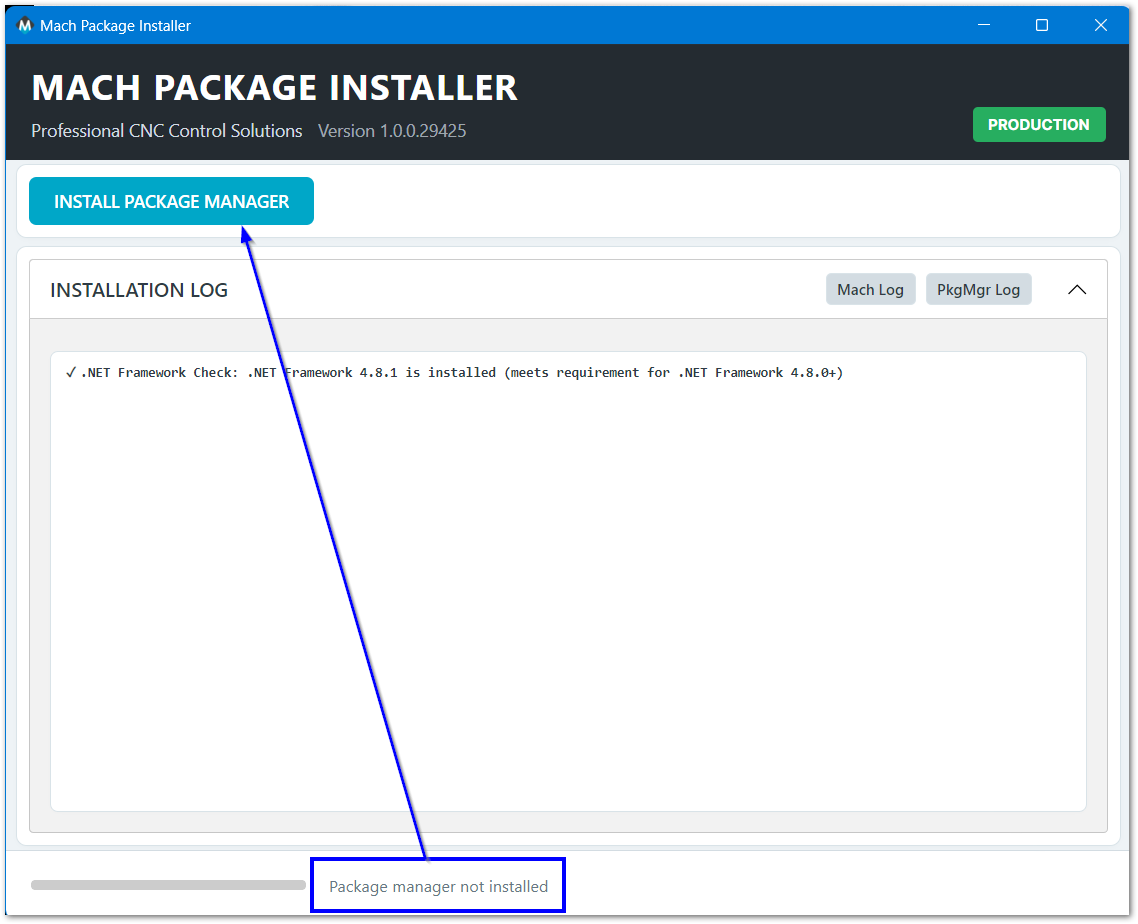
Install the package manager by clicking on the Install Package Manager button.
If you have already run the Mach Package Installer, then you will not see this button. Skip this step and move to Install MachPro packages below.
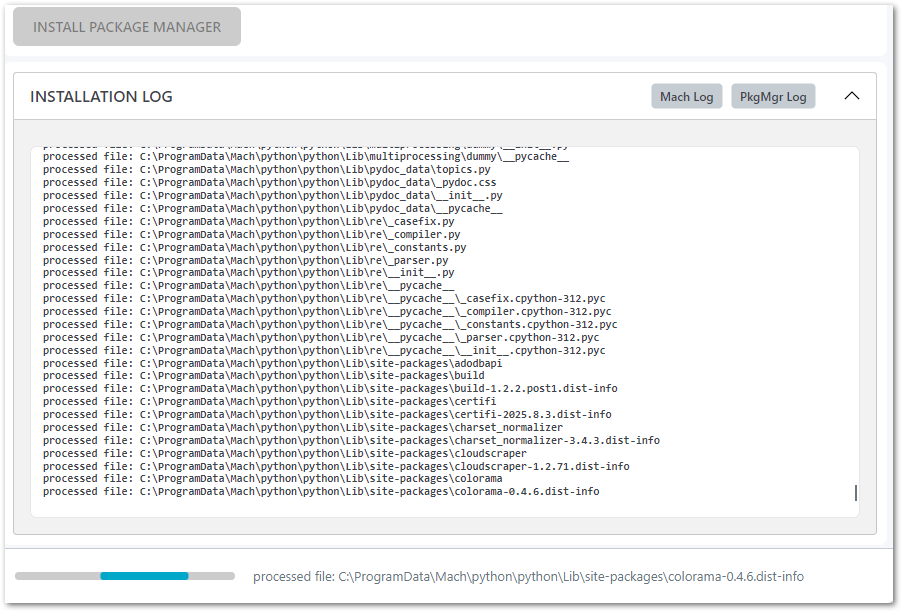
Infrastructure software requirements
The package manager needs specific versions of infrastructure software.
For example, it may require certain versions of .NET (Microsoft runtime library).
- If the control lacks these packages, the installer adds them automatically.
- During installation, a window may open with instructions to restart the computer.
Follow these instructions and restart the computer. - After the restart, the new infrastructure software will load.
It then runs for all package manager operations.
When the package manager has finished installing, the menu will show the packages that are available for you to install.
Install MachPro packages
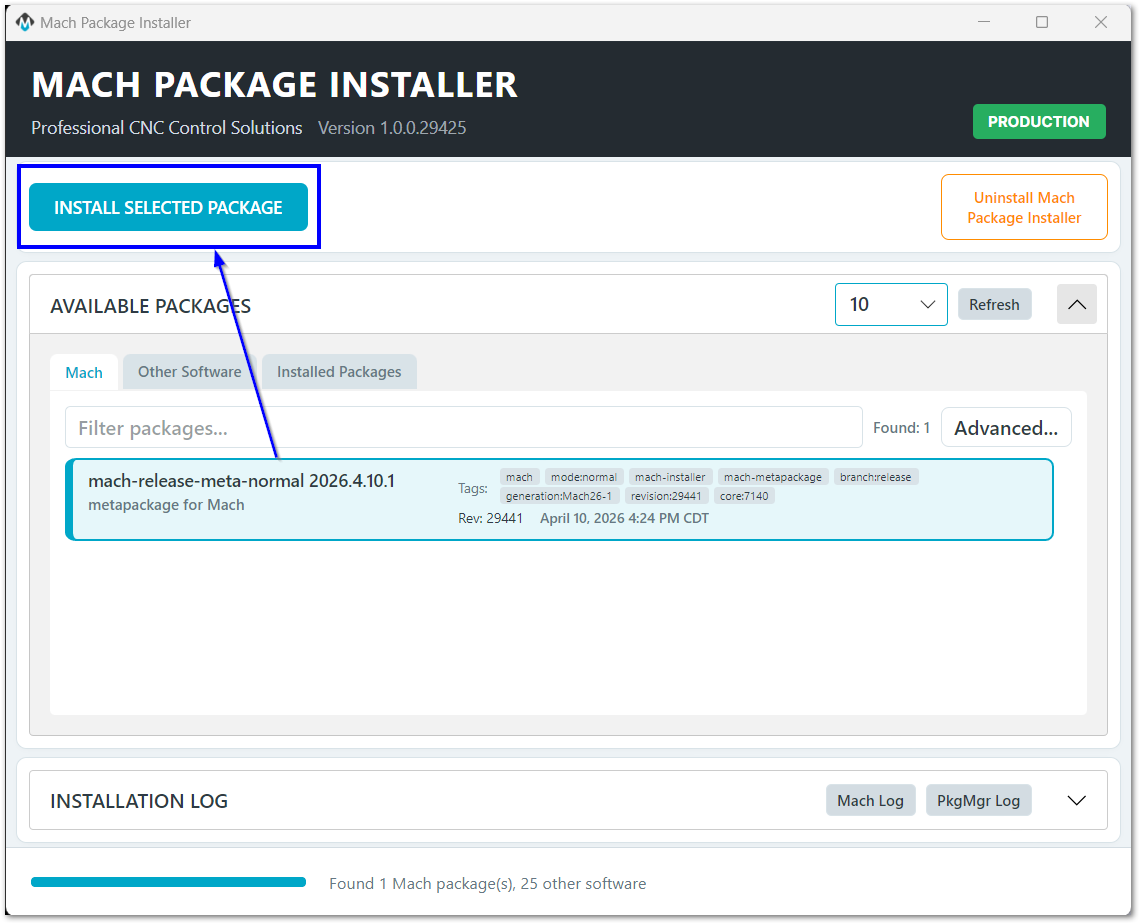
Unless instructed otherwise, select the package at the top of the list
Click the Install Selected Package button to begin.
If this is the first time you've installed MachPro, be patient as it installs all the back-end libraries needed.
Once all of the prerequisites packages have been installed, the progress panel will show "Installing mach-(version)" and you will be presented with the MachPro install window.
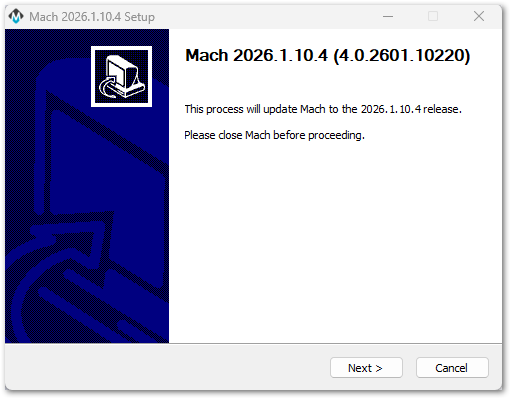
Take the default menu options throughout the install process. Exceptions will be noted below.
If you need to install to a different folder name, use "_" instead of spaces to ensure that all the software components work properly.

Select the Machine Type that you are installing and click Next
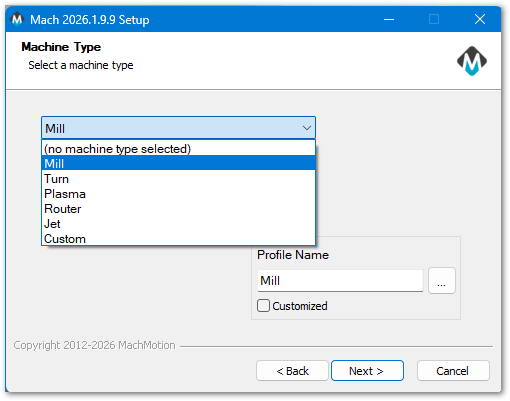
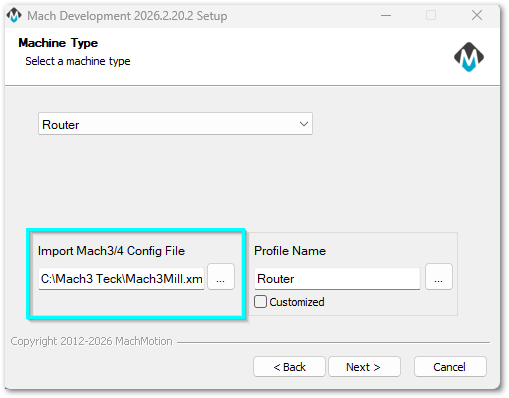
If you are installing MachPro on a control that has a working Mach3 or Mach4 install, please read MachPro Import Mach3 or Mach4 Configurations for further instructions.
If you are installing the Demo version, you will not see the import portion of the screen.
Select the motion controller that you will be using, then press Next. If you are installing the Demo version, you will not see the motion controller screens.
|
|
|
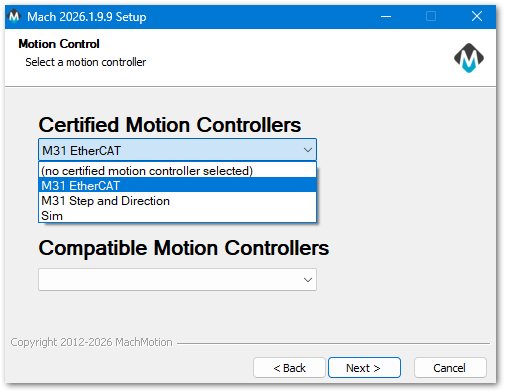
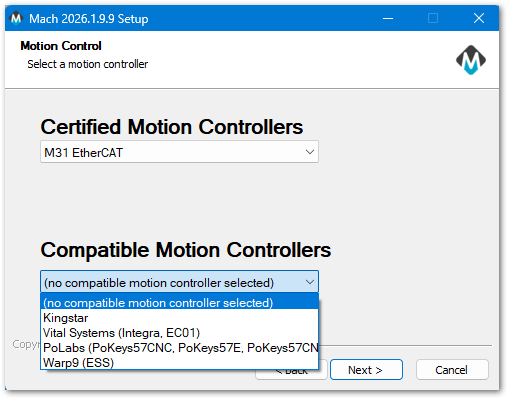
The MachPro package installer will load the plugin for the motion controller that you specified. The plugin configuration will be completed when you run MachPro. Please refer to the Motion Controller documents for that configuration information.
Choose Components: Accept the defaults and click the Install button. You will have a progress window with the details of your installation. Selecting additional options will cause undesired results.
|
|
|


When the MachPro Setup installation process is completed, click the Close button on the Mach setup window.

Wait for the Installer to show Install Completed at the bottom of the Installer screen. Then you can close the Mach Package Installer window.

License
If your MachPro was installed by MachLabs, then it should already be licensed. Reinstalling MachPro in the same folder will retain all of your configuration and license features.
If this is a fresh install of MachPro on this computer, then you will need to request a license for this particular computer - using the PCID.
- Open the MachPro software from the new icon on your screen

- Pull down the Help menu and select About
- Click the Copy ID To Clipboard button.
- Return to the Orders section of your purchase, and follow the instructions there. You will need to paste the PCID into the registration, and then a license will be generated for you to download.

The file name is the PCID of your computer.

- You need to copy that into the C:\Mach\Licenses folder
- Open the MachPro software
- Pull down the Help menu and select About
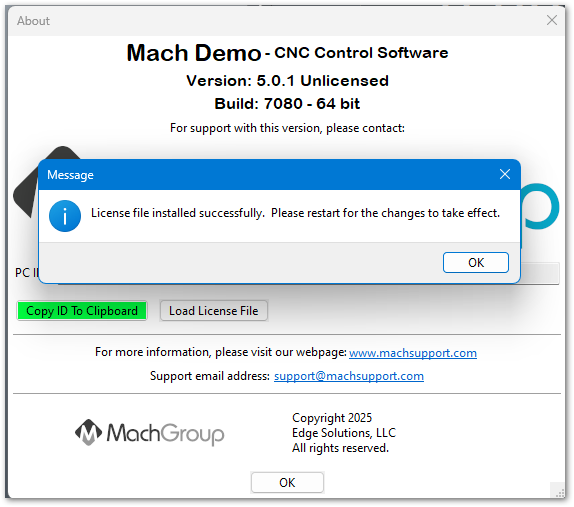
- Click the Load License File and browse to the Licenses folder where you just copied that file
- Select the license file and click Open
Languages
| MachPro Version | 2026.5.13.1 and greater |
You may change the display language for the MachPro screen labels and buttons. This is an English-to-target-language word mapping feature, and you may freely switch between available languages. We will add more languages as there is a need. If you see something in your language that would be better translated with a different word or phrase, please submit a ticket so we can update it. support@mach-labs.com
If your CNC experience and training was primarily in English, it may be easier to configure MachPro while it is running in English. When the system is ready for daily operations, switch to an appropriate language for the operators. Be thoughtful in changing the display language. Use it as a tool to simplify your operations.
- From the main MachPro screen, pull down the Operator menu and click Select Language
- You need to restart MachPro after selecting a new language

Congratulations! You have just completed the first step in configuring your computer as a MachPro CNC controller.
Reboot your computer now to ensure that all of the newly installed software loads correctly.
After the MachPro computer has rebooted, continue to either the motion controller section below, or to the MachPro 26 CNC Software Roadmap
Configure your motion controller
| http://www.mach-labs.com | MachLabs Documentation | support@mach-labs.com |
The MachLabs Team
14518 County Road 7240, Newburg, MO 65550
support@mach-labs.com