
MachPro Waterjet Setup Manual

Introduction
Configure your motion controller including: axis calibration, homing, limits, and I/O
Setup the first jet
Every waterjet will need most of following signals for each jet. Map each of the ones you need to the correct output.
| Name | Function |
| Jet Pump Output | This turns on the actual intensifier pump. If using a PLC this should trigger the PLC to start the intensifier. Often called Intensifier on. |
| Jet High Pressure Output(s) | Turns on and off high pressure for the corresponding jet. Also called things like UHP On, high pressure on. |
| Jet Abrasive Output(s) | Turns on and off abrasive for the corresponding jet. |
| Jet Pressure Output(s) | Turns on and off the actual jet. Often called Water On or Jet On. |
Pull down Configure -> Control -> Settings tab
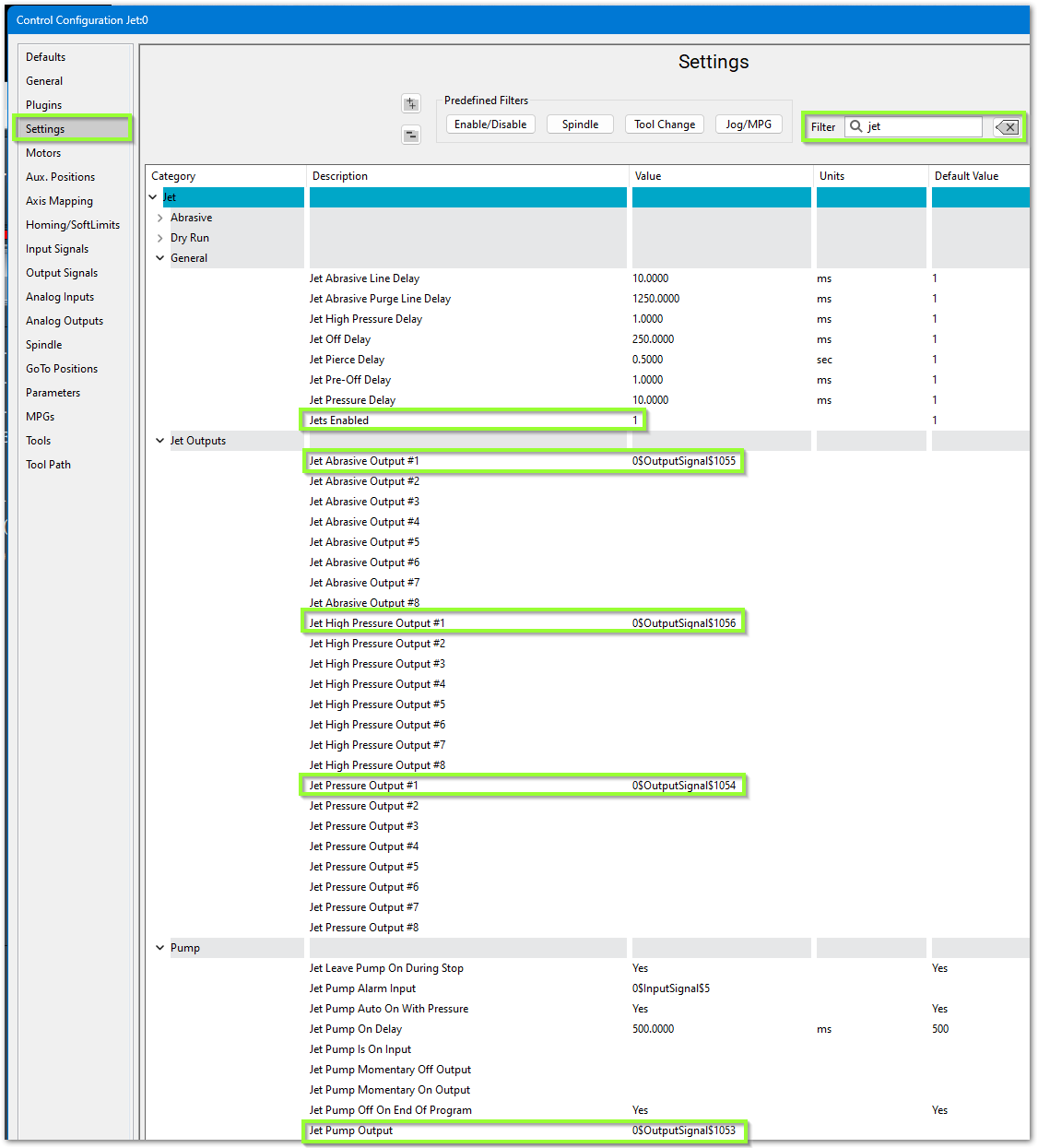
- In the upper right corner, filter the settings for jet
- Set Jets Enabled to 1
- Configure the software to use your previously mapped signals
- Jet Pump Output #1 maps to Pump or Intensifier ON
- Jet Pressure Output #1 maps to Jet Pressure On
- Jet Abrasive Output #1 maps to Abrasive On
- Jet High Pressure Output #1 maps to High Pressure
Delay Setup
There are default delay settings which you may adjust.
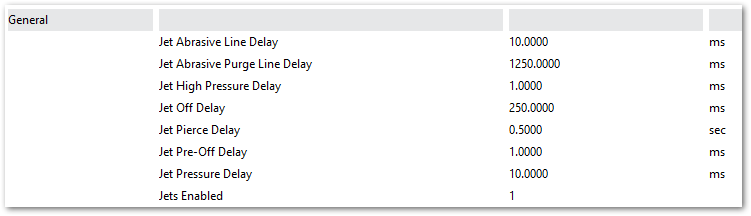
- The Jet Abrasive Purge Line Delay at 1250 ms which allows the abrasive to stop flowing just before the water turns off
- The Jet Off Delay to 250 ms which gives us a slight pause after the water turns off and before it starts moving to the next cut
Alarm Setup
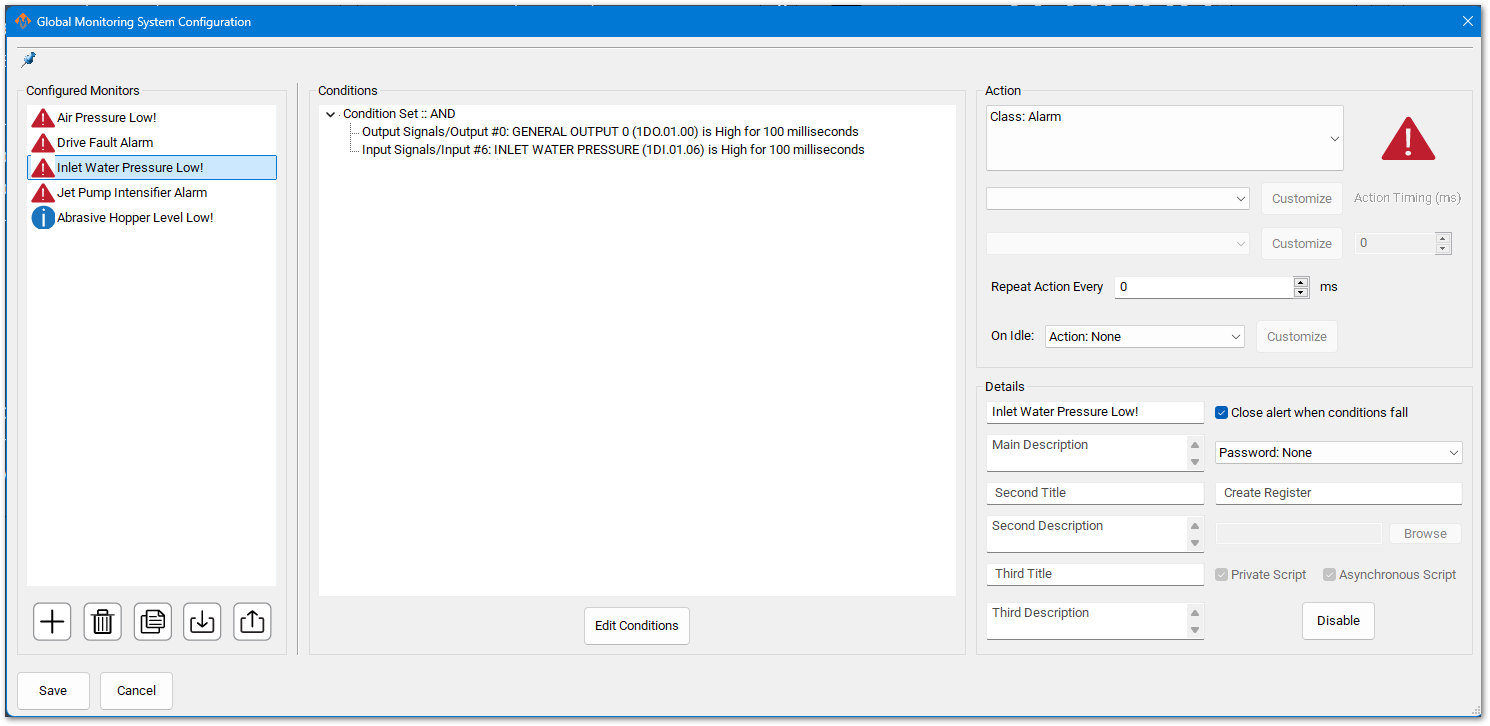
Pull down Configure -> Plugins -> Global Monitoring System (GMS)
You may have inputs for Low Inlet Water Pressure. Configure a GMS to monitor this signal as follows:
Servo Abrasive Setup
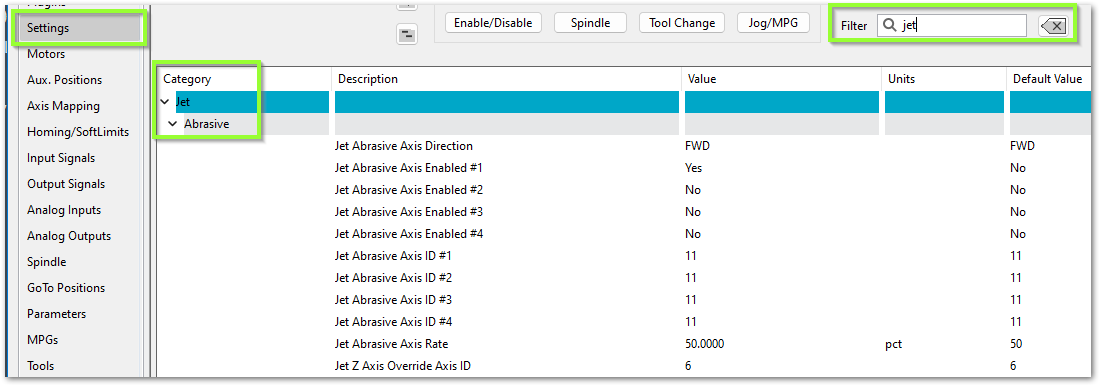
Some waterjets have a servo controlled Abrasive. For that use these settings:
| http://www.mach-labs.com | MachLabs Documentation | support@mach-labs.com |
The MachLabs Team
14518 County Road 7240, Newburg, MO 65550
support@mach-labs.com