
Orion 3000 CNC Control

MachPro 26 CNC Software Roadmap
This manual provides an overview the features of the Orion 3000 CNC Control.
1. Overview
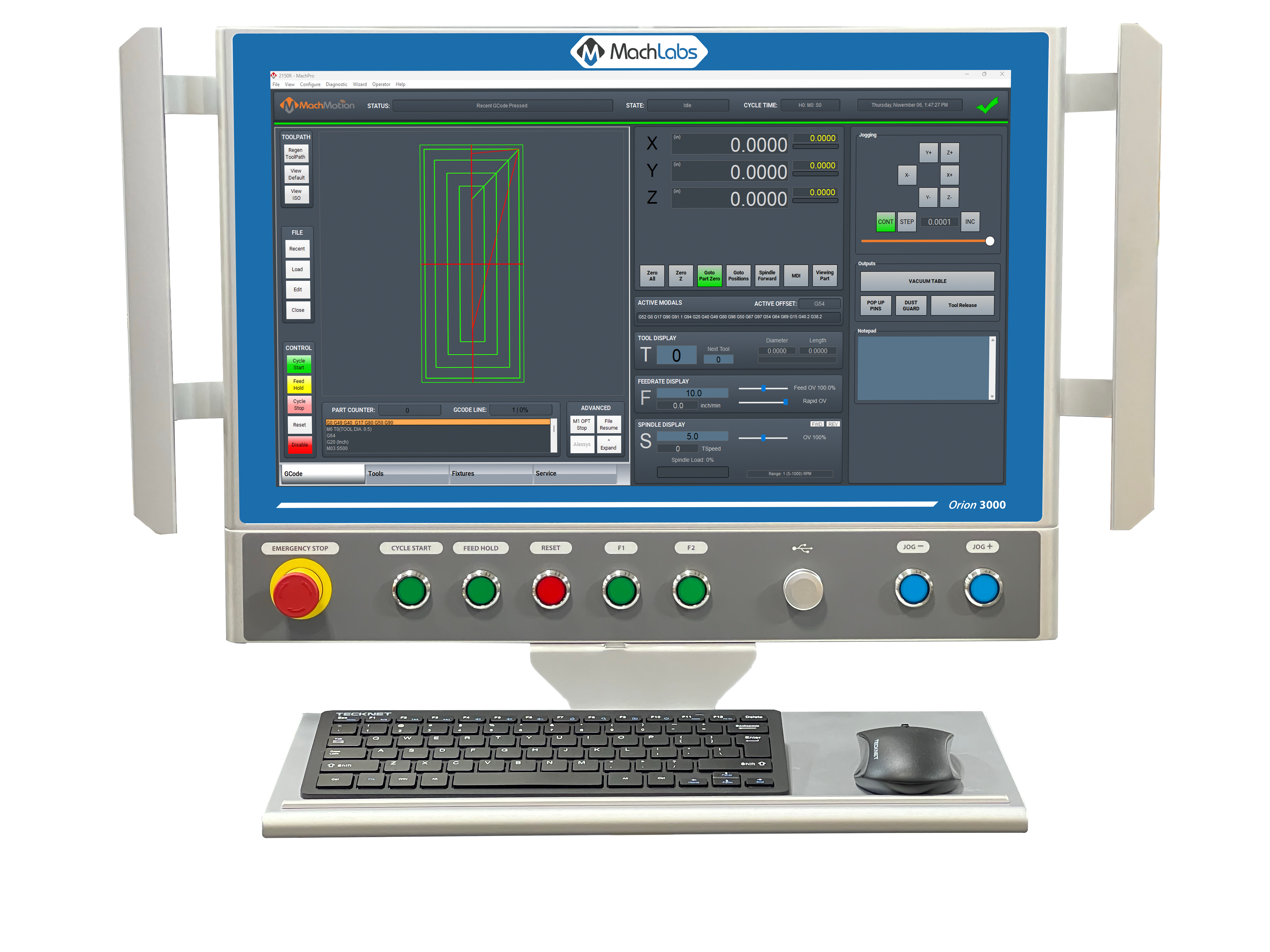
The Orion 3000 control is an industrial control with an integrated 21.5" touch screen and operator panel.
2. Connections
The Orion 3000 has a high start up current. We recommend using a dedicated power supply that can provide 10 Amps at 24 Volts DC - such as the Meanwell NDR-240-24.

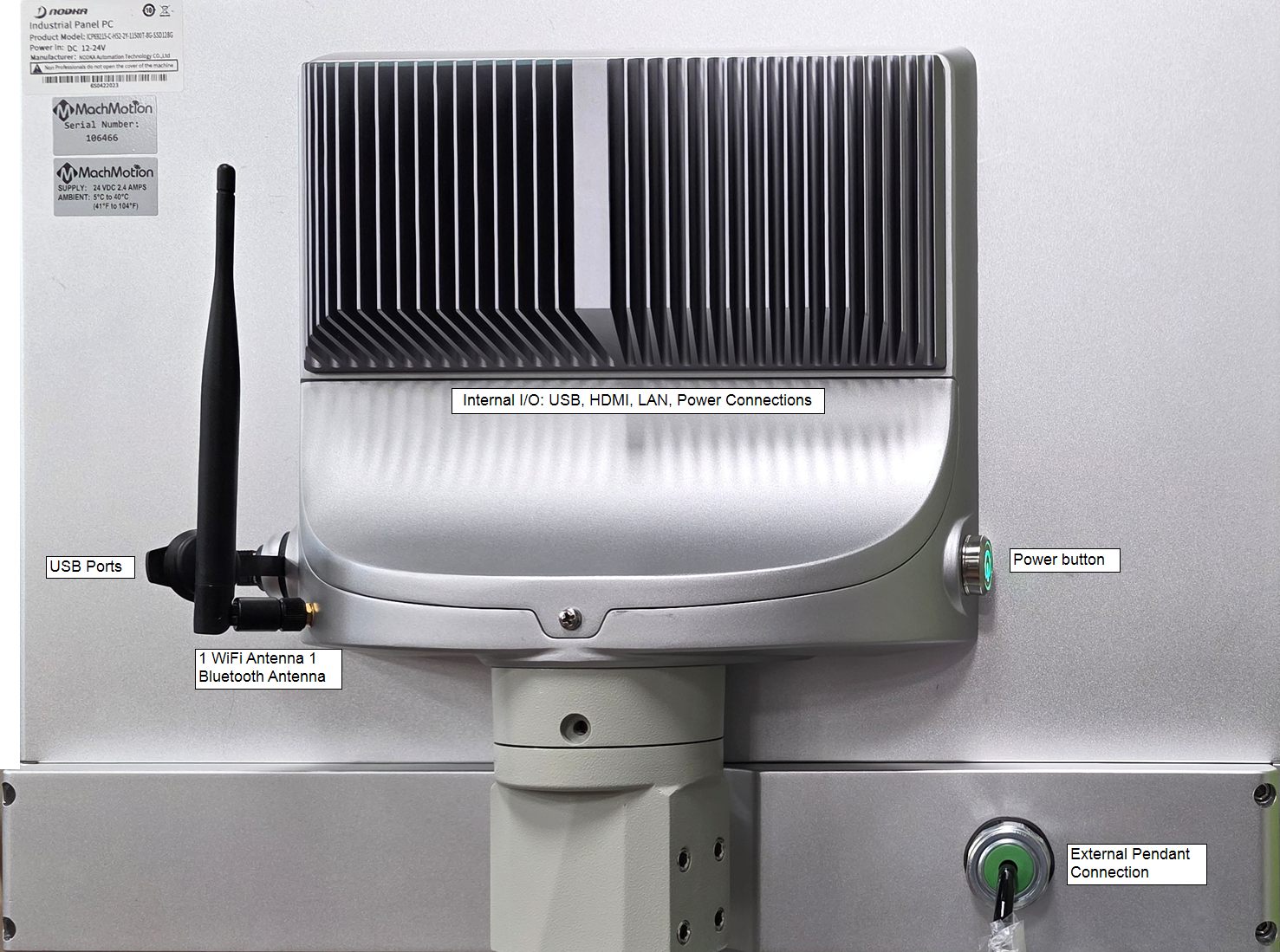
- On the rear of the control is a single screw in the center of the Internal I/O compartment cover. Loosen that screw and remove the cover for access to the I/O.
- Connect 12 - 24VDC to the DC terminals at the right side of the internal I/O compartment.
- Follow the + and - signs by the terminals.
- Connect your keyboard and mouse using the USB ports.
- Connect your motion controller to LAN1
- Connect your internet to LAN3.
- Press the power button to power up and test your connections.
Internal I/O compartment layout

|
|
There is a terminal block on the right side of the panel, and it is use to connect the E-Stop channels for the E-Stop button on the front panel. The 24V supply powers the active buttons on the front panel.
|


3. Operator Panel

Emergency Stop should be used in the event of an emergency and as a safety precaution any time the machine isn't running. Emergency Stop will not lose position of machine or require rehoming. The Orion Control Emergency Stop is a dual channel Emergency stop — only one channel is needed for connecting to the M31 estop input.
Cycle Start can be used to start a G-Code file and is also used to start other commands such as MDI and GoTo Commands.
Feed Hold is used to pause motion during file run and will leave the spindle on. Cycle start will resume motion and continue file execution.
Reset is used to clear alarms and set the machine back to default modals. These defaults can be changed in the Initialization Codes sections of the default control configuration. Reset also does a full cycle stop and rewinds the GCode file.
USB two USB A ports
Jog - and Jog + are integrated with on-screen controls where you can select the axis to be jogged
4. Features
The manufacturer's data sheet is available in the upper left portion of this window.
- 21.5” LCD, 1920*1080, resolution, Multi-touch, Capacitive Touchscreen
- Full IP65 design
- 2/4*Glan/4*USB3.0/1*HDMI/2*COM
- DC12-24V power input
- Support arm mounting from TOP side or BOTTOM side
- Fanless and anodized aluminum
5. Specifications
| Category | Specification | ICP69215-C-H52-4Y |
| LCD | Size | 21.5" LCD |
| Resolution ratio | 1920*1080 | |
| White Luminance | 250cd/m2 | |
| MTBF (hour) | 30000 hrs | |
| Contrast Ratio | 3000:1 | |
| Viewing Angle | (L)89 / (R)89 / (T)89 / (B)89 | |
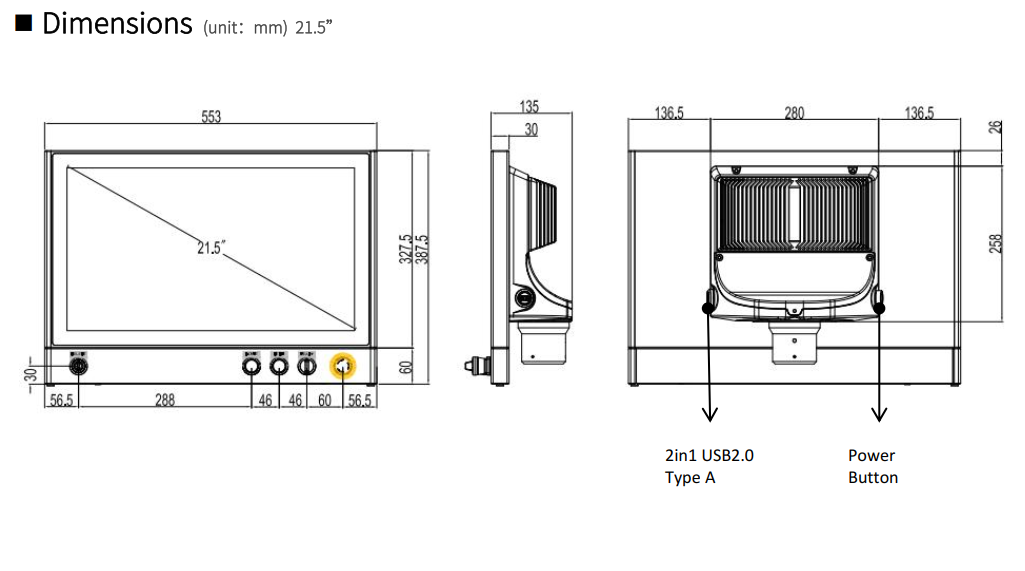
| Mechanical | Dimensions (W x H x D) | 553mm x 387.5mm x 135mm |
| Installation | Swing ARM mounting (Support NODKA 4460 square tube and Rittal CP 40) | |
| Buttons | 1x Emergency, 1x Cycle Start, 1x Feed Hold, 1x Reset, 2x User Configurable, 2x USB A ports, 1x Jog -, 1x Jog+ | |
| Weight | 9.0 Kg | |
| System | CPU | Intel® Core™ 10-11th i5, LGA1200, Max.35W |
| Memory | 2 x 260-pin DDR4 SODIMM, 8GB | |
| Storage | 1 x 2.5" HDD/SSD + 1 x mSATA | |
| Network (LAN) | 4 x Intel 1000Mbps Ethernet | |
| HDMI | HDMI 1.2 | |
| Serial ports | 2 x RS232/485 (optional), 2 x 3-pin Phoenix Connector | |
| USB | 4 x USB (3.0/2.0/1.0) | |
| Touch screen | Touch screen type | Capacitive Touch screen |
| Communication interface | USB | |
| Transmittance | ≥87% | |
| OS | OS |
MachLabs installs Windows 11 IoT Value for i5 processor version 22H2 build 22621 |
| Power Consumption | Input Voltage |
12-24VDC ±10%; reverse connection, over-voltage, over-current protection; 1x 2-pin Phoenix DC (internal); 1x power button with light (back) |
| Idle Power Consumption | Minimum 35W | |
| Environment | Operating Temperature | 0°C ~ 50°C for SSD; 0°C ~ 45°C for HDD |
| Storage Temperature | -20°C ~ 60°C | |
| Humidity | 5~95% @ 40°C (non-condensing) | |
| Vibration | SSD applied: 1.5 Grms, IEC 60068-2-64, random, 5~500 Hz, 1 hr/axis | |
| Shock | Operating 10G peak acceleration (11ms duration), follow IEC 60068-2-27 | |
| EMC | Class B | |
| IP rating | Full IP65 |
6. Mechanical Drawings
| http://www.mach-labs.com | MachLabs Documentation | support@mach-labs.com |
The MachLabs Team
14518 County Road 7240, Newburg, MO 65550
support@mach-labs.com