Microsoft apps not working (paint, ms store, notepad ect.)
Use these methods if Microsoft apps stop working (paint, ms store, notepad, clipchamp, ect.)
-
Log in on a trusted account.
-
Repair/reset apps
-
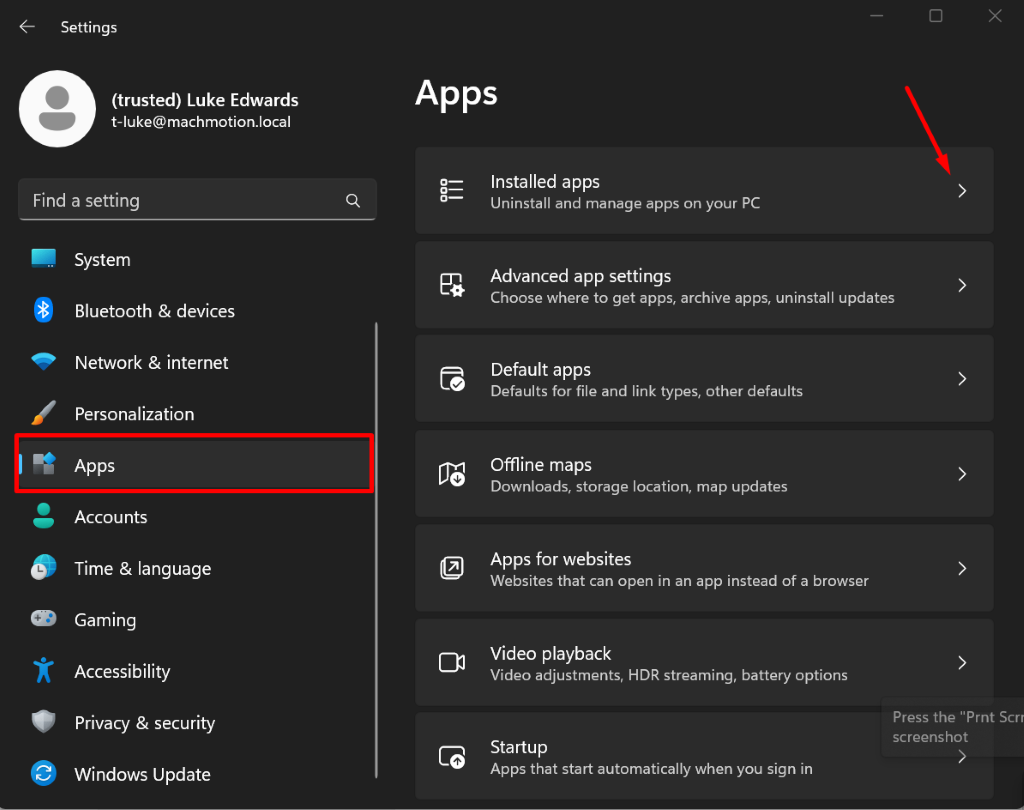
Open settings and go to Apps > Installed Apps
-
-
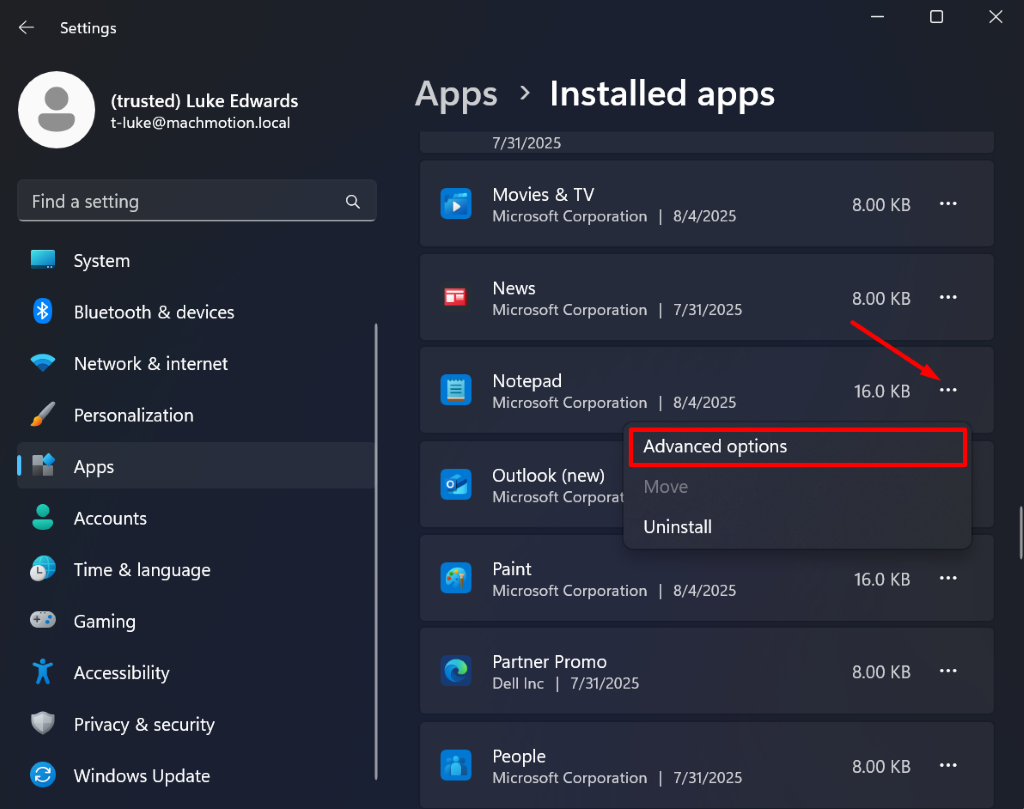
Find the app(s) that isn't working and hit the three dots in the corner and hit advanced options
-
-
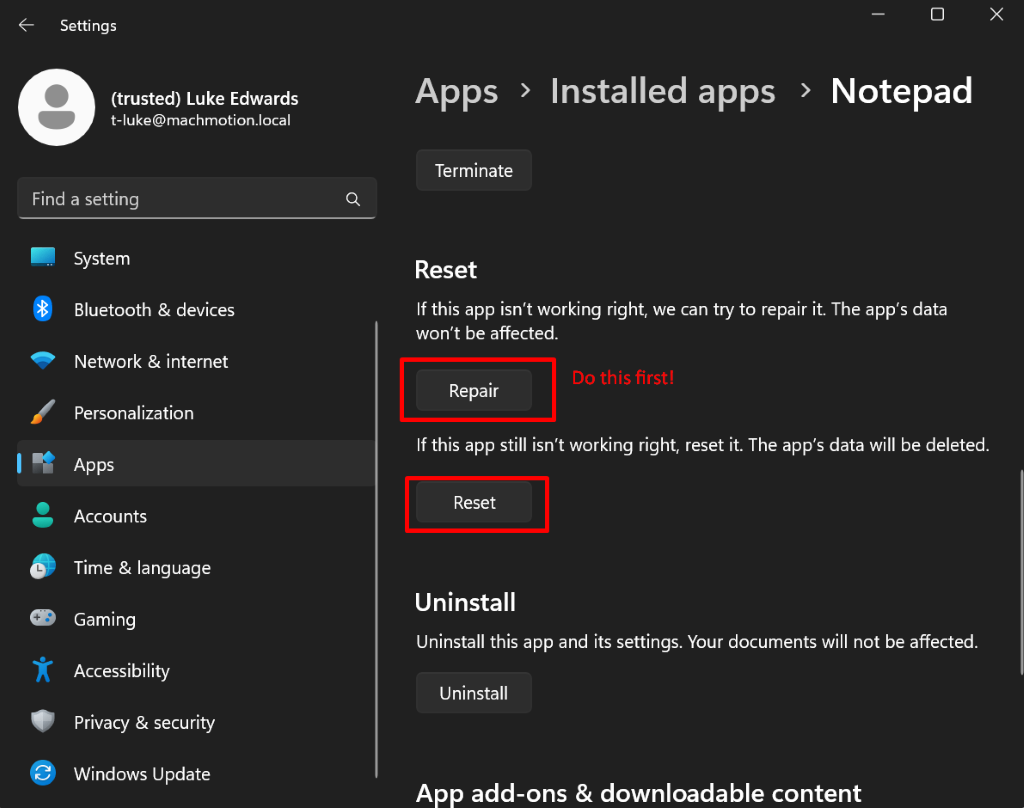
Within advanced options hit repair app and verify if the app is working or not. If not hit reset app, restart the computer then verify if the app is working.
-
-
Run sfc /scannow in the terminal. This is good to run even if resetting and repairing the app worked
-
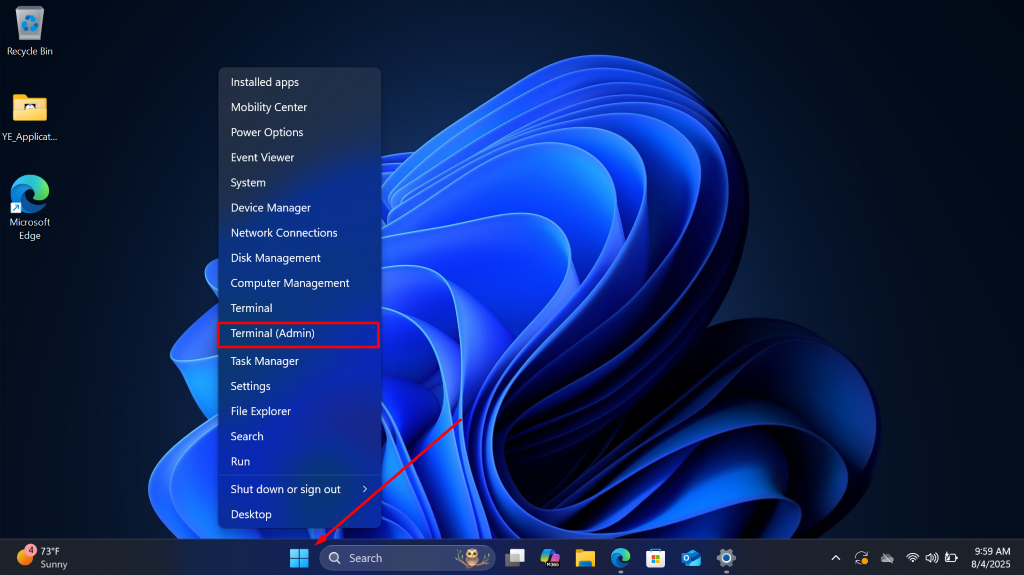
Right click the windows button and click Terminal admin
-
-
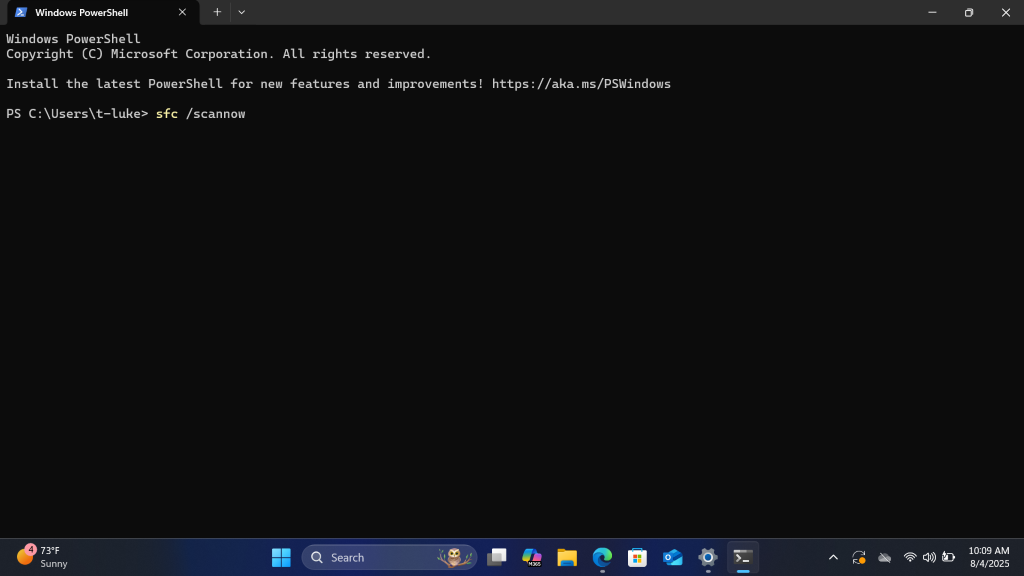
Type sfc /scannow
-
-
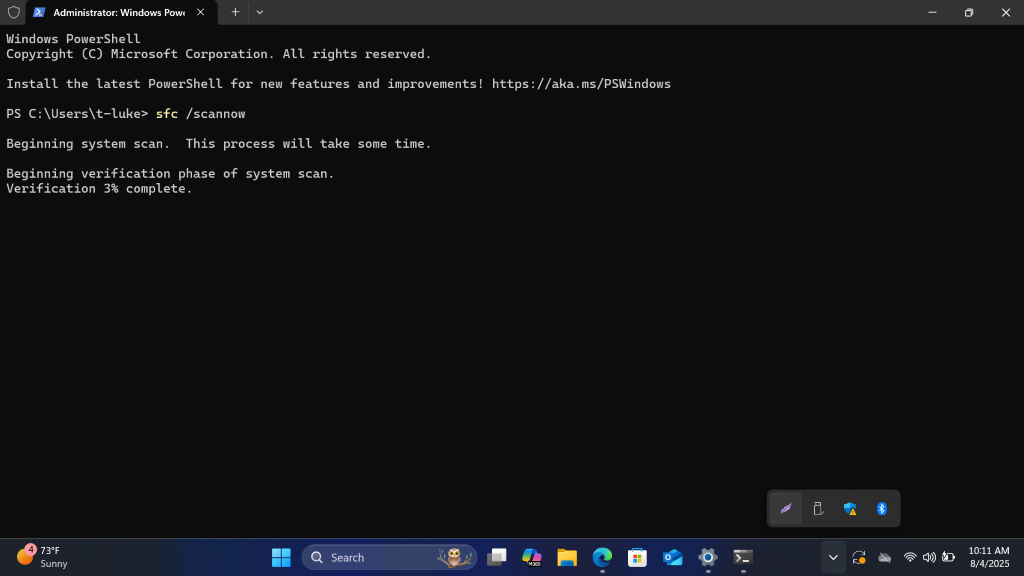
Hit enter and wait, may take a few minutes
-
-
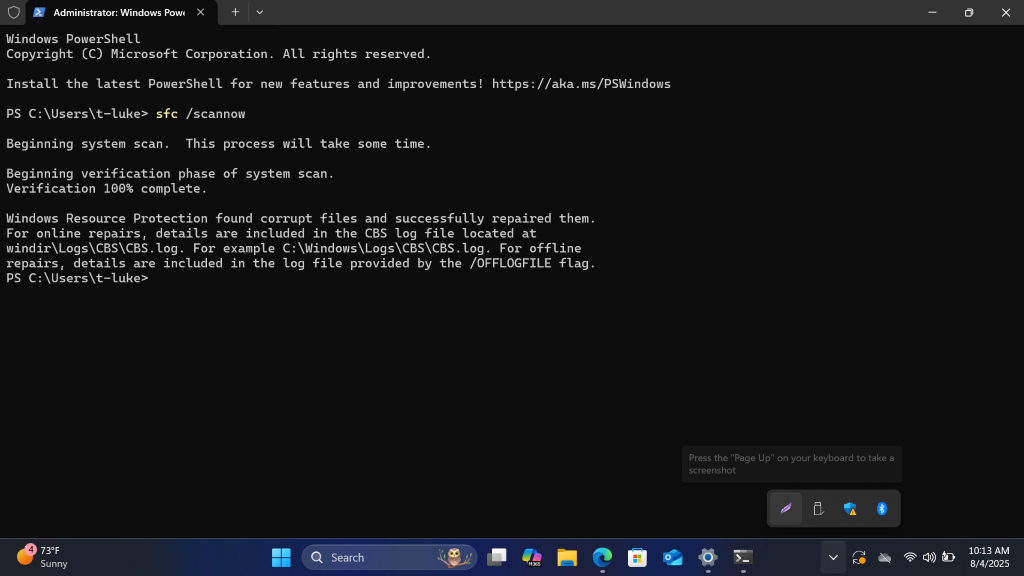
Once completed read the message it left behind and act accordingly
-
-
Run dism in windows terminal. This is good to run even if resetting and repairing the app worked
-
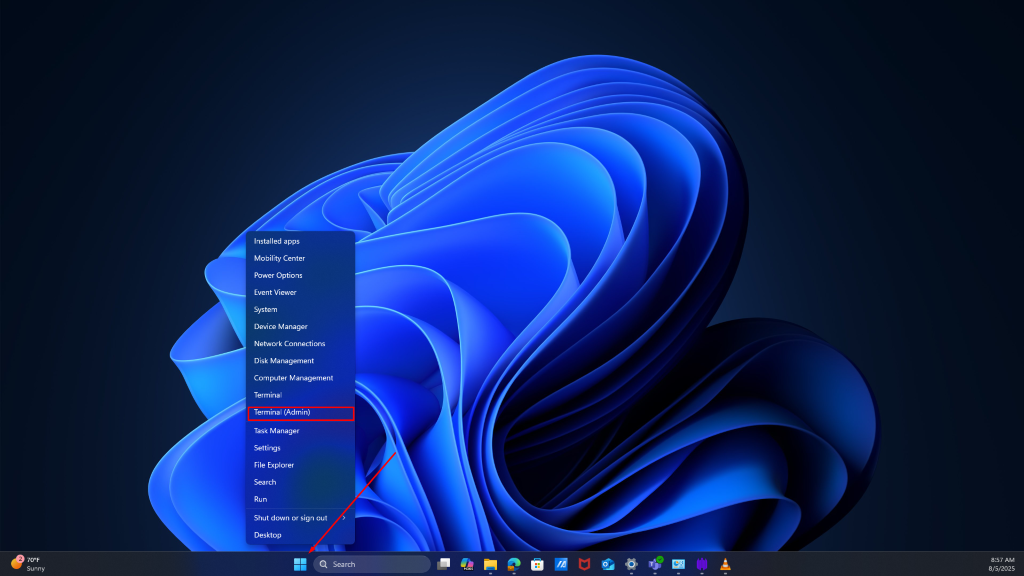
Right click the windows button and click Terminal admin
-
-
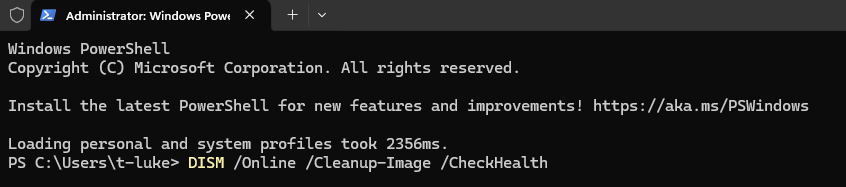
Type DISM /Online /Cleanup-Image /CheckHealth then hit enter
-
-
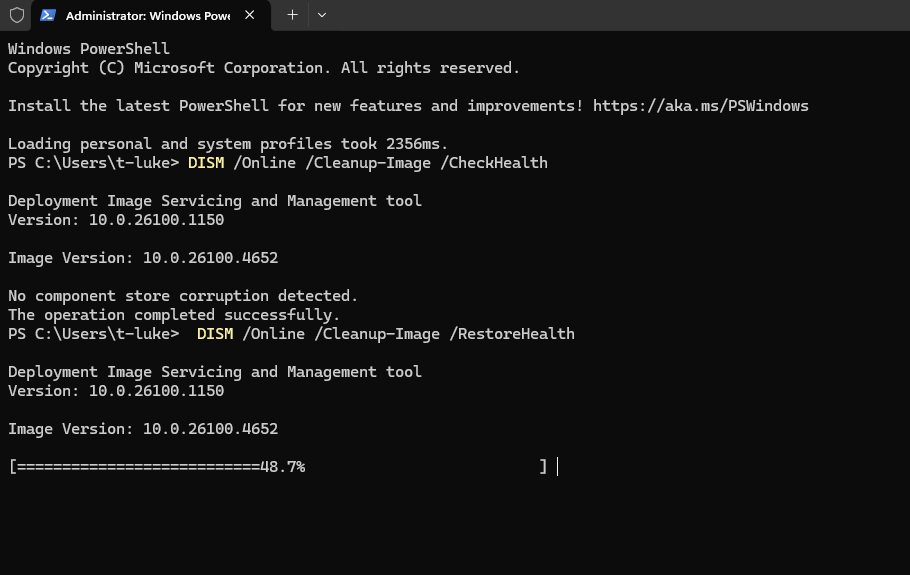
Verify if it detected corruption or not
-
If it did type DISM /Online /Cleanup-Image /RestoreHealth the verify it repaired the corrupted files
-
-
Reset the device
-
Backup important files
-
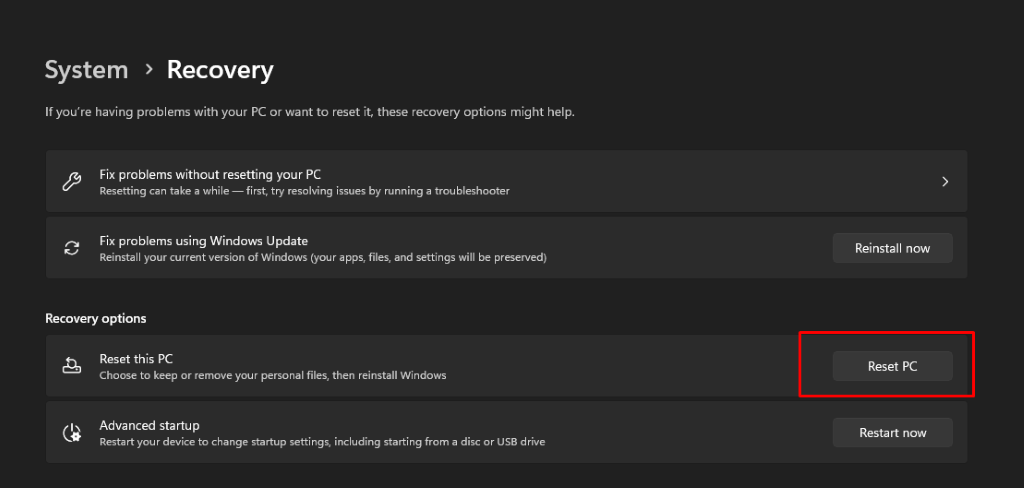
Reset the device system > recovery > reset this pc
-