CTB Servo Drives

1. Introduction
MachMotion offers two series the GH single axis and MAS multi axis drives. The GH can be used as a single axis servo drive and can be connected to a range of PM motors or can be used to drive a AC induction spindle motor. The MAS come in to versions 3 and 4 axis.
The drives all use EtherCAT for communication from the drive and controller.
2. Wiring
GH Series
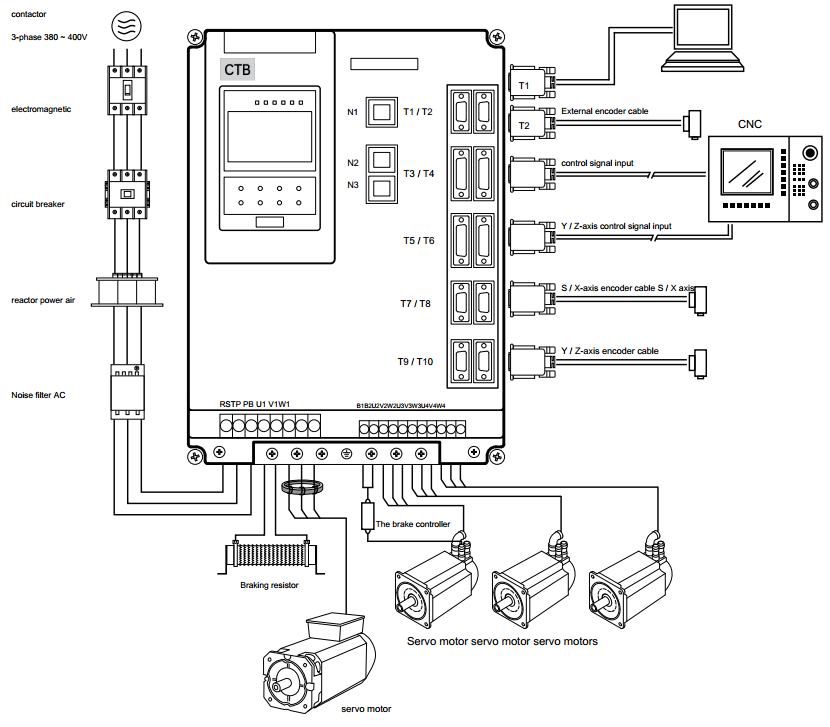
Wiring overview
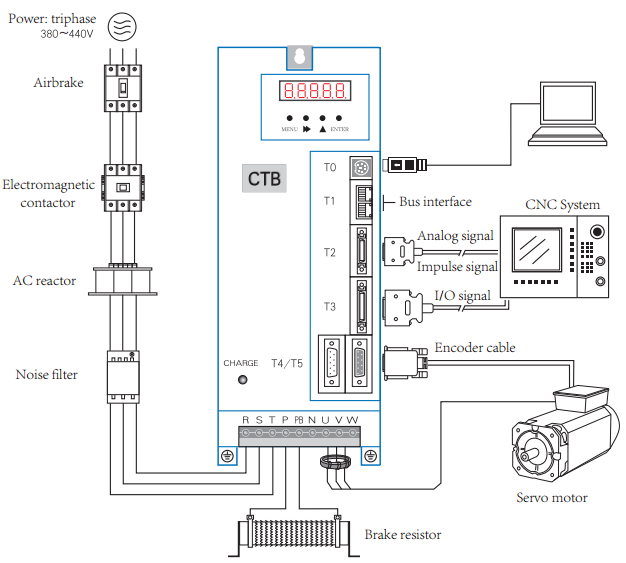
Wiring logic overview
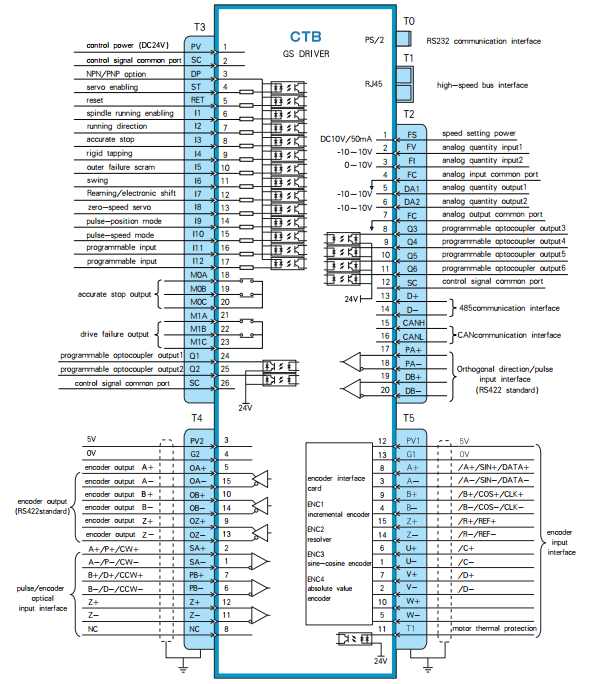
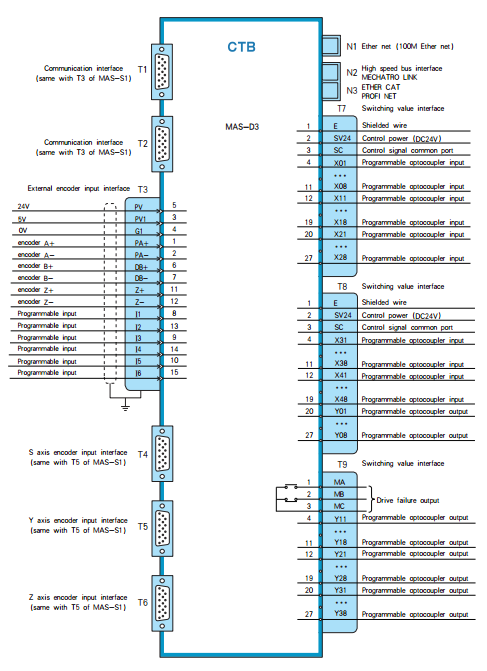
EtherCAT buss (Connectors T1 and T2)
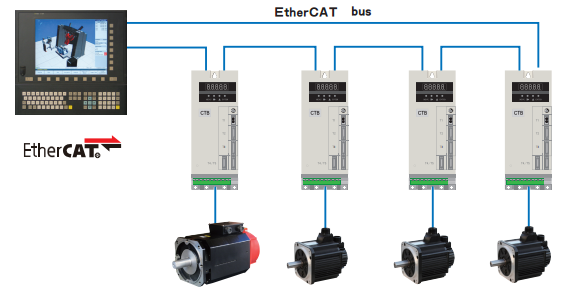
MAS Series Version D3
Spindle Setup
The CTB drives can be configured to use the encoder on that is built into the motor or a external load encoder for position feedback. The encoder on the motor should always be connected to the drive with connector T5. Every spindle drive is expected to have the correct braking resistor installed.
Spindle Configurations
- V belt spindle drive with external encoder connected to CNC control. The CNC control can monitor the encoder and control the drive in speed mode.
Supported Functions: Speed mode, threading.
- Synchronous belt transmission, the transmission ratio of 1:1, with zero position switch.
Supported Functions: Speed mode, spindle orientation, C axis positioning, threading, rigid tapping.
- Synchronous belt transmission, the transmission ratio of 1:1.
Supported Functions: Speed mode, spindle orientation, C axis positioning, threading, rigid tapping.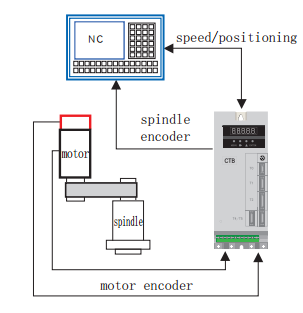
- Gear box with multiple transmission ratios, external encoder mounted 1:1 ratio to the spindle.
Supported Functions: Speed mode, spindle orientation, C axis positioning, threading, rigid tapping.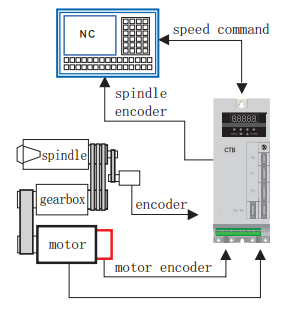
External Load Encoder
The external encoder must be a 5V TTL quadrature encoder with A,B and marker pulse to be used for orientation of the spindle. It is very important that the external encoder is mounted 1:1 ratio to the spindle load.
- Encoder wiring:
Function Cannon Plug DB15 Pin Number 0V K 4 5V H 3 A A 2 /A N 1 B C 7 /B R 6 Z B 12 /Z P 11 Shield Shell - Encoder parameters:
To use the external encoder set C1-03 = 1 and C1-04 = 2. To view the external encoder count on the drive look at U2-01.Parameter Name Descriptions Factory Setting C1-03 Position Feedback Source 0: Motor Encoder (T5)
1: External Encoder (T4)
0 C1-04 Position Operation Source 0: Invalid
1: Motor Encoder (T5)
2: External Encoder (T4)
1 E1-15 External Encoder Type (T4) 0: Invalid
1: Quadrature
1 E1-16 External Encoder Pules Count (T4) 0~16348 1024 E1-17 External Encoder Direction (T4) 0: Clockwise
1: Counterclockwise
0 E1-18
External Encoder Reduction Ratio Numerator (T4) 1~30000
1 E1-19
External Encoder Reduction Ratio Denominator (T4) 1~30000
1
Brake Resistor
- Connection of braking resistor
The P, PB terminals on main circuit block of AC servo driver are for connection with braking resistor.
Please do not connect braking resistor to other terminals, otherwise, the braking resistor will heat up and
burn out, or cause damage to the driver.
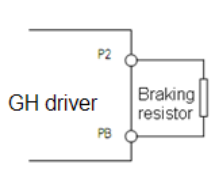
Specification of braking resistor
BKSC-XXXX GHX 43
P745
P547
P540
1140
1540
1840
2240
3040
3740
4540
5540
7540
9041
1041
3241
6042
0042
50
43
15
Power
W60
080
010
0060
080
010
0010
0015
0020
0020
0025
0025
0025
0025
0020
0020
0025
0025
00
25
00
Resist
ance
Ω50 40 32 50 40 32 32 32 20 20 20 20 20 20 20 20 20 20 20 Qty. 1 1 1 2 2 2 2 2 2 2 2 3 3 3 4 4 6 6 8
- Parameters setting
Set the following parametersParameter Name Descriptions Factory Setting P1-01 Buss Over Voltage Alarm 0~10000
800
Firmware
Updating Firmware
- Power off the drive
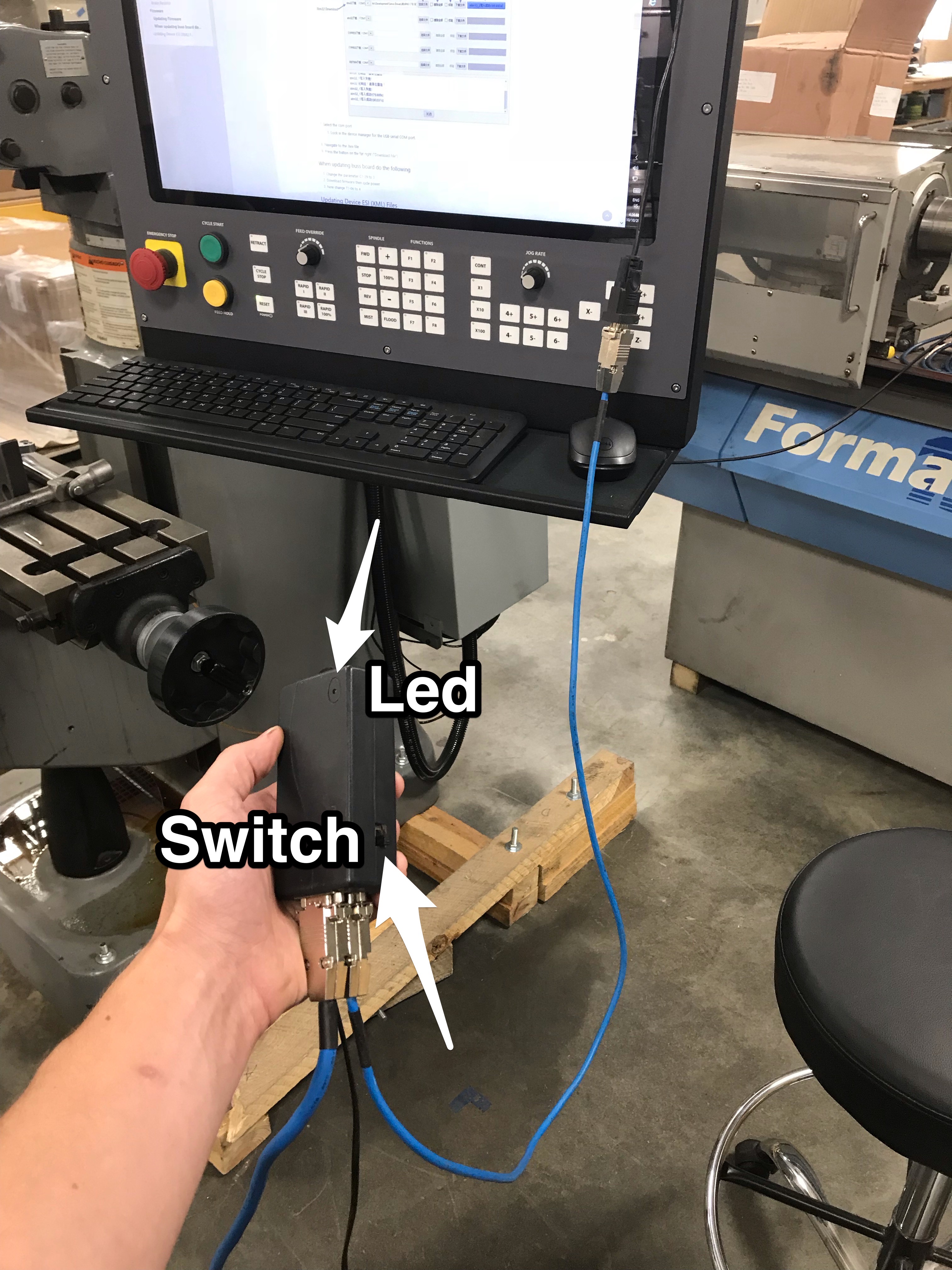
- Slide the switch on the black programmer towards the LED
- Plug the RS232 cable from the programmer into a USB to Serial adapter and connect the USB to the control
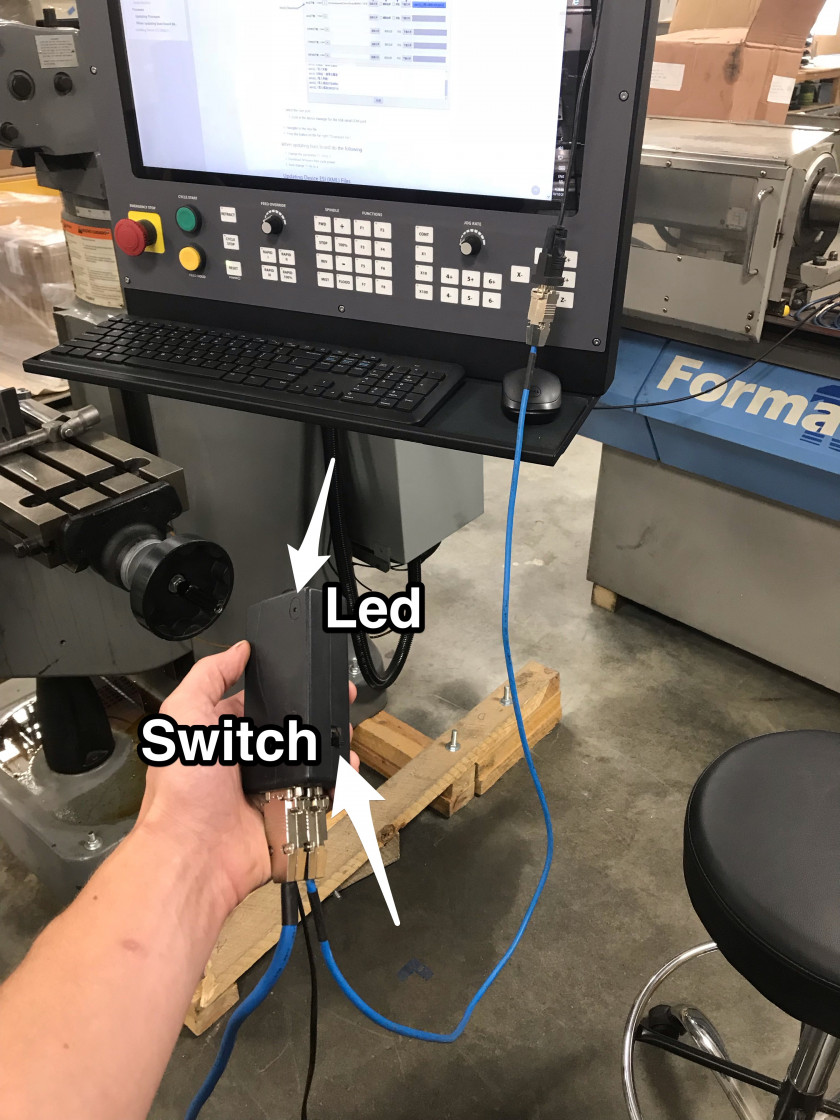
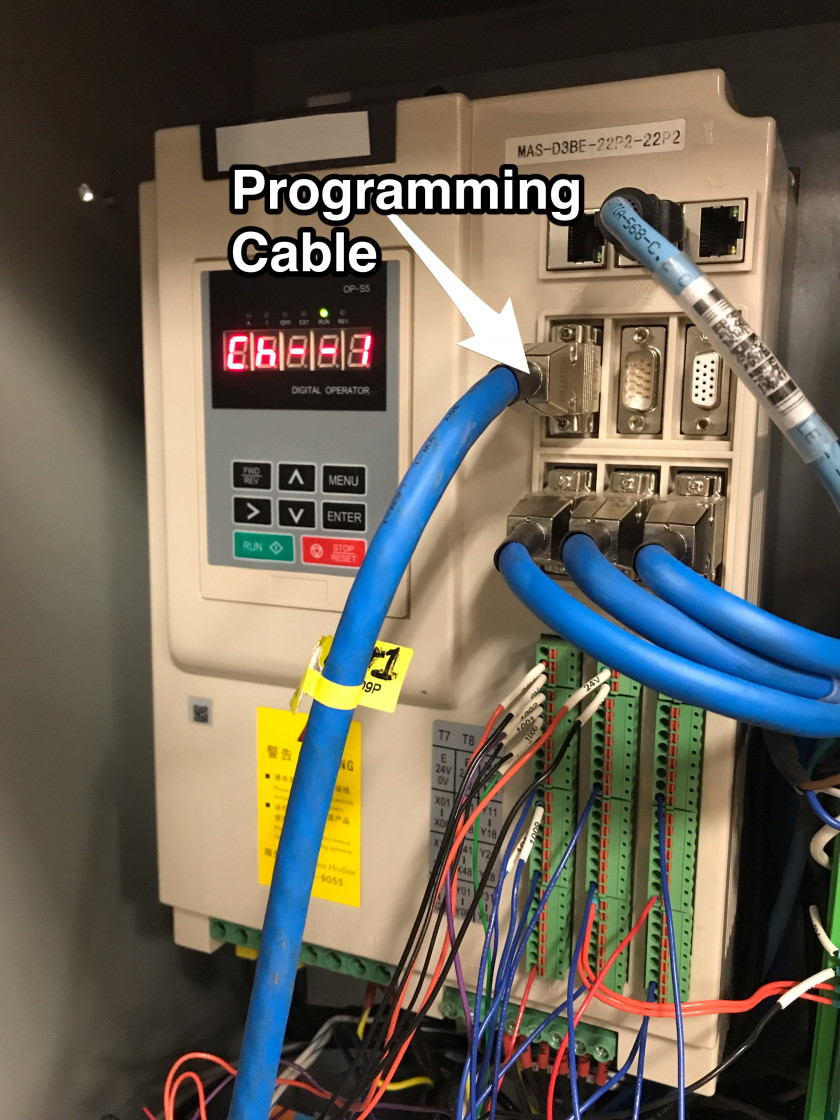
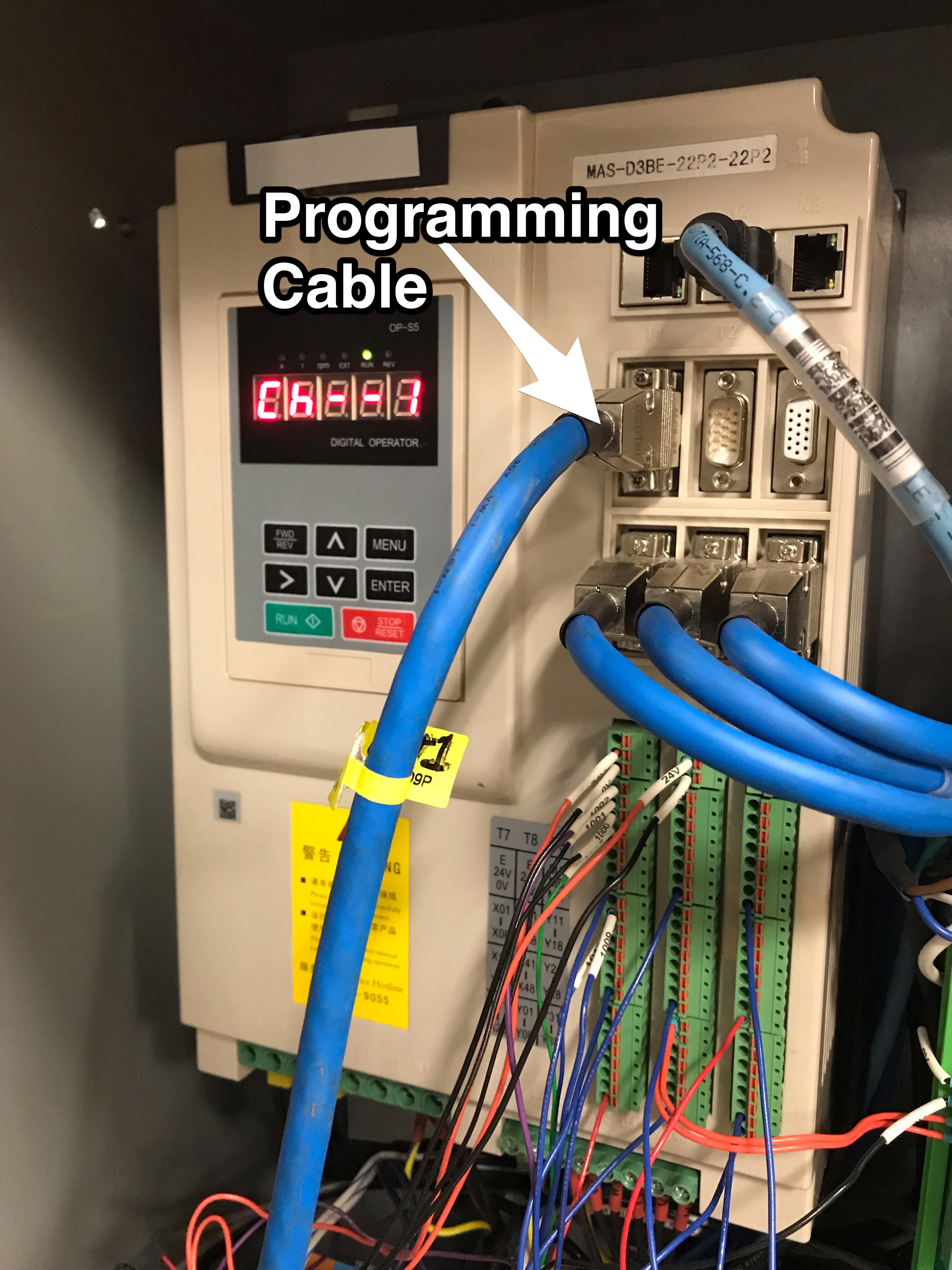
- Connect the larger blue programming cable to the drive
- Plug the programmer power cord into a 115V outlet and leave the main power to the drive off
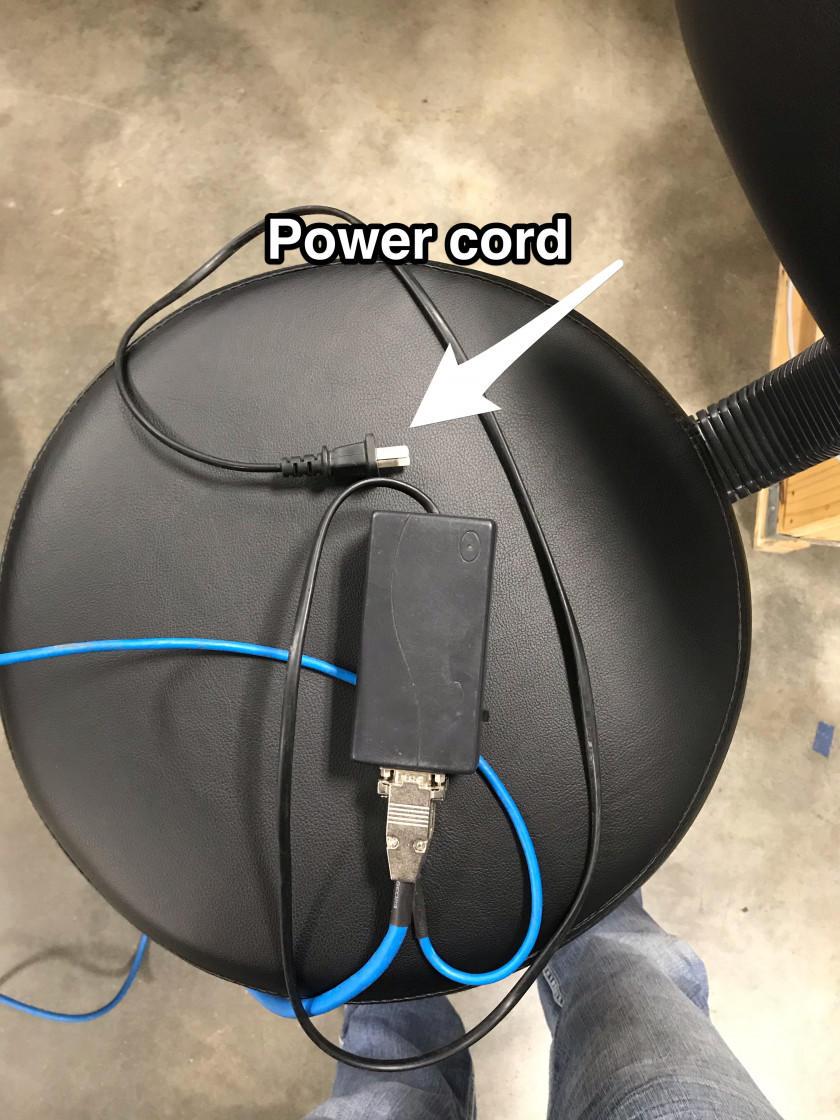
- Make sure the LED on the programmer is solid red
- Download from this document the attached "STMicroelectronics flash loader.zip" and the "GH and MASD3 Firmware M_xxxxxx.zip"
- Unzip the downloaded files
- Open this programmer application (STMicroelectronics flash loader.exe)
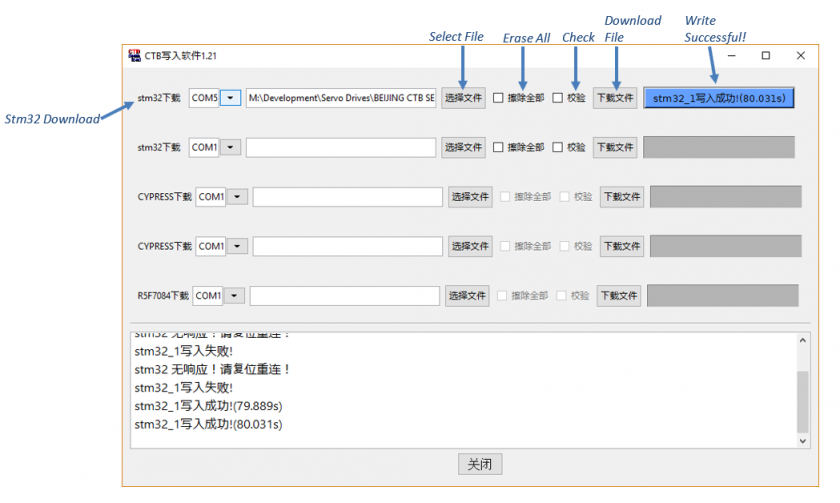
- Select the com port
- Look in the device manager for the USB-serial COM port.
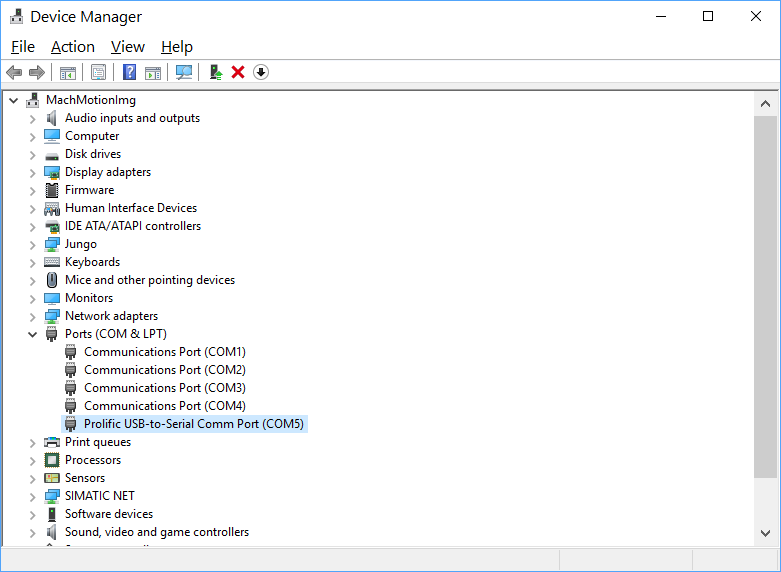
- Look in the device manager for the USB-serial COM port.
- Navigate to the .hex file file that was in "GH and MASD3 Firmware M_xxxxxx.zip" folder
- Select the appropriate file (GHB5_StandardExxxxxx) or MASD3_StandardExxxxxx)
- Press the button on the far right (“Download File”)
- Wait for the progress bar to complete. If the programmer has any errors unplug the programmer power cord and try again.
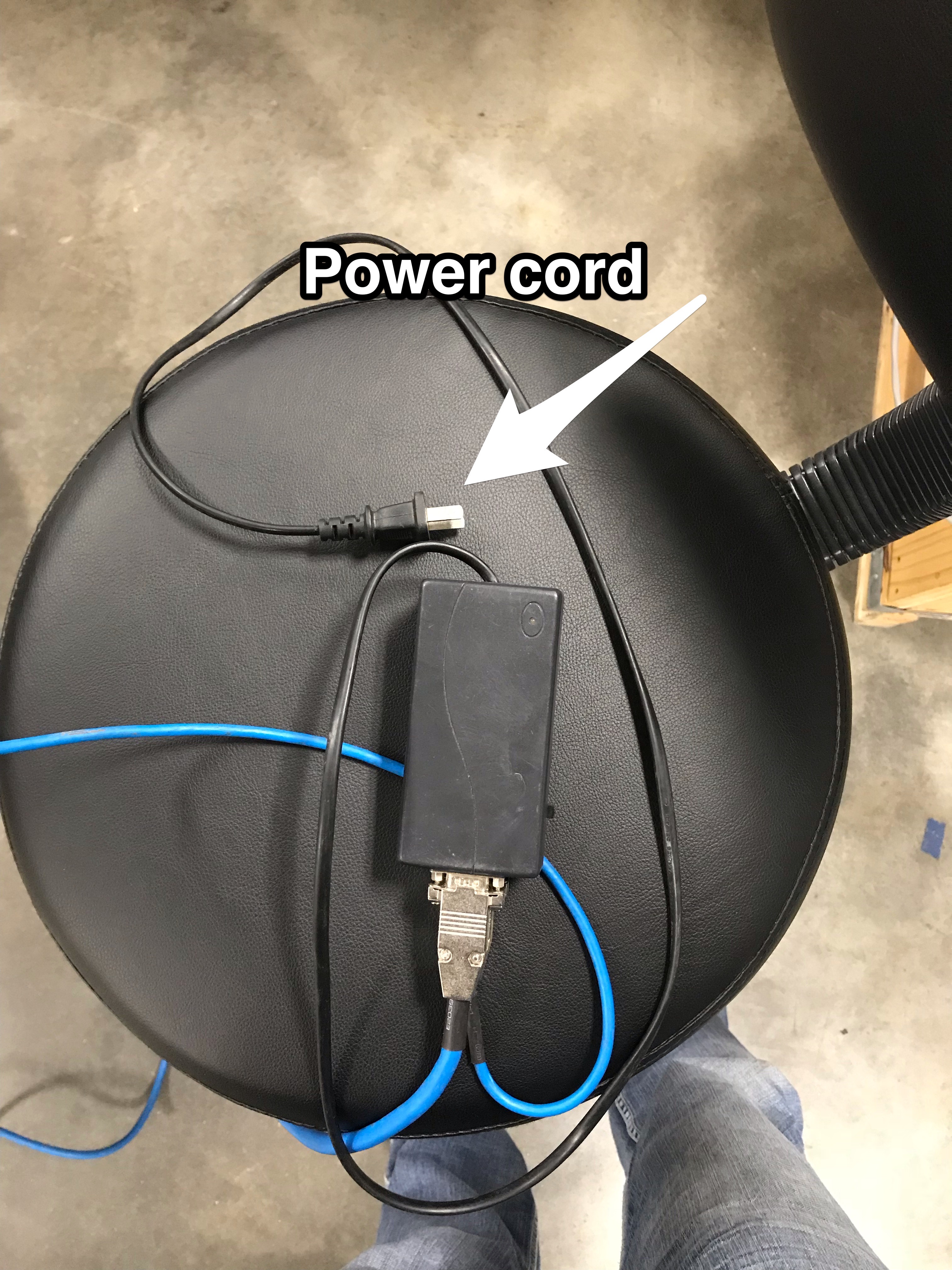
When updating buss board do the following
- Change the parameter C1-29 to 3
- Download firmware then cycle power
- Now change T1-06 to 4
Updating Device ESI (XML) Files
- Download from this document the attached "EtherCAT_Configurator.zip"
- Unzip and install the "EtherCAT Configurator.exe"
- Download from this document the attached "GH and MASD3 ESI XML Files.zip"
- Unzip the "GH and MASD3 ESI XML Files.zip" and copy the files to "C:\Program Files (x86)\EtherCAT Configurator\EtherCAT\"
- Connect the EtherCAT network CAT5 to the Machine Network port on the CNC control.
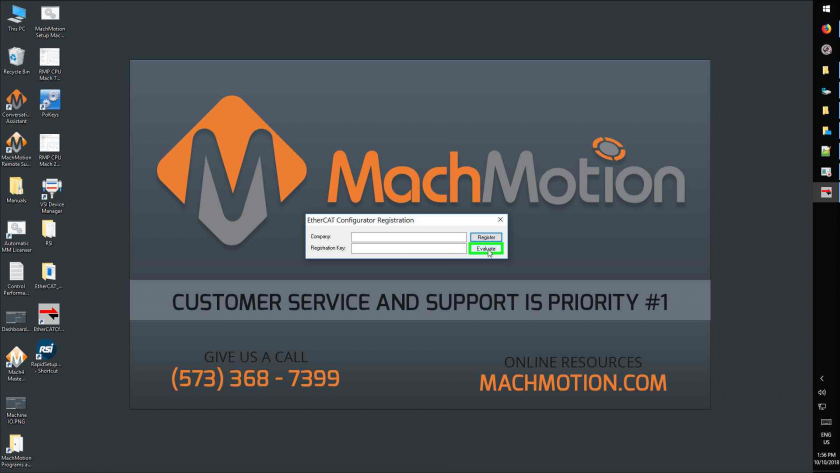
- Open the EtherCAT Configurator Program

-
Left Click On "Evaluate (Button)"
-
Left Click On "I/O Devices (Tree Item)"
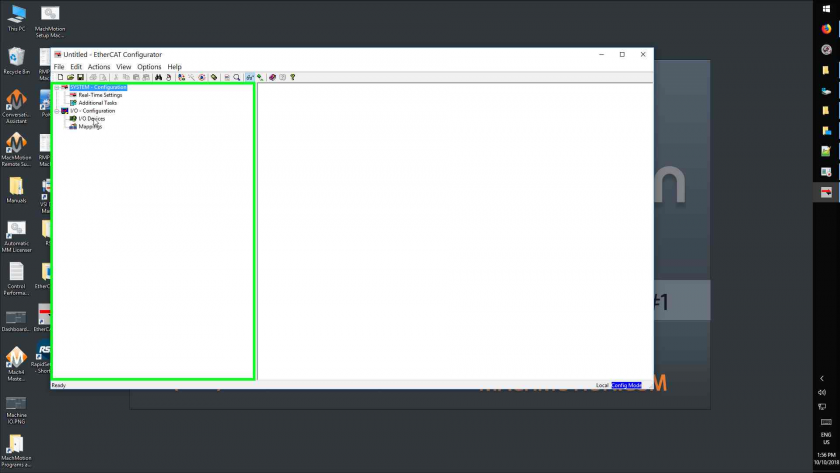
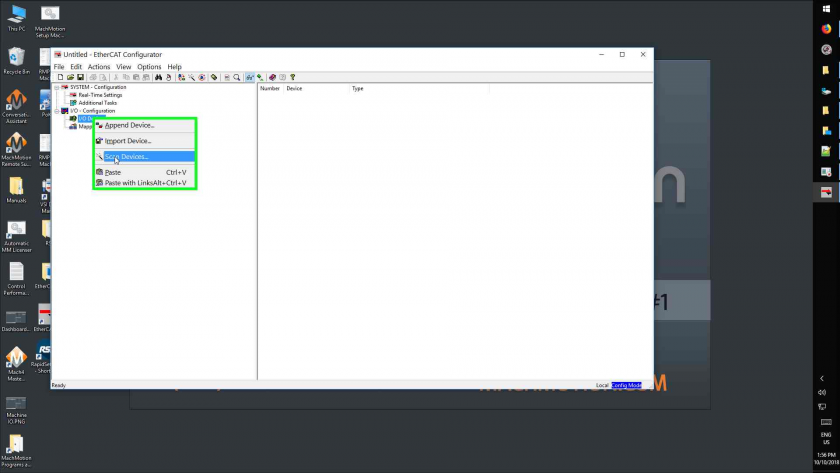
- Right Click On "I/O Devices (Tree Item)"
- Left Click On "Scan Devices... (Menu Item)"
- Left Click On "Ok (Button)"
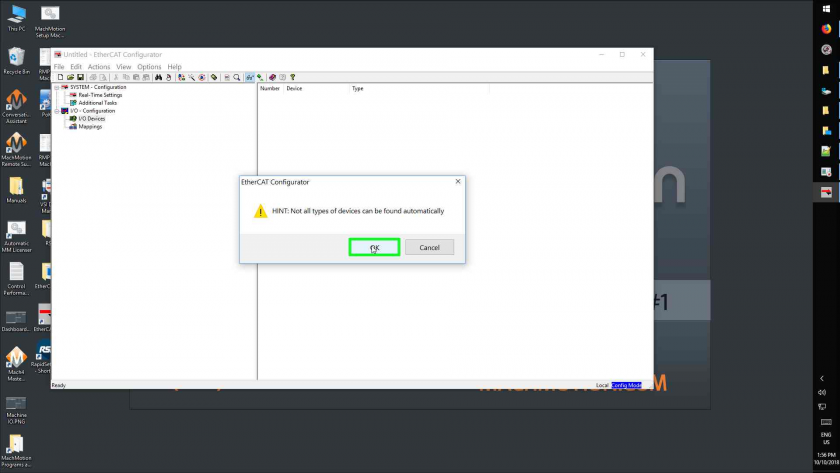
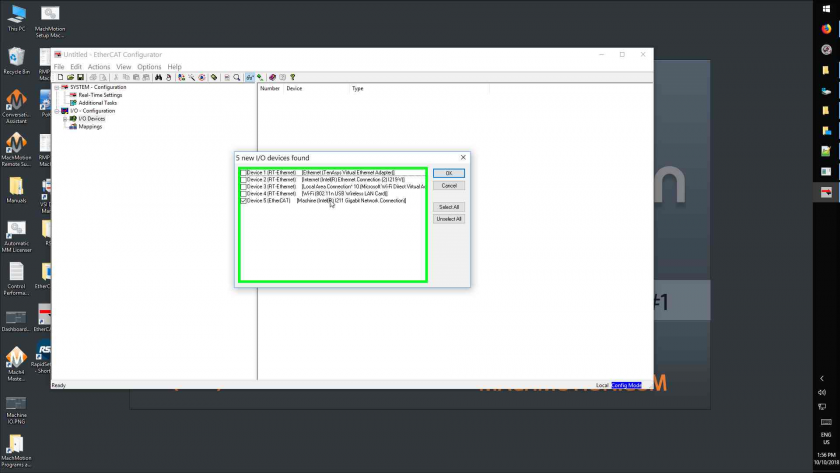
- Left Click On The Ethernet Adapter Labeled "Machine"
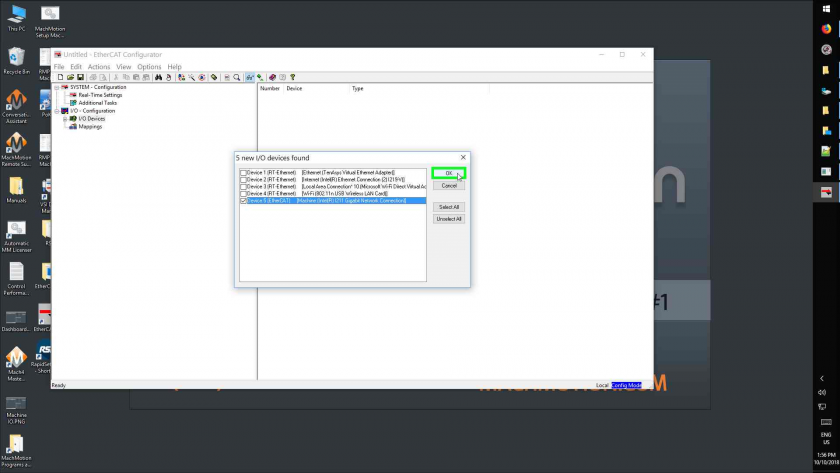
- Left Click On "Ok (Button)"
- Left Click On "Yes (Button)"
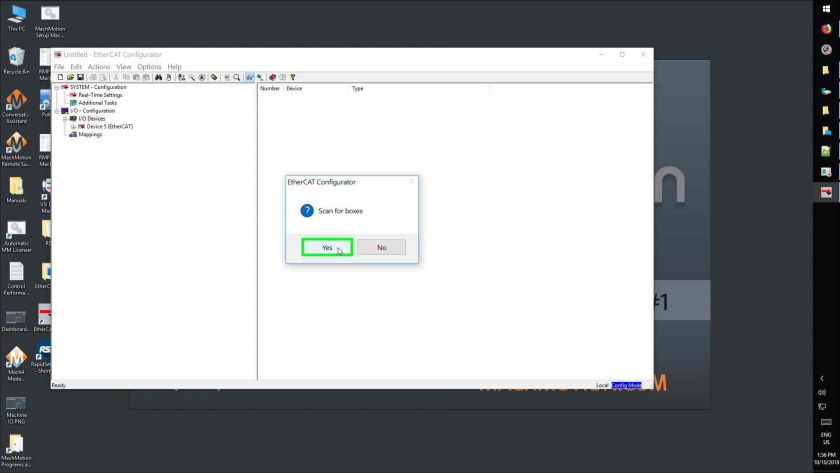
- Left Click On "Yes (Button)"
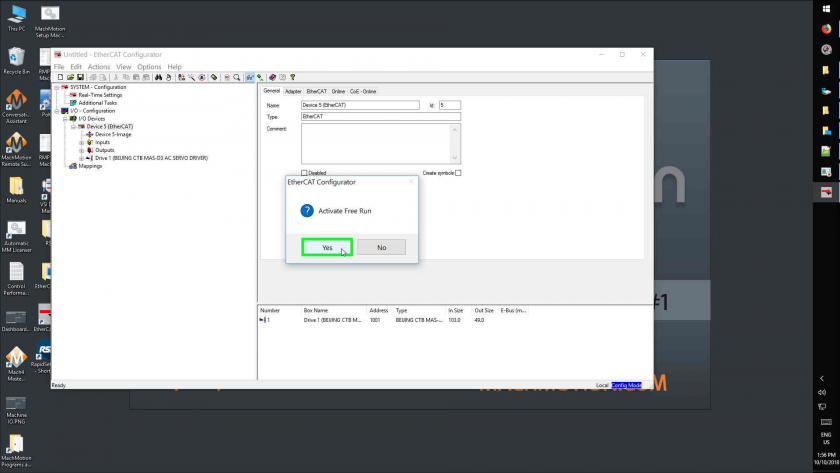
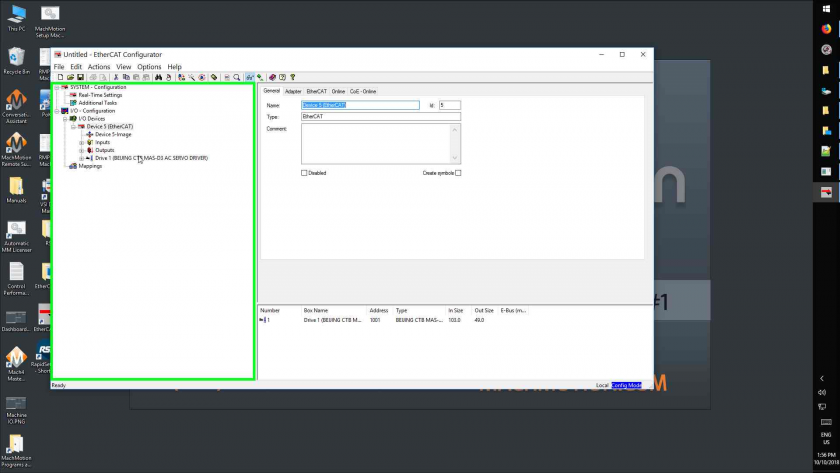
- Left Click On "Drive 1 (Beijing Ctb Mas-D3 Ac Servo Driver)
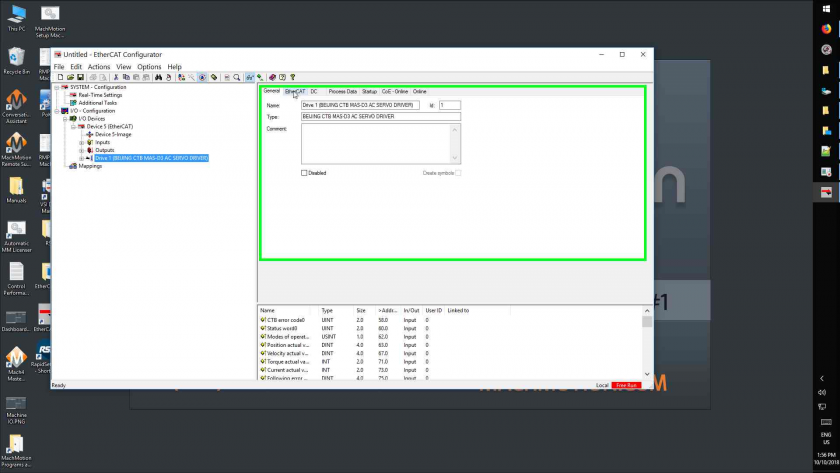
- Left Click On "Ethercat (Tab Item)"
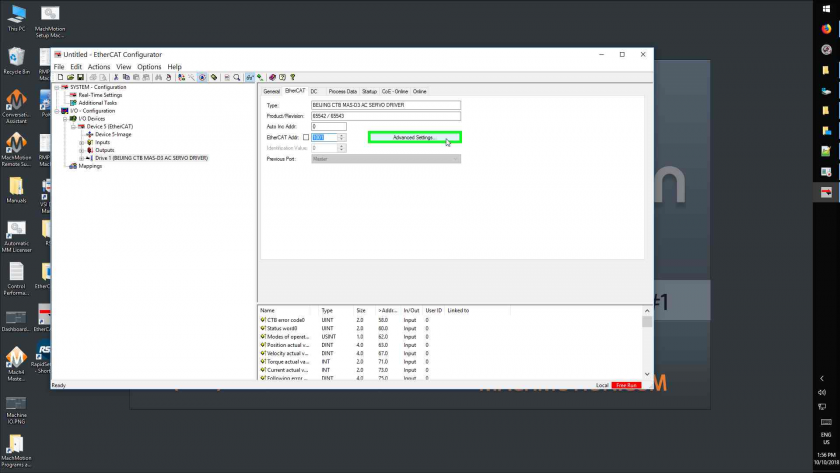
- Left Click On "Advanced Settings... (Button)"
- Left Click On "Esc Access (Tree Item)
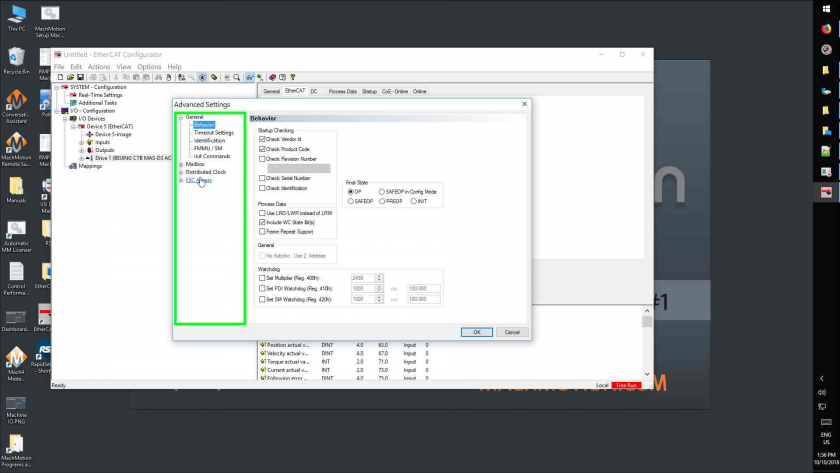
- Left Click On "Esc Access (Tree Item)"
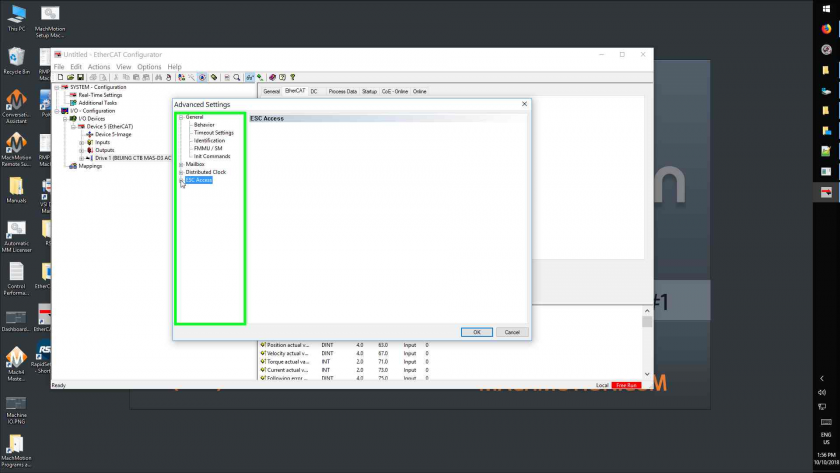
- Left Click On "E²prom (Tree Item)"
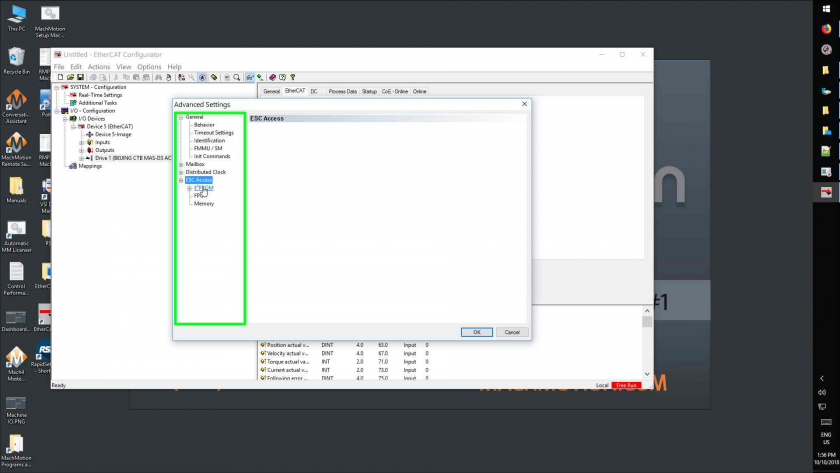
- Left Click On "E²prom (Tree Item)"
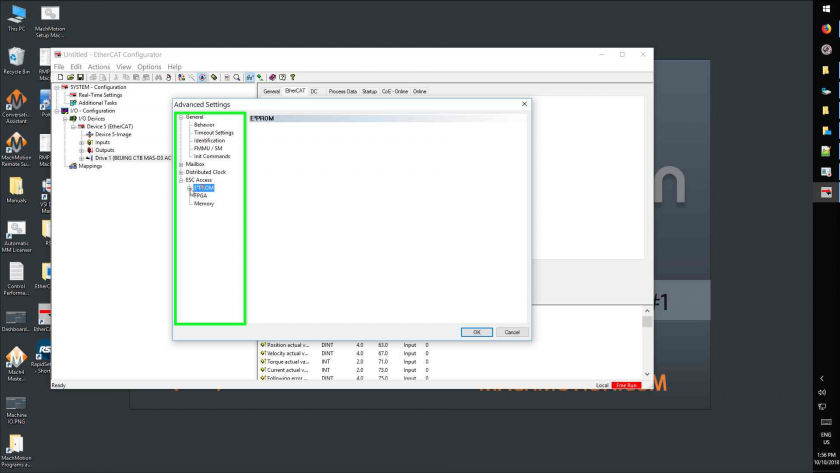
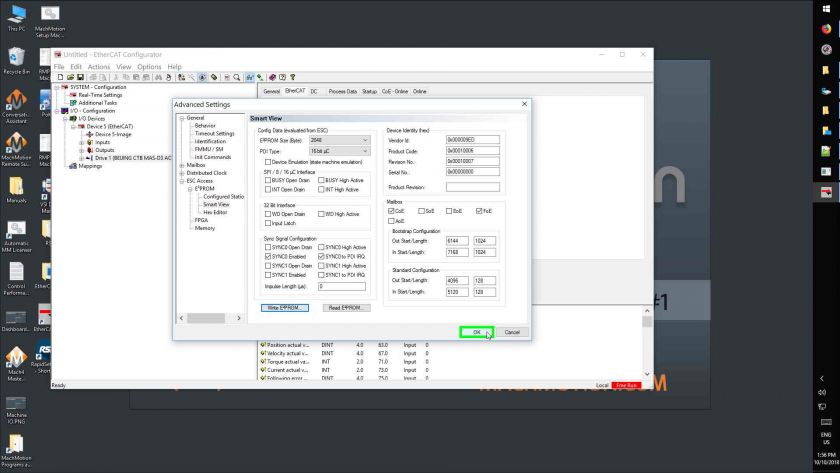
- Left Click On "Smart View (Tree Item)"
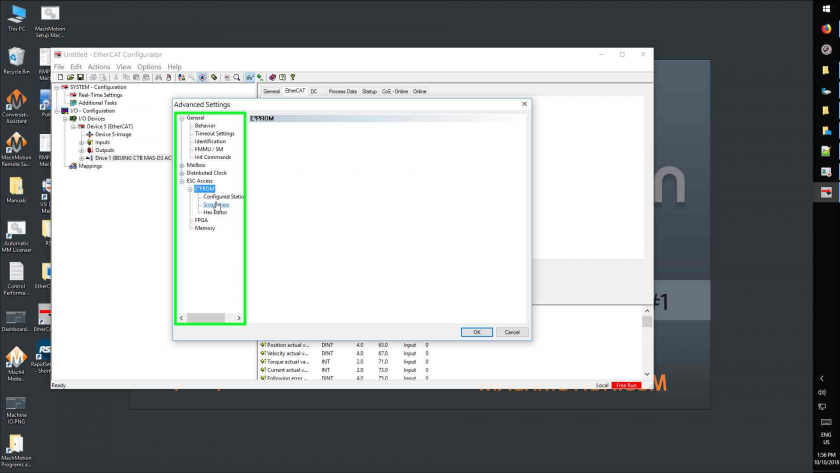
- Left Click On "Write E²prom... (Button)"
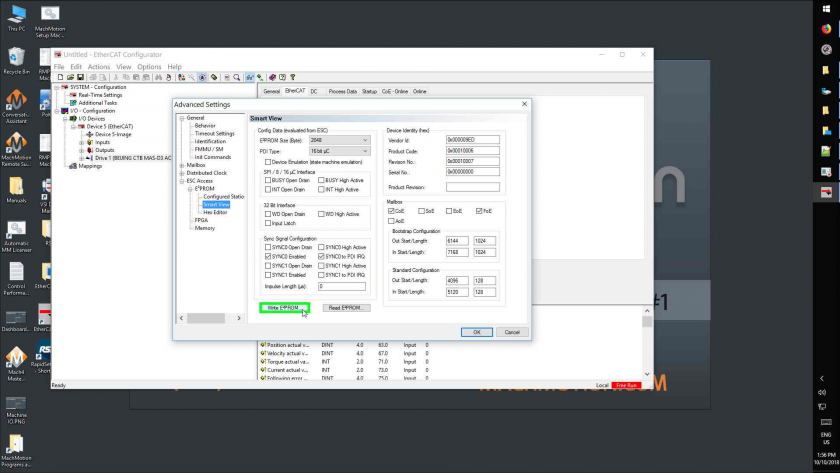
- Left Click On "Beijing Ctb Mas-D3 Ac Servo Driver (65542 / 65543) (Tree Item)"
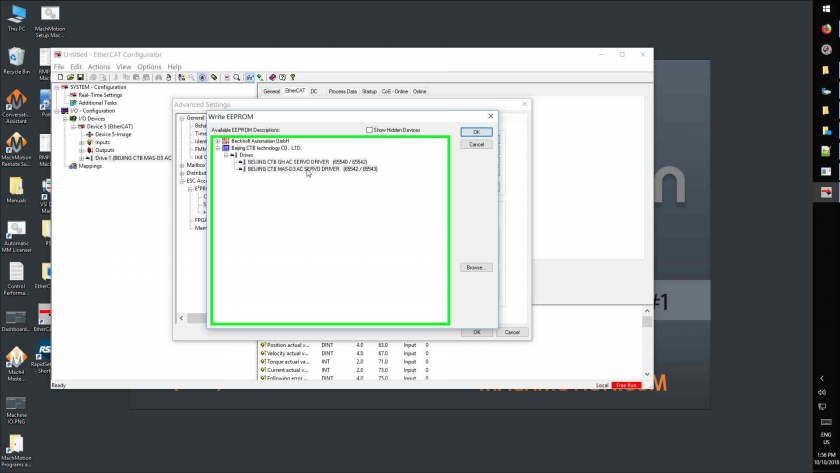
- Left Click On "Ok (Button)" In "Write Eeprom"
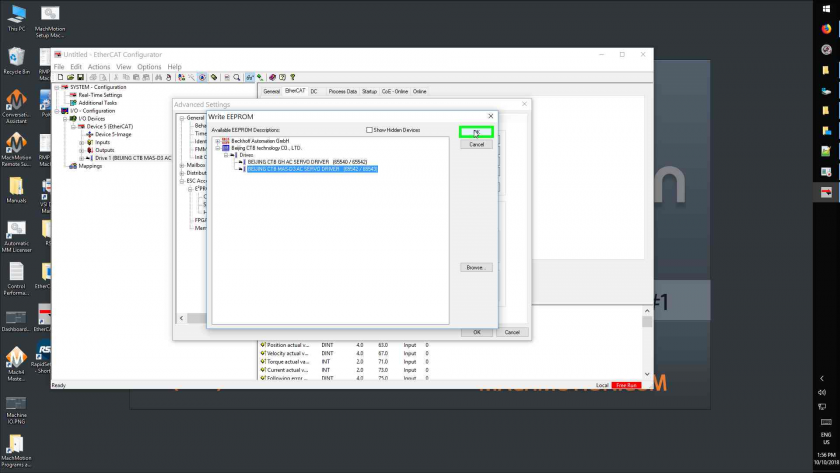
- Left Click On "Ok (Button)" In "Advanced Settings"
- Left Click On "Close (Button)"
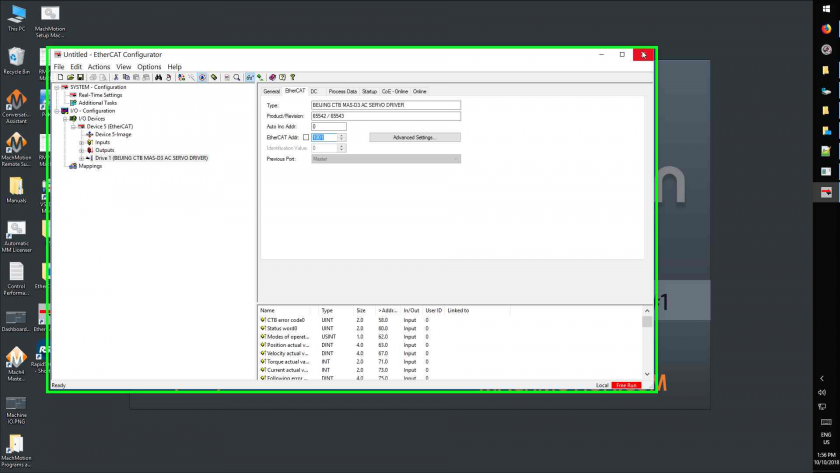
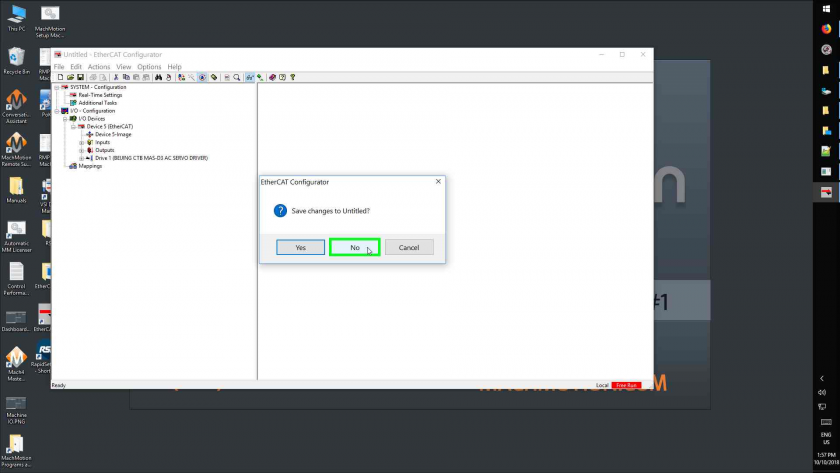
- Left Click On "No (Button)"