
Knowledge Base for PMC Features
The goal of this document is to write down cool things you figure out in PMC so you can reference them later. If you find something interesting, add a heading, write a description with keywords and attach your PMC files for reference.
Controlling Outputs Based on Tool Number.(Zion)
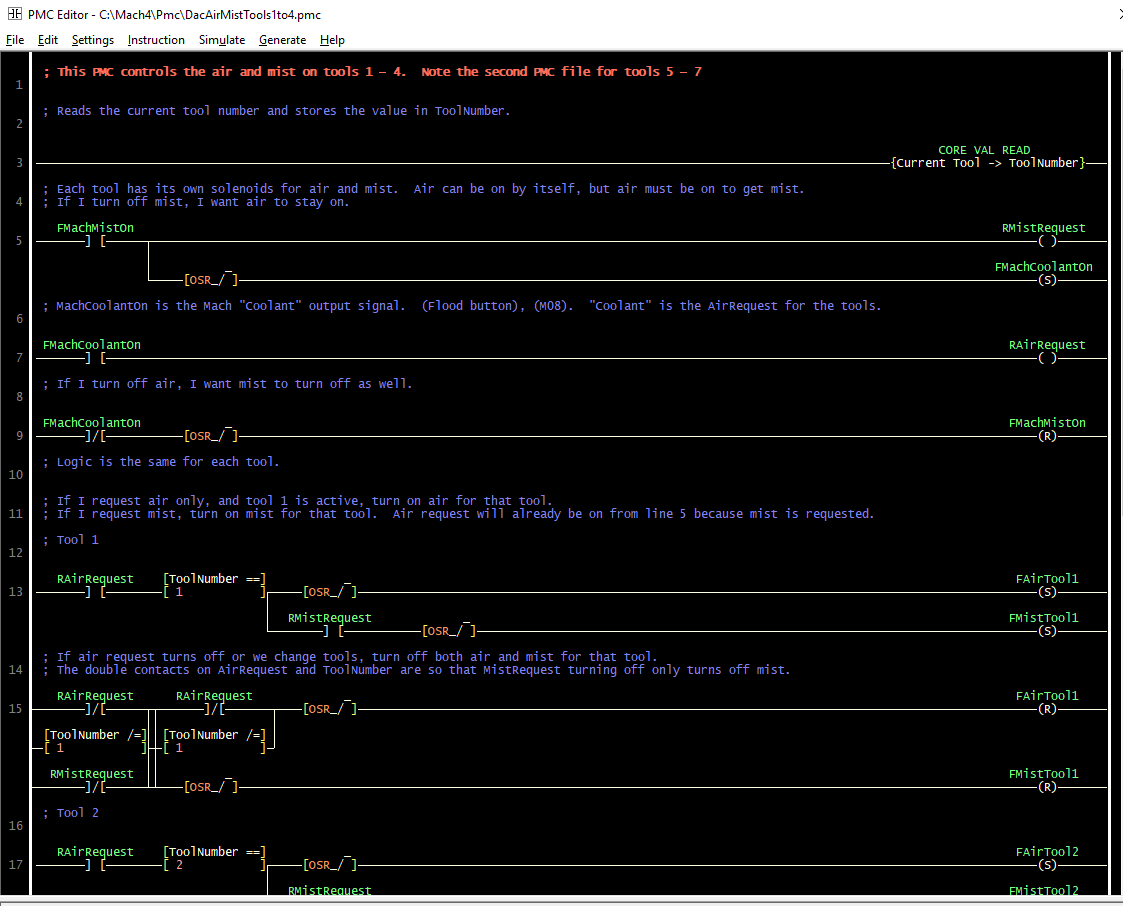
Insert a "Core Value Read" and name the variable. Insert a "Comparison Op" to use the variable with the same name to do something with it. "Current Tool" is the value I'm reading from the core, and putting the value into "ToolNumber".
I did have to break it up into 2 separate PMC files because the screen kept crashing
The goal of this ladder:
There are separate mist and air on solenoids for each tool.
In order to get mist, I need air on.
Air can be on by itself.
If I turn off mist, I want the air to stay on.
If I turn off air, I want the mist to turn off.
If I switch tools, I want to turn off the old solenoids and turn on that tool's solenoids.
I also want my air and mist selections on/off to follow and force the MIST(M7) and FLOOD(M8) buttons so the lights match the state for the selected tools.
Dual VFD Accelerations (Abraham)
If you want to run most of your tools at an aggressive acceleration but still use a long acceleration on your large tooling this is one way to do it.
First run a wire from an output to one of the VFD inputs. then build a PMC (attached)
This one is turning on the output when out current tool number is between 200 and 300.
So 1-199 will use "Time 1" and 200-300 will use "Time 2"

the VFD will default to "Time 1", and an active low output will switch it to "Time 2"
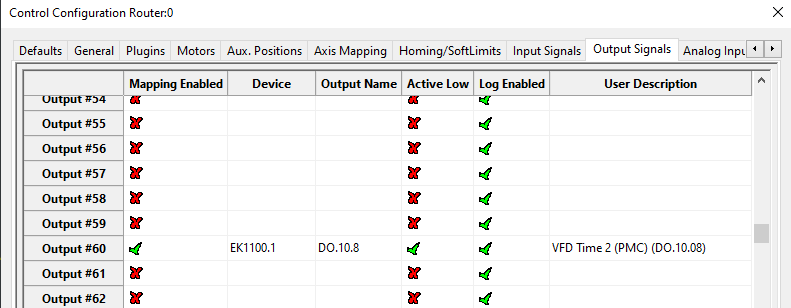
I used S1 on the VFD


Tricks
Inserting Rungs
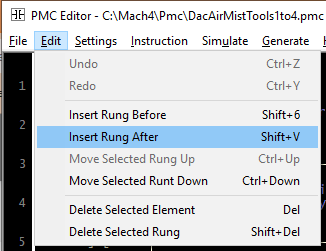
Use Shift+V and Shift+6 to insert rungs after and before your curser location. Note that the 6 on a numpad doesn't work for some reason.
Insert Comments
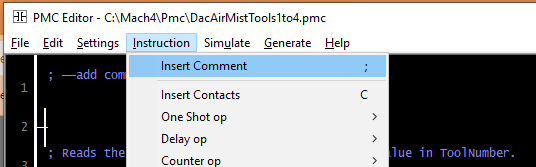
Insert a run and hit semicolon ";" to insert a comment line so you can explain what is happening.
Backup your screen files before you try weird stuff.
Since the PMC runs inside the Mach Screen, it will crash if there is a problem with the PMC. I like to create a copy of my screen file before I enable the PMC so I can drop it back in if I break something.

If PMC files get "too big" they can break.
If you've got a lot going on you might consider breaking it up into 2 files. I make a copy of the file, and then delete out parts until I can get the screen to not crash. Then go to your copy and delete out whatever was left in the first file. See the "DacAirMistTools1to4.pmc" and "DacAirMistTools1to4.pmc" for example. Not that Internal Relays from one file aren't going to work in the other so you'll have to recreate your conditions.
Using Set/Reset coils so that you don't lock up your outputs elsewhere
If you set only and reset only the output signal coil, then you can still control it elsewhere like on the IO Page in Mach.
The one shots are necessary because otherwise it would be setting or resetting it all the time. Also the one shots had to be on each individual coil line, it didn't work having just one after the contact. That is probably because of the sketchy way the PMC scans the ladder.
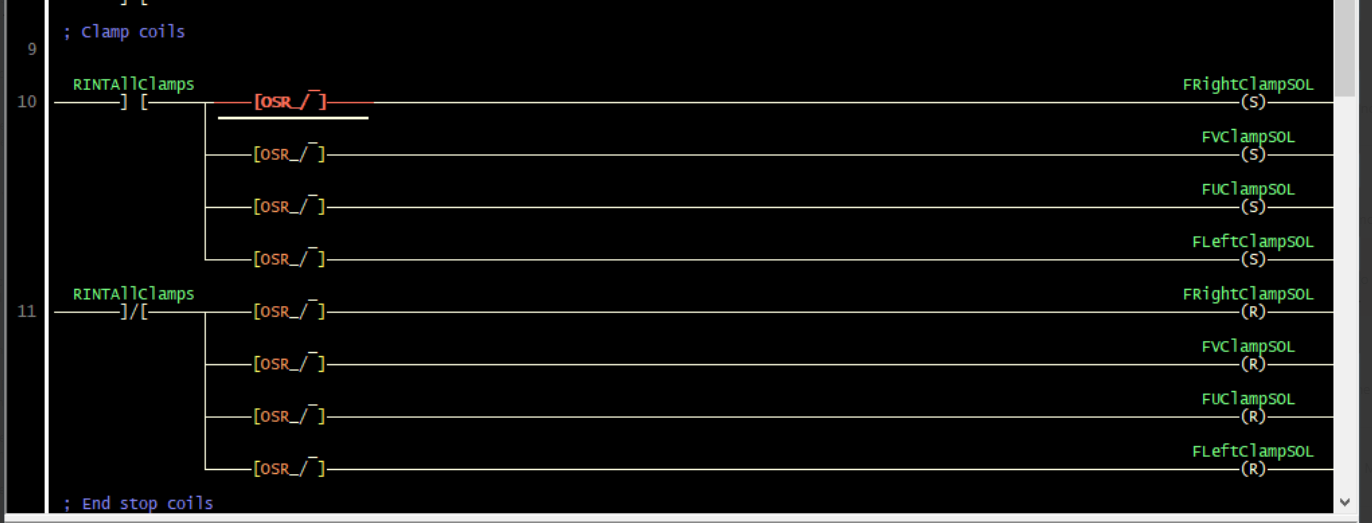
PS. I think this may be a thing that really only works in our PMC because it is poorly built. If you try to do that in a real PLC it might laugh at you. It's also poor form because I'm breaking the rules and putting a coil in multiple places.