
MachPro Plate Alignment

2026-05-05-T09-07 Under construction - adding all of the transform variants.
Plate alignment provides a simple way to accurately rotate your work offsets to match the work piece on your table. Often large work pieces are not perfectly square on the table, and this tool solves that problem.
First steps
Remove G69 (Coordinate System Rotation Cancel) from the MachPro initialization codes
- Disable MachPro
- Pull down Configure -> Control and select the Defaults tab.

- If the G69 code is in the initialization codes, remove it. Click OK to close this configuration window.
- Remove G69 from the safe start lines of your G-Code files.

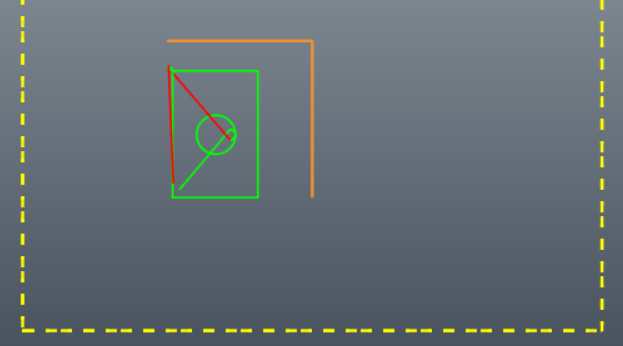
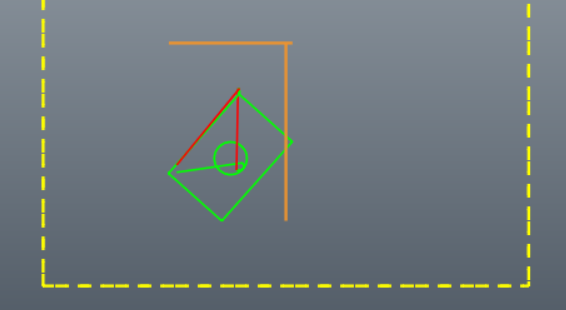
This is an extreme example of using plate alignment on a work piece that was rotated almost 45 degrees on the table.
|
|
|
|
Using Plate Alignment
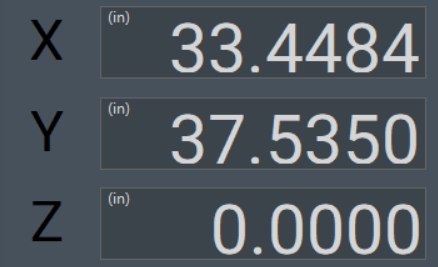
- Ensure that the machine has been homed, either through absolute encoders, or your startup homing process. Your DRO will show black axes labels.
- Load your G-Code file
- Enable the machine and jog to a position along one edge of the work piece - near the one end. Touch your tool to the edge of the work piece
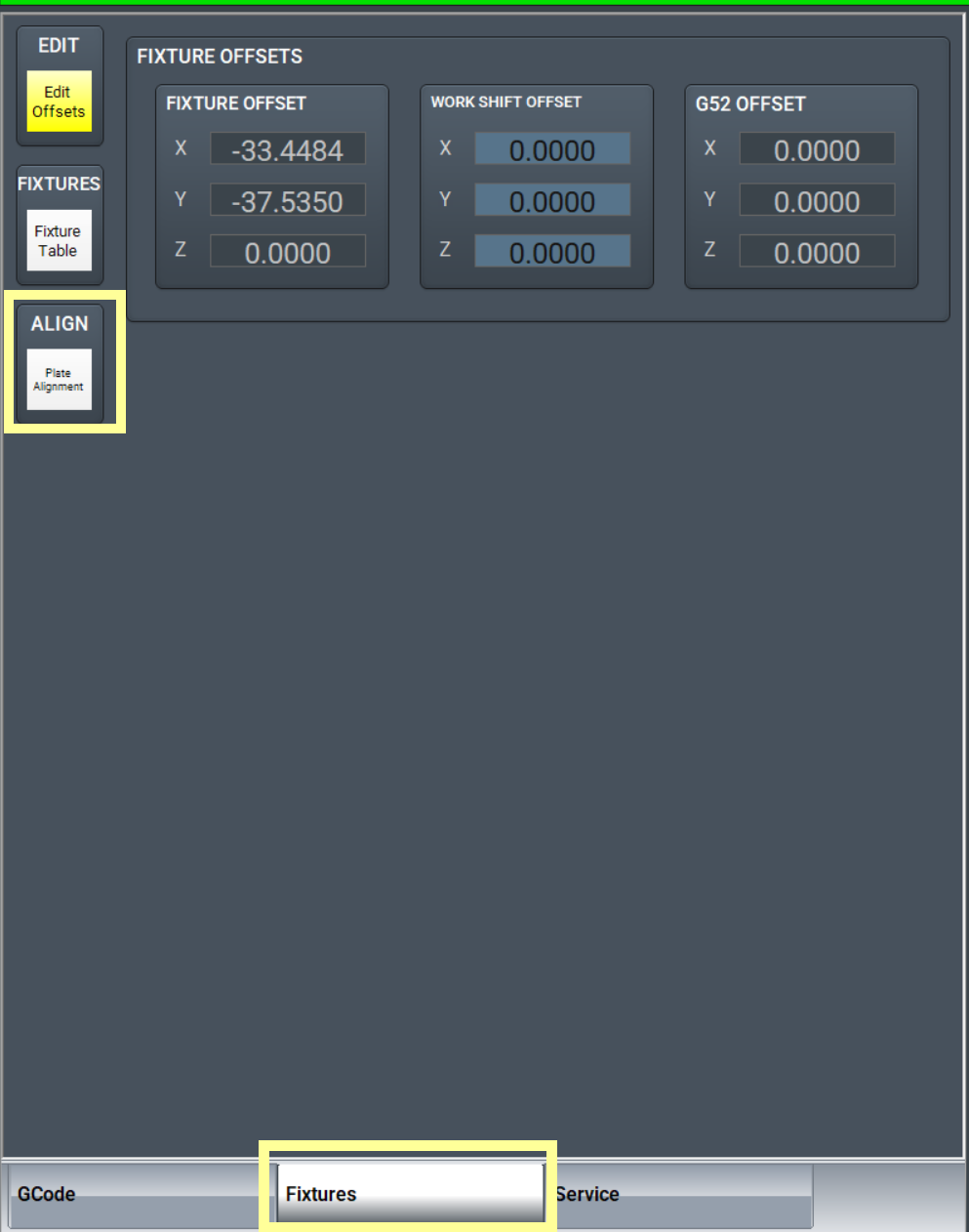
- Go to the Fixtures tab, and click the Plate Alignment button.
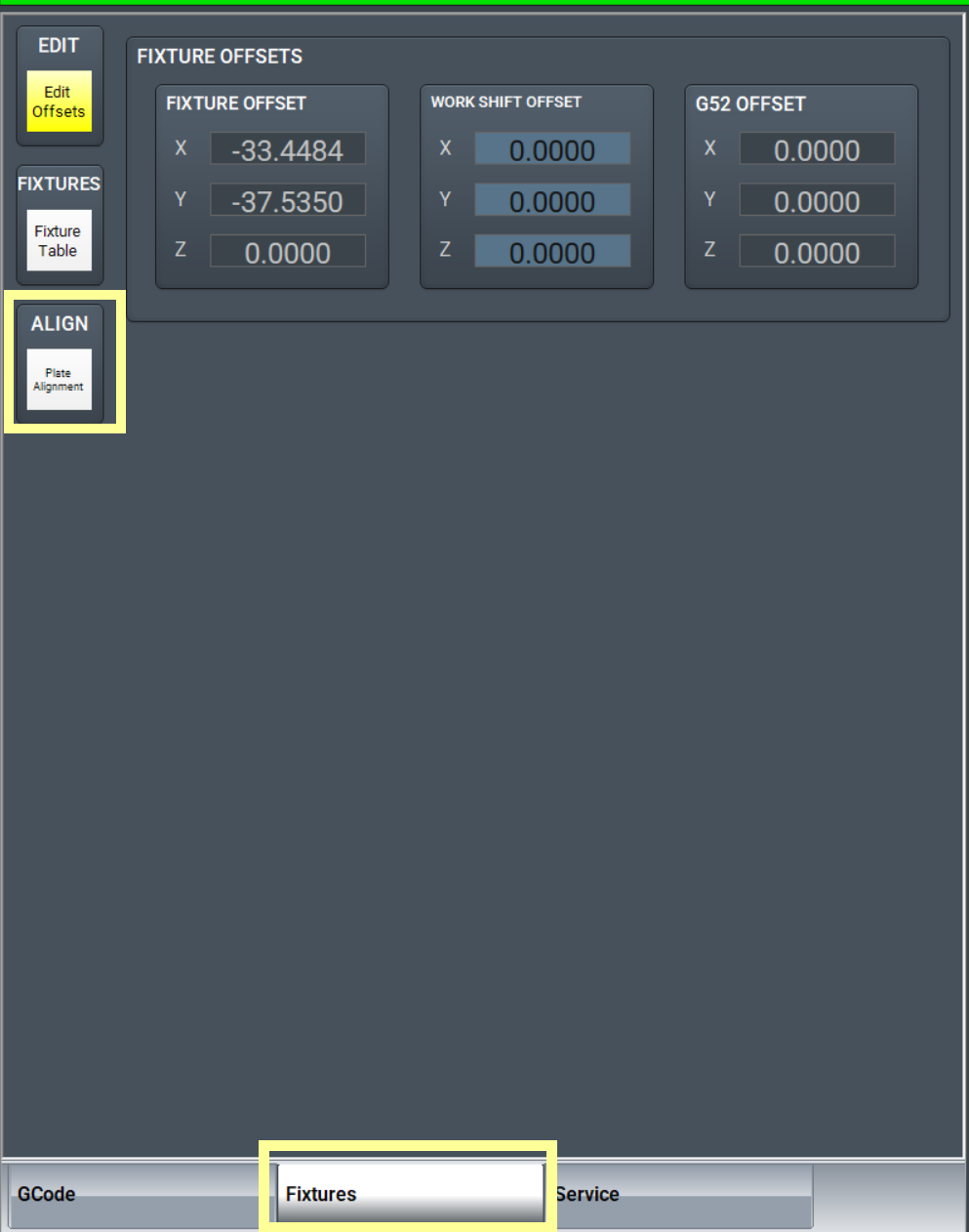
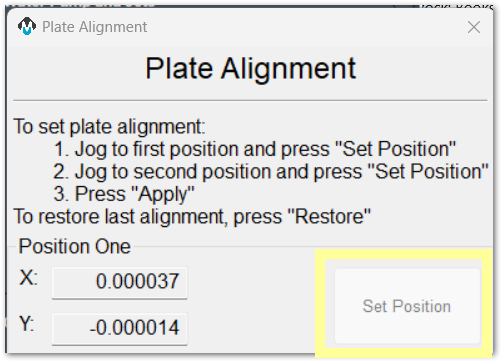
- Click the first Set Position button
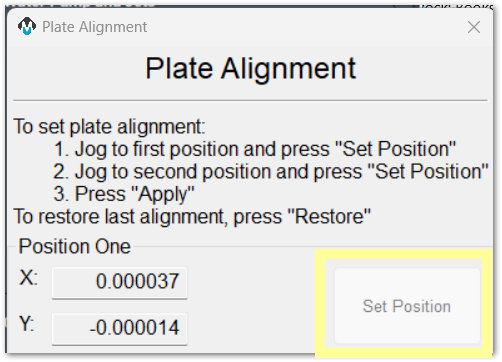
- Jog to a second position further along the same edge of the work piece, and again touch the tool to the edge of the work piece. Moving approximately 1 yard or 1 meter from the first position should provide good angle measurement accuracy.
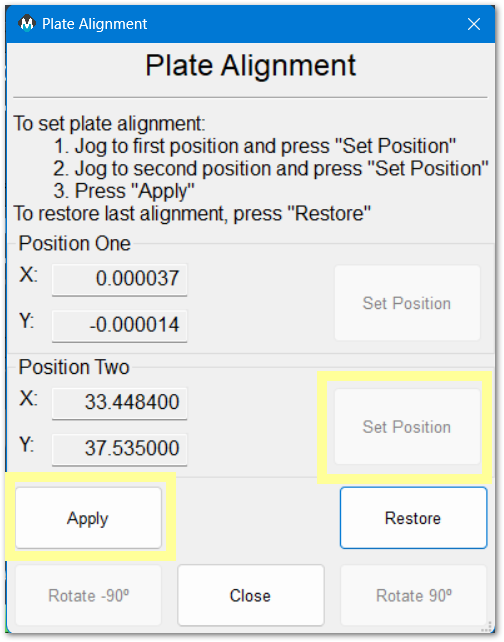
- Click the second Set Position button
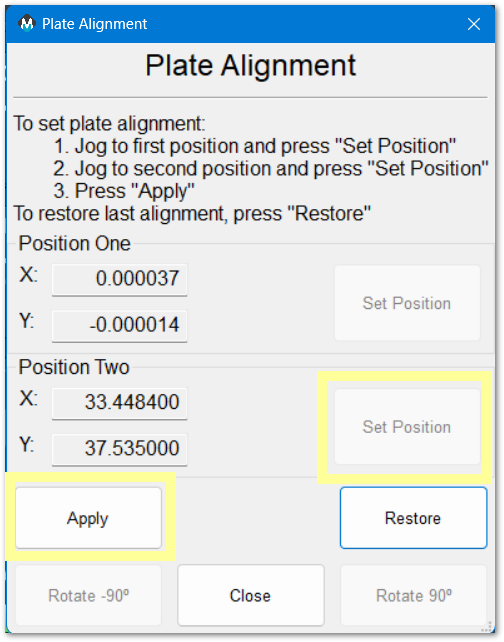
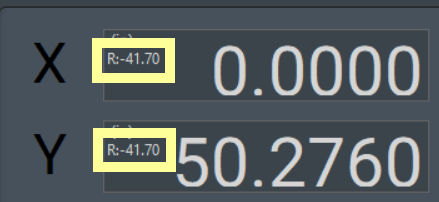
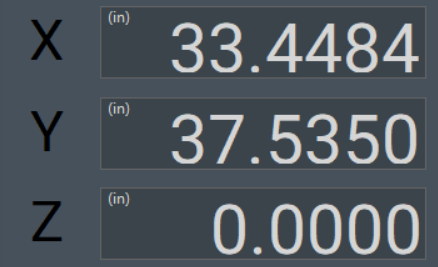
- Click Apply. The rotation will be applied to your part offset. Your tool path on the screen will be updated, and the DRO will indicate the angle of rotation that has been applied.
- Confirm or set your part zero with the Fixtures tab
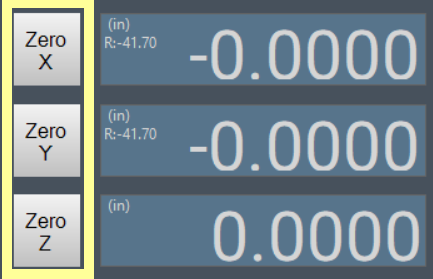
- Run your job normally. MachPro has rotated the cut path to match the angle of the edge of the work piece.
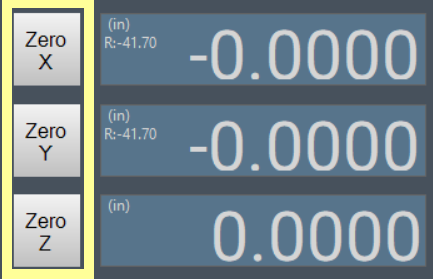
Cancel Plate Alignment
 Click the green Plate Alignment button and the rotation will be removed.
90 Degree Rotation
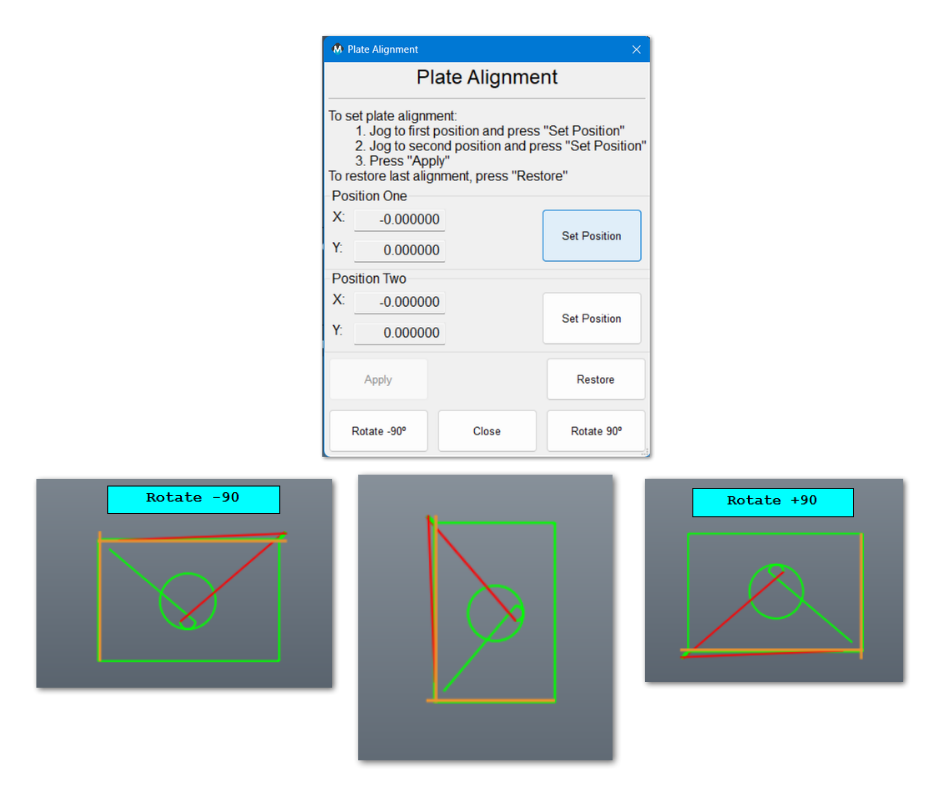
This is useful for simple rotations. If you want to change the rotation, it is best to close the Plate Alignment app, then cancel rotation by clicking on the green Plate Alignment button.
Application notes
Both G68: Coordinate System Rotation and G69: Coordinate System Rotation Cancel are modal commands, and can interfere with each other. It is best to only use them at the beginning of the blocks where they are to take effect. The G68 command is used as part of the plate alignment process and a G69 command in the initialization or safe start codes can cause the plate alignment to be canceled.
| http://www.mach-labs.com | MachLabs Documentation | support@mach-labs.com |
The MachLabs Team
14518 County Road 7240, Newburg, MO 65550
support@mach-labs.com