
PRIVATE MachPro Cut Recovery

There are many scenarios when you will need to stop a running job, and there are different ways to gracefully recover the job so that you do not have to scrap the work piece.
- A cutting bit breaks
- A plasma cutter lost the arc
- A water jet tip needs to be replaced
File Resume
Supported on Mill, Router, Plasma, and Turn machine types
Mode Options
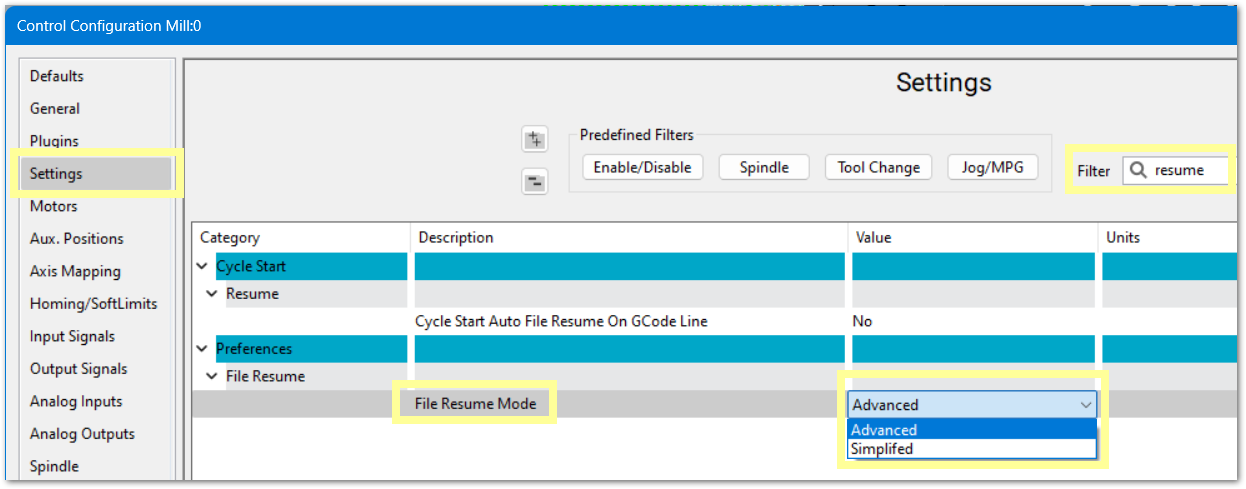
Simplified mode is the default, and it is typically faster to work with. If you want to have more control over the steps, change to Advanced mode. You can switch between modes by pulling down the Configure menu -> Control -> Settings Tab - filter for resume
Simplified
 or E-Stop
Fix the problem. You may jog the machine to change a tool/tip and touch off to get the new tool length
Move the Z axis up out of the way for repositioning
Scroll back in the G-code file to where you what the job to resume from, and click on the re-start line
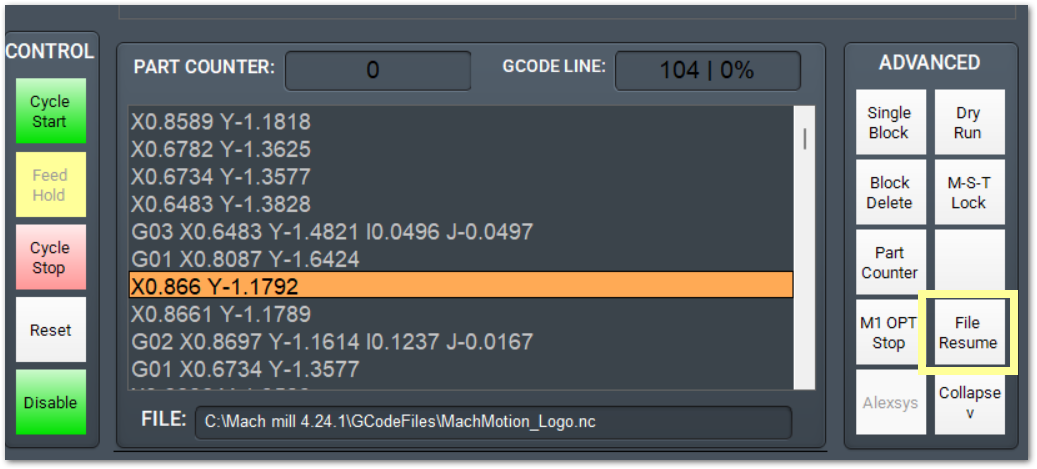
You will be prompted several times to press  while it safely positions the machine to resume the cut
Advanced
 or E-Stop
Fix the problem. You may jog the machine to change a tool/tip and touch off to get the new tool length
Move the Z axis up out of the way for repositioning
Scroll back in the G-code file to where you what the job to resume from, and click on the re-start line
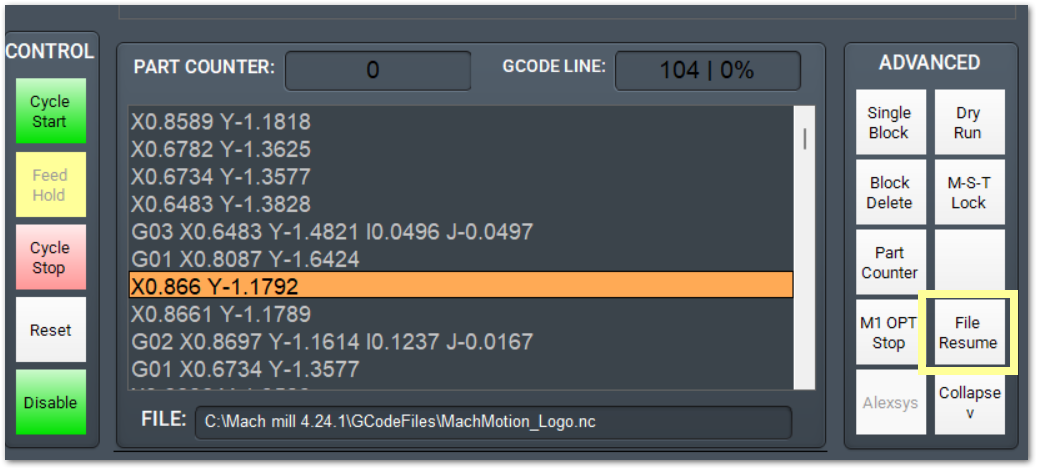
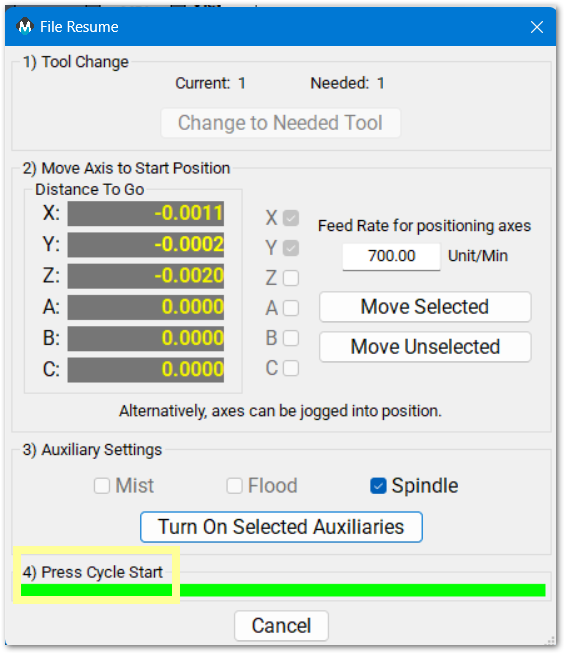
Click File Resume and follow the numbered steps in the new window
1. If there was a tool change in the G-code file, you may need to change to a previous tool, and this button will be active to run a tool change cycle
2. Select the axes you need to move and click the Move Selected button. Typically Z will be the last axis to reposition. The feedrate defaults to 10 Units/Minute and you may change it to an appropriate value for your machine
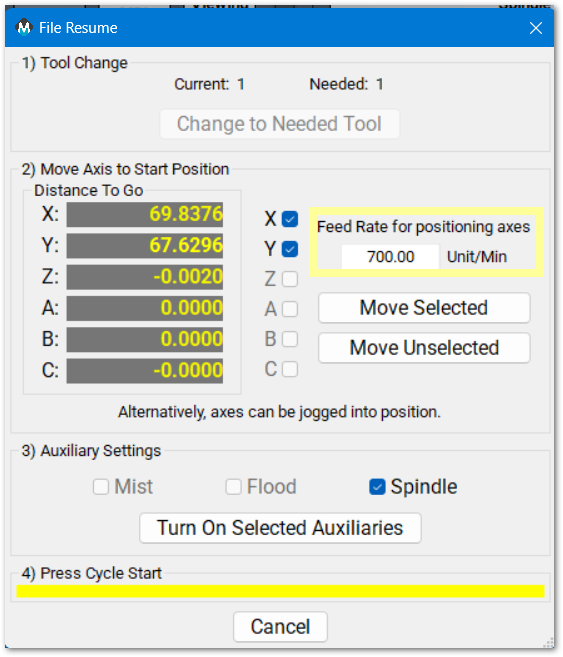
3. Turn on Auxiliaries that were turned off when you stopped the job
4. Press 
Cut recovery
- default - it will start from where it stopped. I can jog the and it will move to the closest spot on the path and resume from there. It is possible to move to a location further along the cut path and skip a portion of the cut path.
Move to path click on the location closest to where you want it to resume the cut. MachPro will move the head to the closest spot on the path from there and resume the cut from that point. It is possible to move to a location further along the cut path and skip a portion of the cut path.
Resume where stopped moves back to the coordinates listed below the button and restarts
Move to Start or Start from Beginning
| http://www.mach-labs.com | MachLabs Documentation | support@mach-labs.com |
The MachLabs Team
14518 County Road 7240, Newburg, MO 65550
support@mach-labs.com