SOURCE - Dual Table
Dual Table
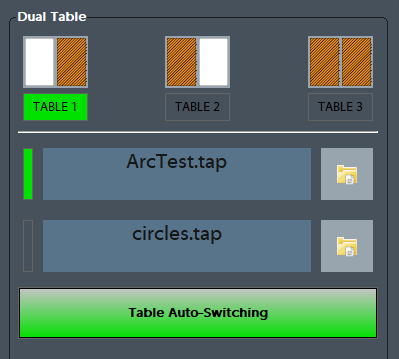
Dual Table is a feature that can used on machines with an overhead axis that normally holds the spindle and Z axis. The machines have the capability to run a program on ether table or link both tables together to make one large table. There is a second feature Table Auto-Switching that can be used to select two programs one for the right table and one for the left table and at the end of the program the control will park the table that was just being used and auto load the program for the other table.

Table Layout
The control supports three configurations for the tables, Table 1, Table 2 and Table 3. Each mode will reconfigure the motors so that the same axis will control all three configurations. Most commonly the Y axis is used for the table, the example below uses the Y axis for all three options.

Table 1 and Table 3 use Work Offset G54, Table 2 uses G55. The Work Offsets are activated along with the tables.
Setup - Enable Dual Table Feature
First turn on the Dual table feature from the Machine Parameters. Search for 'dual' and set Dual Table Enabled to Yes.