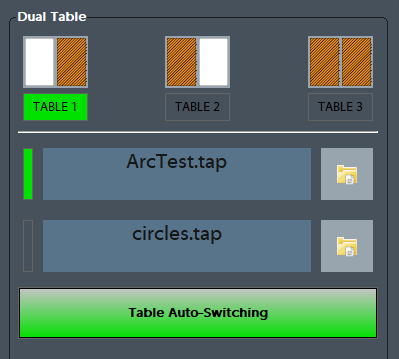
SOURCE - Dual Table
Dual Table
Run From Here\File Resume:
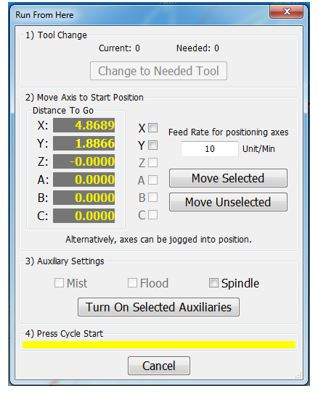
Usethe Up/Down arrows in the gcode file window to select the line to start fromPress the [Run From Here] or[File Resume]buttonSelect the [Change to Needed Tool] button if applicable (See Image Below)Enter desired value in the Feed Rate field (See Image Below)Select axis to move and press [Move Selected] button (See Image Below) to move the axis into positionSelect desired Auxiliary Settings and press [Turn On Selected Auxiliaries] buttonPress [Cycle Start] to begin the file at selected starting line File Resume - If selected this will start the program at the selected gcode line and resumes the file