
MachPro RapidChange Tool Changer and Tool Setter

| MachPro Version | 2026.5.13.1 and greater |
RapidChangeATC provides a family of tool changers that work with a wide range of machines that do not have a traditional tool changer option.
RapidChangeATC Resources
- RapidChange ATC Website
- RapidChange Documentation Portal
- RapidChange Web App (profile configuration)
- RapidChange Discord Community
Configure a RapidChangeATC Tool Changer on MachPro
Use the RapidChange Documentation Portal and your motion controller documentation to install and wire your RapidChange ATC product. You will need to wire 3 inputs and 1 output, then map them to software signals in the MachPro configuration. Then configure your profile on the RapidChange web app using those software signals.
Inputs
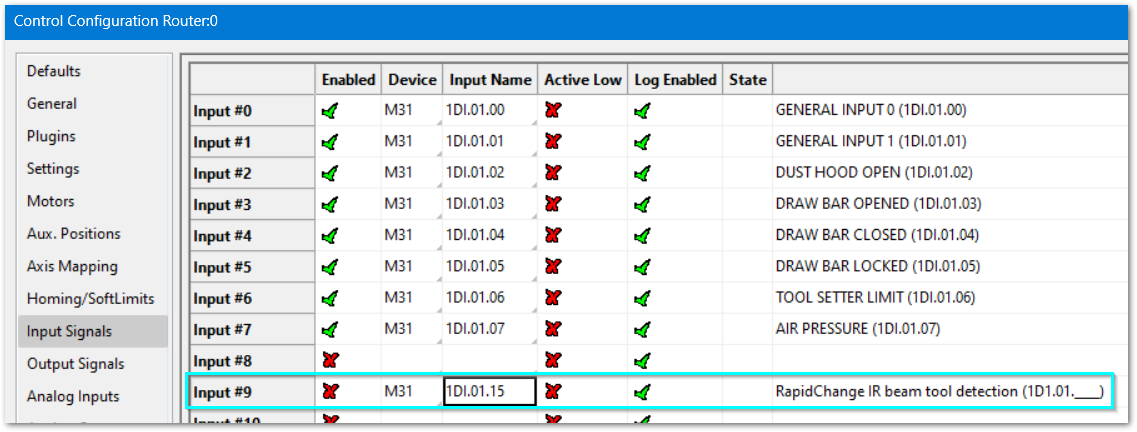
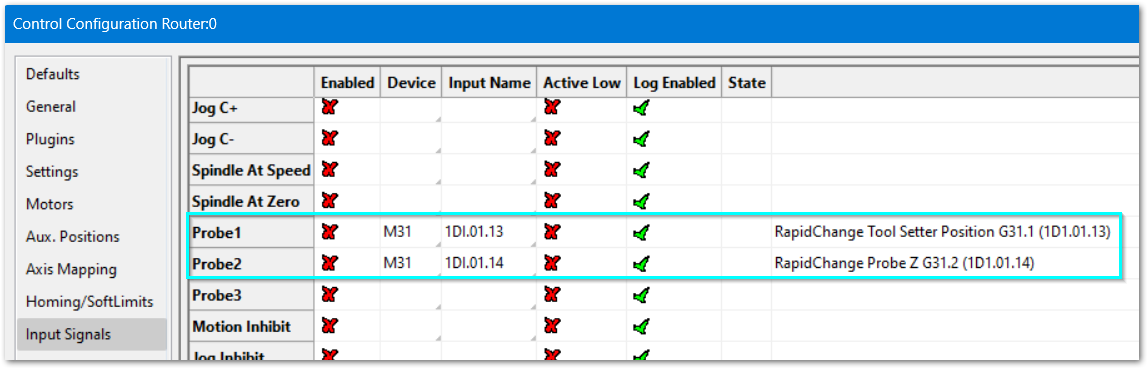
Configure -> Control ->Input Signals tab
MachPro has commonly used signals pre-configured to make your configuration process quicker.
Please update the device and input for the signals that you will be using. Then disable and clear all signals that you will not be using.
|
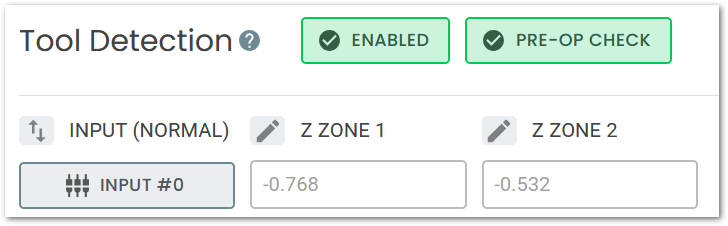
Tool Detection (IR beam
RapidChange Profile Setup screen
|
|
|
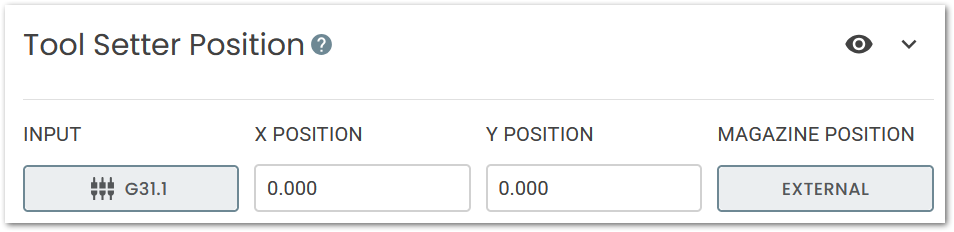
Tool Setter Position
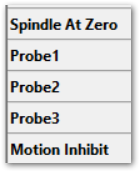
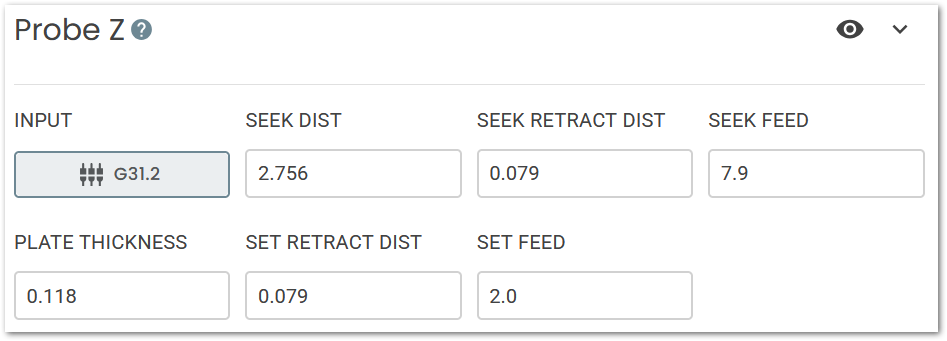
Probe Z
|
|
Outputs
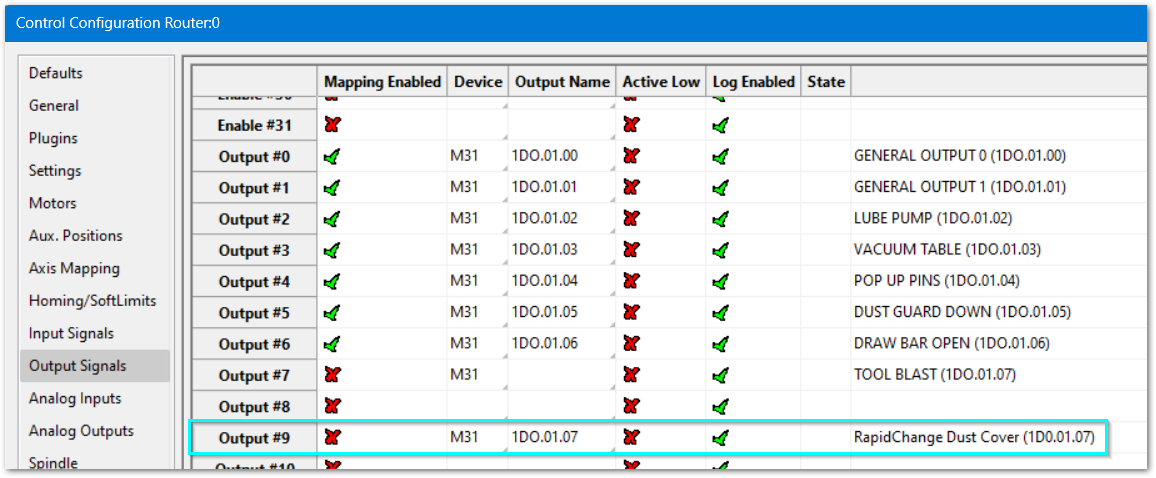
Please update the device and output for the signals that you will be using. Then disable and clear all signals that you will not be using.
|
Dust Cover (optional)
|
|
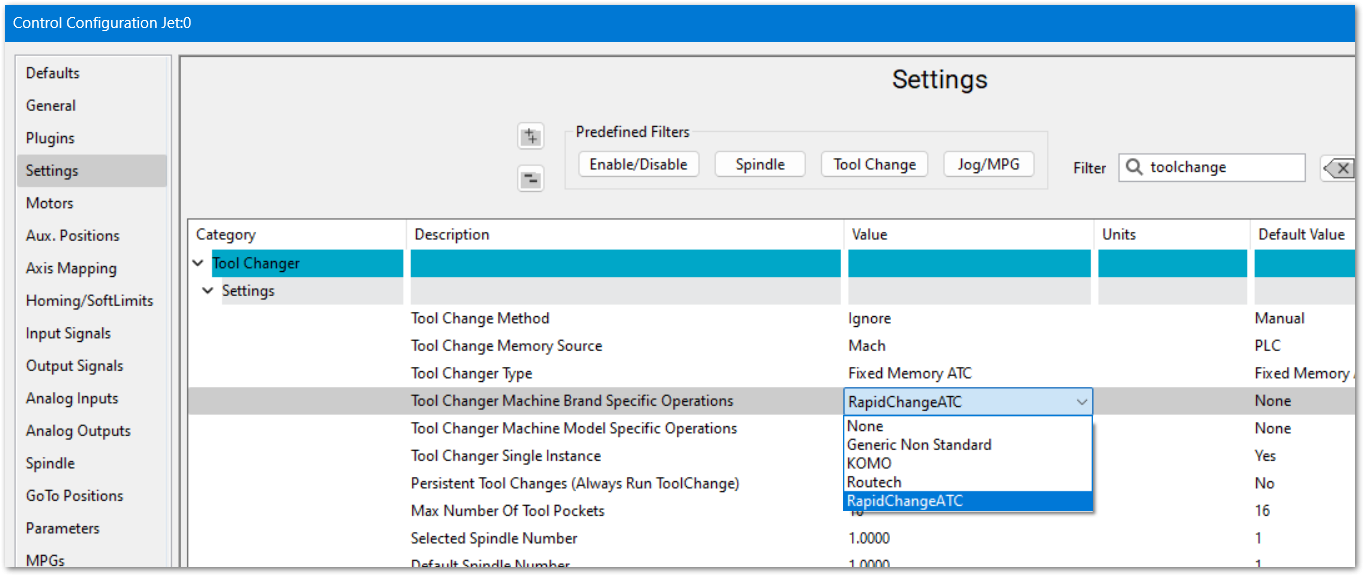
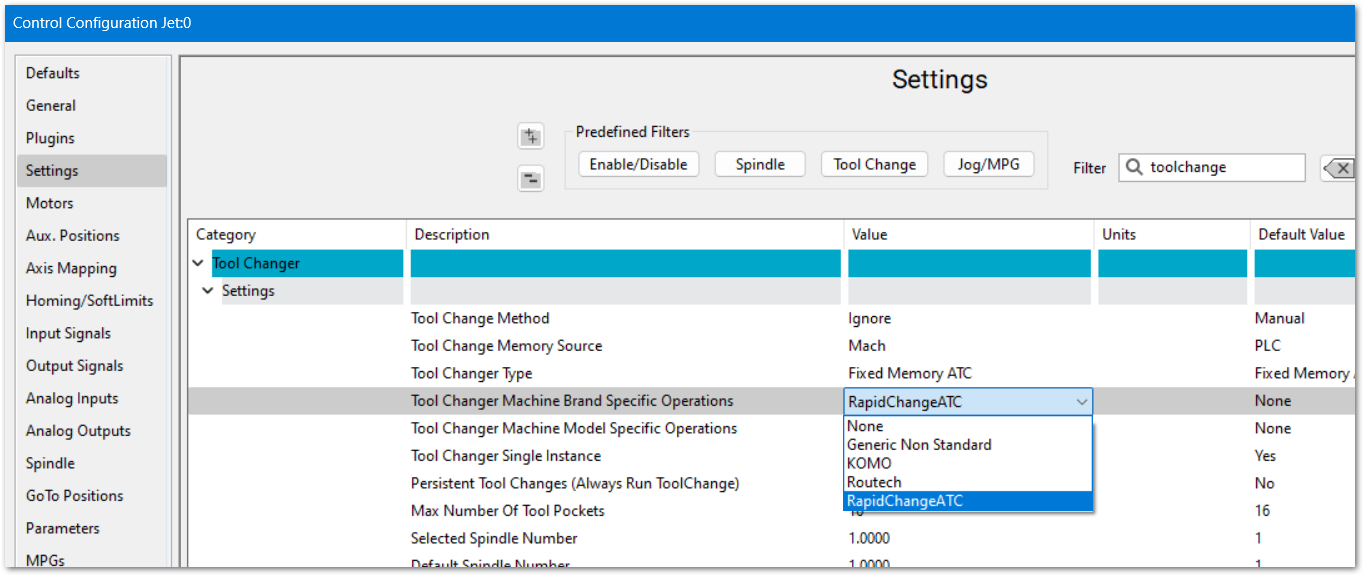
- Set the Tool Changer to RapidChangeATC. Pull down the MachPro menu Configure -> Control -> Settings tab. Filter for Toolchange
- Change Tool Changer Machine Brand Specific Operations to RapidChangeATC and click OK to save your changes
- Use the RapidChange Documentation Portal to configure your RapidChangeATC for MachPro
- At the end of the setup you can download the RAPIDCHANGEMODULE.LUA
- At the top left of the screen is an Export/Download button. Use the drop down to select Download, then click the Download button.
- Copy that LUA file into your modules folder for Mach. C:\Mach\Modules
- Follow RapidChangeATC's MachPro configuration instructions
Configure a RapidChangeATC Tool Setter
The RapidChangeATC tool changers have incorporated tool setters, and those are configured within MachPro Tool Setters and Offsets with the exception noted below.
- Wire the inputs for the tool setter's touch/IR Sensor, and over-travel to two motion controller inputs.
- Map the software input signals. (This will be in the RapidChangeATC module)
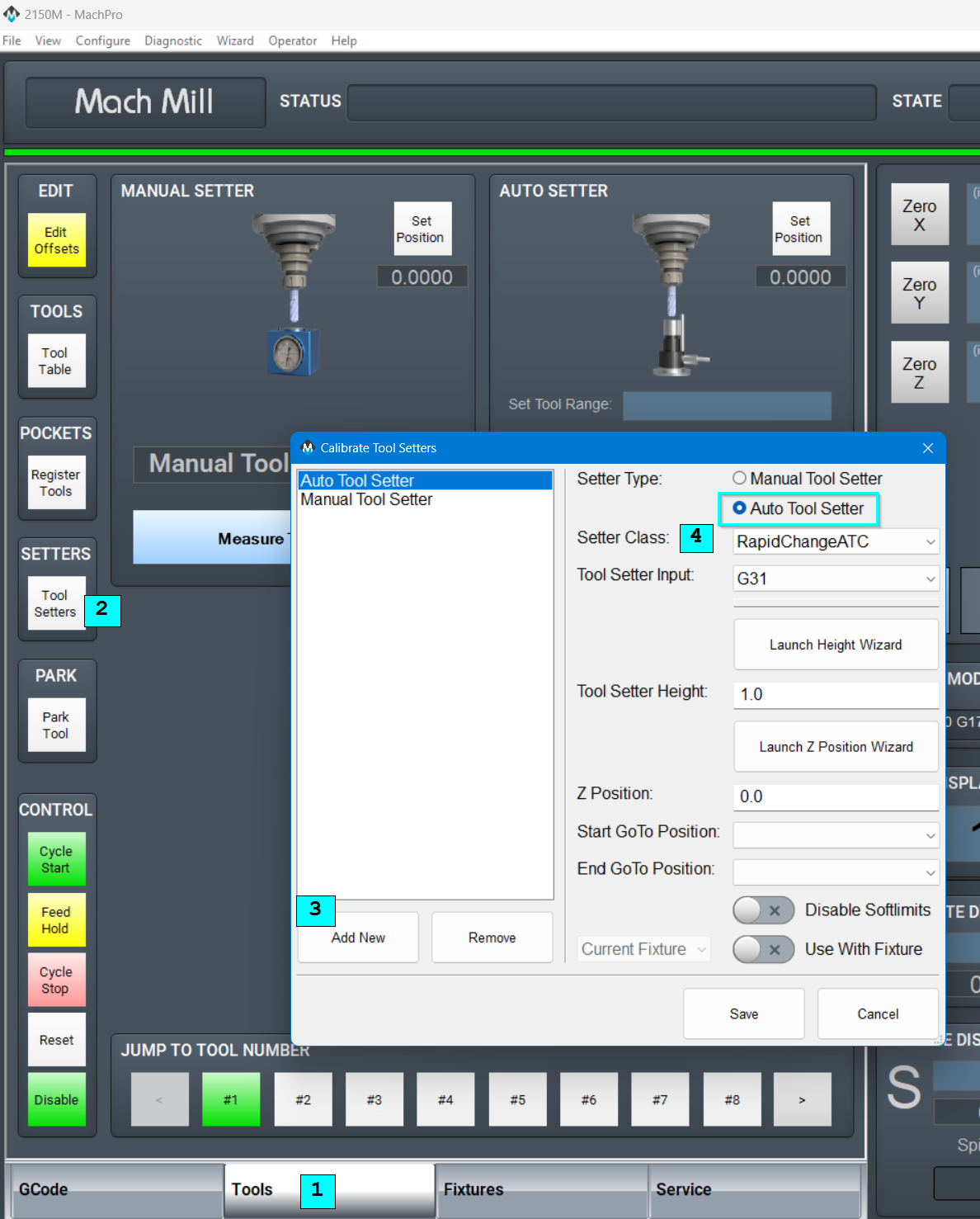
Create a new Tool Setter in MachPro, selecting RapidChangeATC as the Setter Class.
- Select the Tools tab
- Click the Tool Setters button
- Add a new Auto Tool Setter
- Select RapidChangeATC as the Setter Class
- Refer to MachPro Tool Setters and Offsets for the remaining tool setter options
- Refer to the RapidChangeATC documentation for remaining steps specific to their tool setter
| http://www.mach-labs.com | MachLabs Documentation | support@mach-labs.com |
The MachLabs Team
14518 County Road 7240, Newburg, MO 65550
support@mach-labs.com