
PRIVATE ESS Motion Controllers
{{@2007#bkmrk--1}}
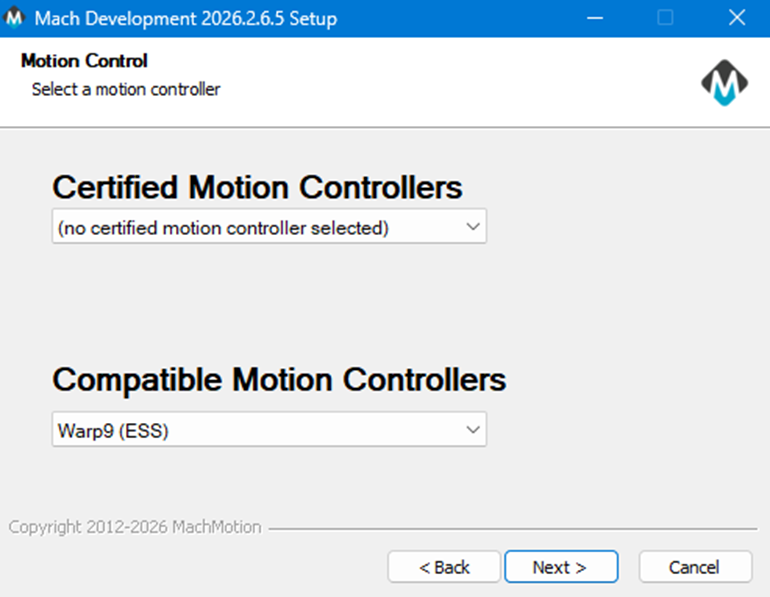
Select the Motion Controller |
|
|
|
You will have selected the motion controller, and the correct Ethernet SmoothStepper (ESS) plugin has now been installed. |
|
|
Look for the MachLabs Icon on your Windows desktop. It will have your machine type as a label. Double click to start MachPro. |
|
|
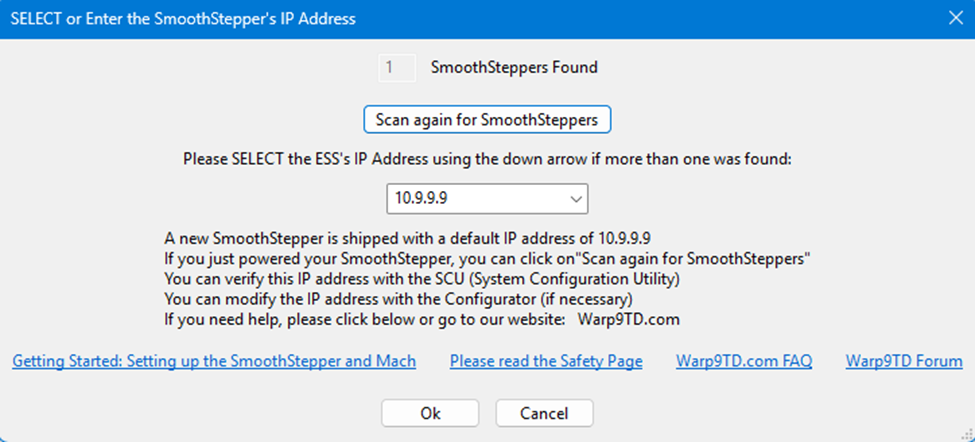
This window will open, but it opens behind MachPro
|
|
|
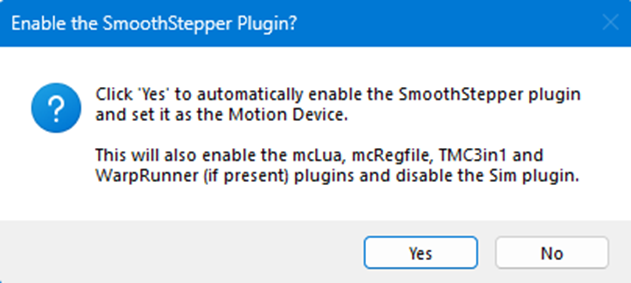
This window will open to confirm that you want to configure MachPro to run with the SmoothStepper motion controller. Click Yes |
|
|
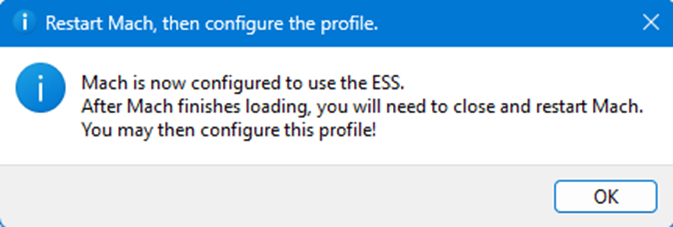
This confirmation window will open. You will need to close and restart MachPro Click OK to close the window |
|
|
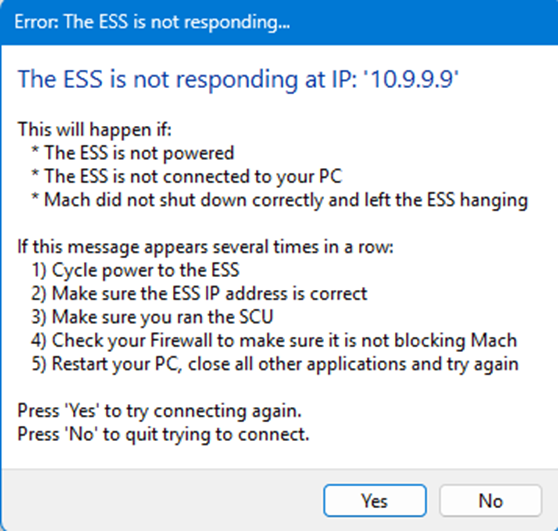
This error report will come up before you restart MachPro. It is telling the truth:
|

Use the SCU to Configure Windows
Note: The Tech9 SCU configures Windows to communicate over a dedicated network. All other network configuration work is outside the scope of this install process. The goal is to have a computer dedicated to the CNC role.
- If you want to also use that dedicated network for internet access, you will need to reconfigure your network, and we recommend you hire a networking consultant to do that for you.
- Alternately, you could add a network adapter to the computer - typically a WiFi adapter that plugs into a USB port on your computer.
Warp 9 SCU site
- Download and run the SCU Lite or Application Only version.
- Follow the SCU documentation using the Easy Mode.
Integrate MachPro with the ESS
You need to integrate MachPro with your PoKeys motion controller. Use this manual to complete those steps: MachPro Compatible Motion Controller Configuration Settings
Advanced SCU
- The IP address for the network port on the computer is set to 10.9.9.10 as a static address.
- Ports in the firewall need to be opened https://documentation.warp9td.com/Software/SCU/04_FAQ.htm
- UDP 9: The Discard Port (Used for initial presence detection)
- UDP 67: BOOTP (This is for when the configuration jumper is on).
- UDP 68: BOOTP (This is for when the configuration jumper is on).
- UDP 69: TFTP.
- UDP 4096: Normal runtime communications.
- UDP 4097: Normal runtime communications with multiple ESSs
- UDP 5020: Normal runtime communications.
- UDP 5021: Normal runtime communications.
- UDP 5022: Normal runtime communications with multiple ESSs.
- UDP 5023: Normal runtime communications with multiple ESSs.
When these steps are completed, the computer and SmoothStepper motion controller will connect
{{@2016}}