
PRIVATE ESS Motion Controllers
{{@2007#bkmrk--1}}
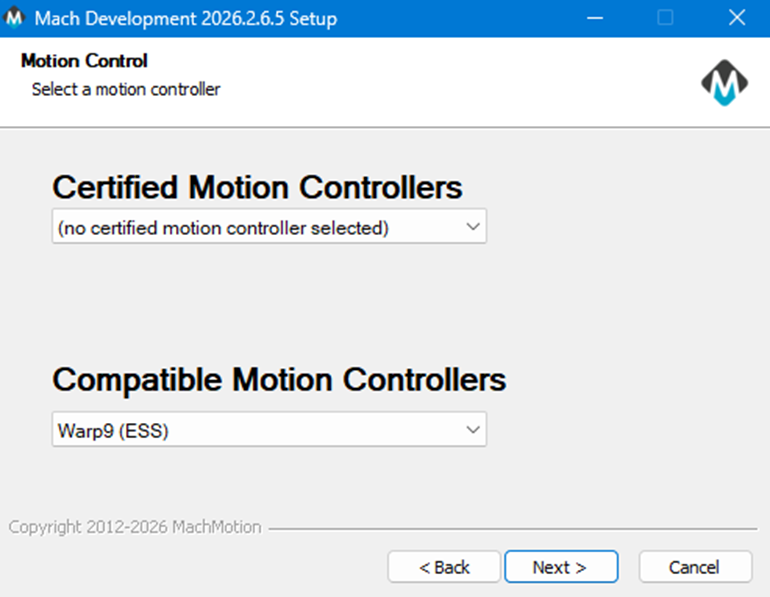
Select the Motion Controller |
|
|
|
You will have selected the motion controller, and the correct Ethernet SmoothStepper (ESS) plugin has now been installed. |
|
|
Look for the MachLabs Icon on your Windows desktop. It will have your machine type as a label. Double click to start MachPro. |
|
|
|
|
|
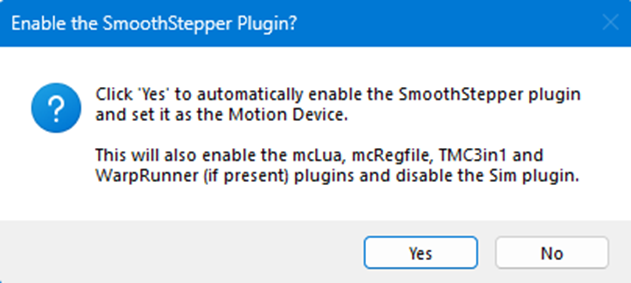
Click Yes |
|
|
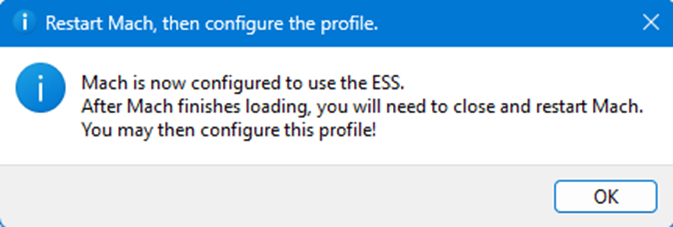
You will need to close and restart MachPro Click OK to close the |
|
|
This error |
adapter is not yet configured for the ESS. |

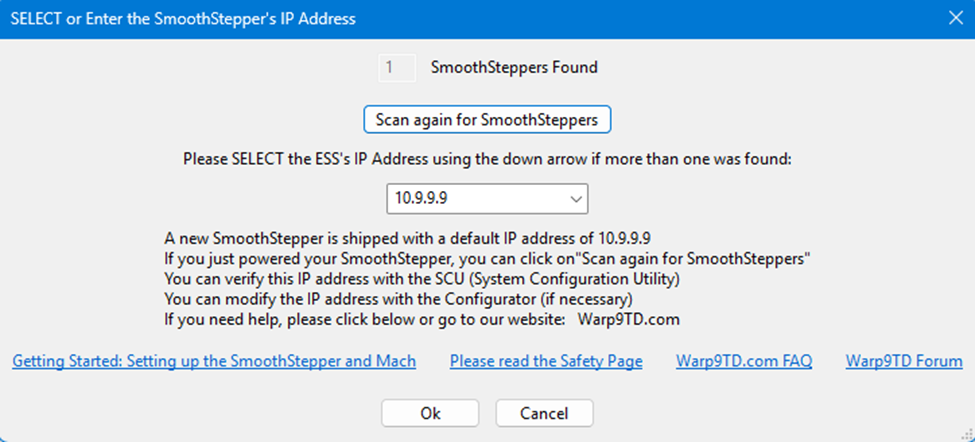
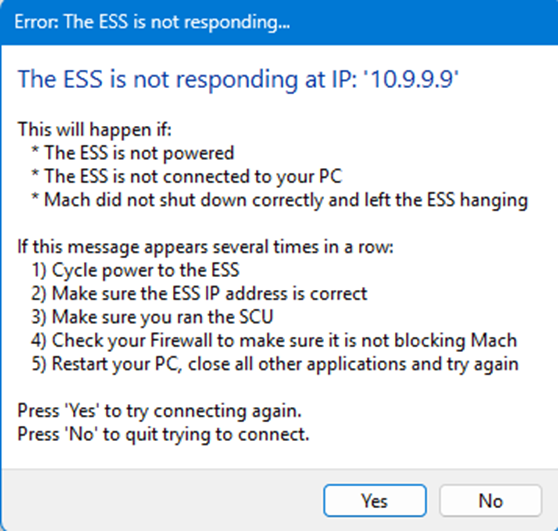
In order to connect fully, which means the above popup would be gone, had to download
Use the SCU (Systemto ConfigurationConfigure Utility)Windows
Note: Warp9The techTech9 designSCU website.configures LaunchingWindows itto letscommunicate over a dedicated network. All other network configuration work is outside the scope of this install process. The goal is to have a computer dedicated to the CNC role.
- If you
gowantthroughto also use that dedicated network for internet access, you will need to reconfigure your network, and we recommend you hire aautomaticnetworkingconfigurationconsultantsetuptowhichdowasthateasyformodeyou. - Alternately, you could add a network adapter to the computer - typically a WiFi adapter that plugs into a USB port on your computer.
Warp 9 SCU site
- Download and run the SCU Lite or Application Only version.
- Follow the
advancedSCUfordocumentationmore control in what is done. Besides thatusing the Easy Mode.
If you have difficulty installing your SmoothStepper, please register at Warp9, and post your questions to their support forum.
Advanced SCU
- The IP address for the network port on the computer
had to beis set to 10.9.9.10andas a static address. - Ports in the firewall
foundneedintotheirbedocumentation atopened https://documentation.warp9td.com/Software/SCU/04_FAQ.htm- UDP 9: The Discard Port (Used for initial presence detection)
- UDP 67: BOOTP (This is for when the configuration jumper is on).
- UDP 68: BOOTP (This is for when the configuration jumper is on).
- UDP 69: TFTP.
- UDP 4096: Normal runtime communications.
- UDP 4097: Normal runtime communications with multiple ESSs
- UDP 5020: Normal runtime communications.
- UDP 5021: Normal runtime communications.
- UDP 5022: Normal runtime communications with multiple ESSs.
- UDP 5023: Normal runtime communications with multiple ESSs.
Upon
ToWhen notethese steps are completed, the SCUcomputer doesand mentionSmoothStepper whenmotion it is configurating the pc that it is best for it to be a dedicated cnc control pc for setting up. Itcontroller will affect network ports, firewalls, graphic settings, security, etc. Which on a personal pc it will interfere with other operations.
connect
{{@2016}}