
Out Of Band Jogging With RapidPath
This manual will walk you through setting up out of band Jogging with RapidPath
First you will need to add a virtual motor to the RapidPath plug-in
Service>Maintenance>Motion Controller
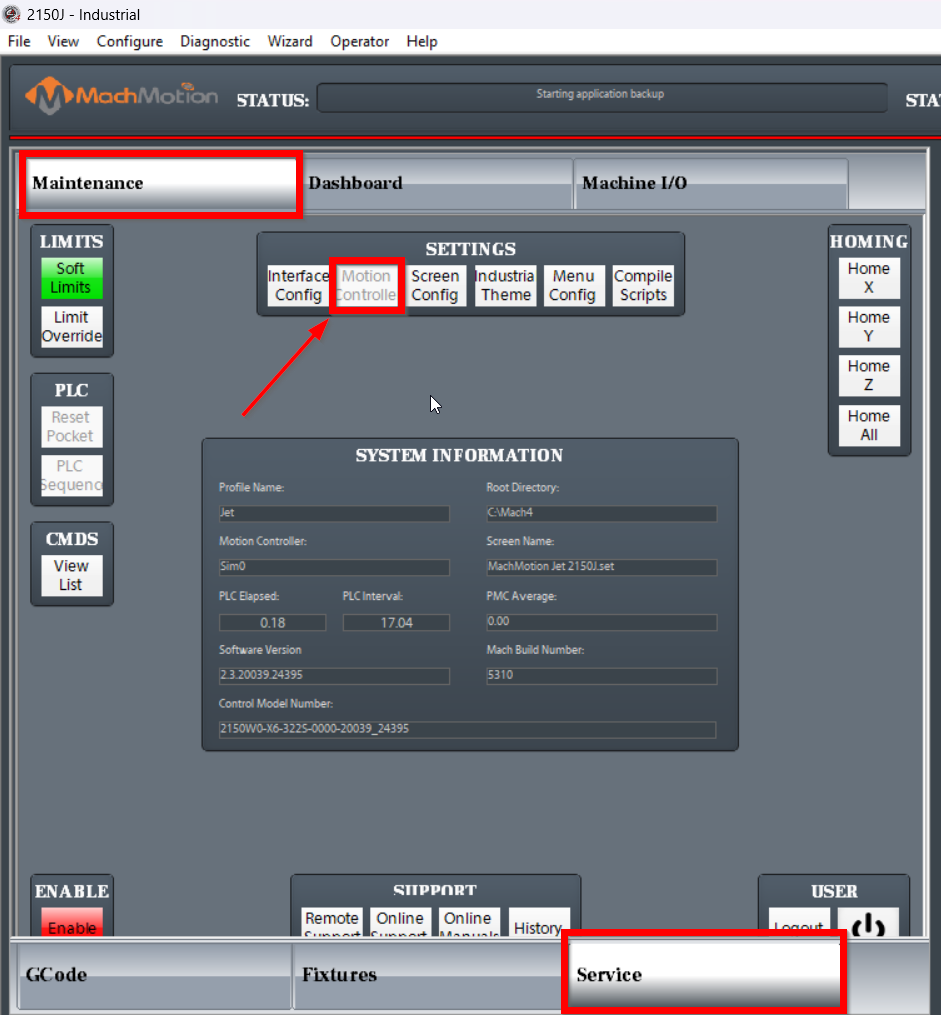
Next type "Virtual" into the search bar and set the desired number of virtual motors you wish to add.
(For the sake of this manual we will just be adding 1 for example)
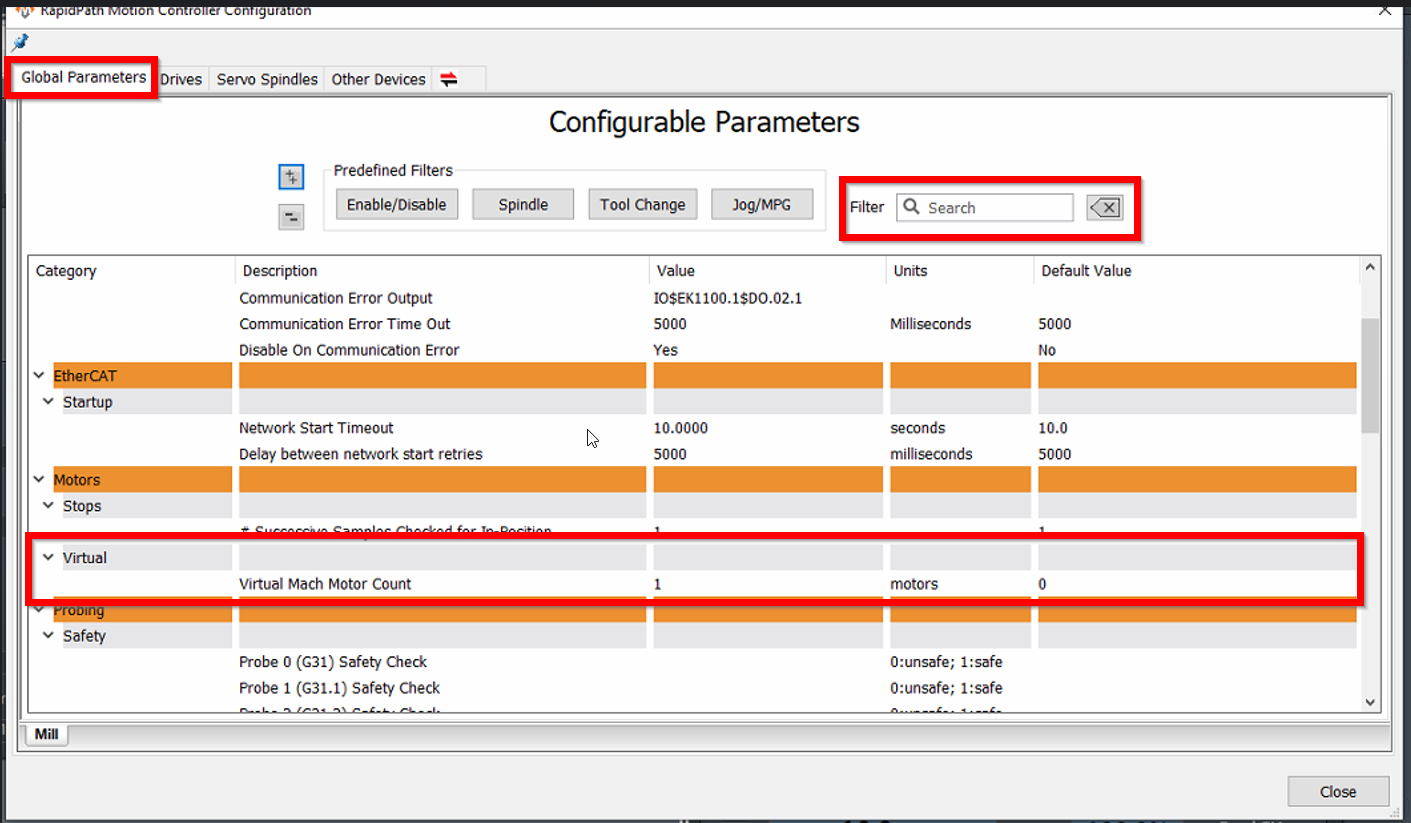
You will see no change in the RapidPath Drives Tab
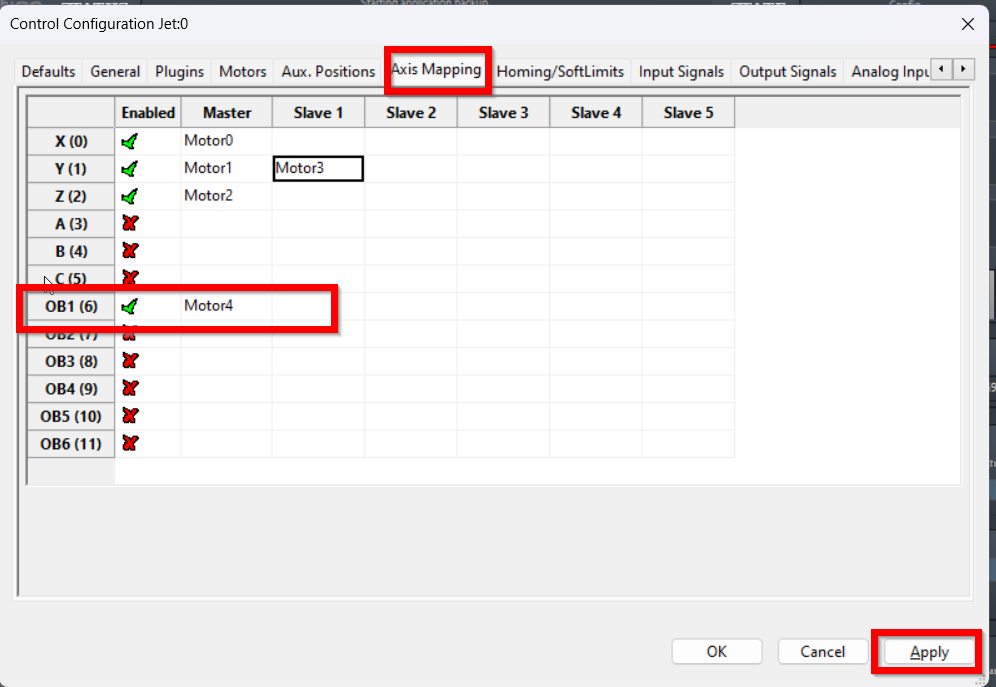
Next you will need to navigate to Configure>Control>Axis Mapping
Set the desired motor number (in this case motor 4) to OB1 and make sure you enable the axis (Green Checkmark)
Apply the new settings before you move to the next step
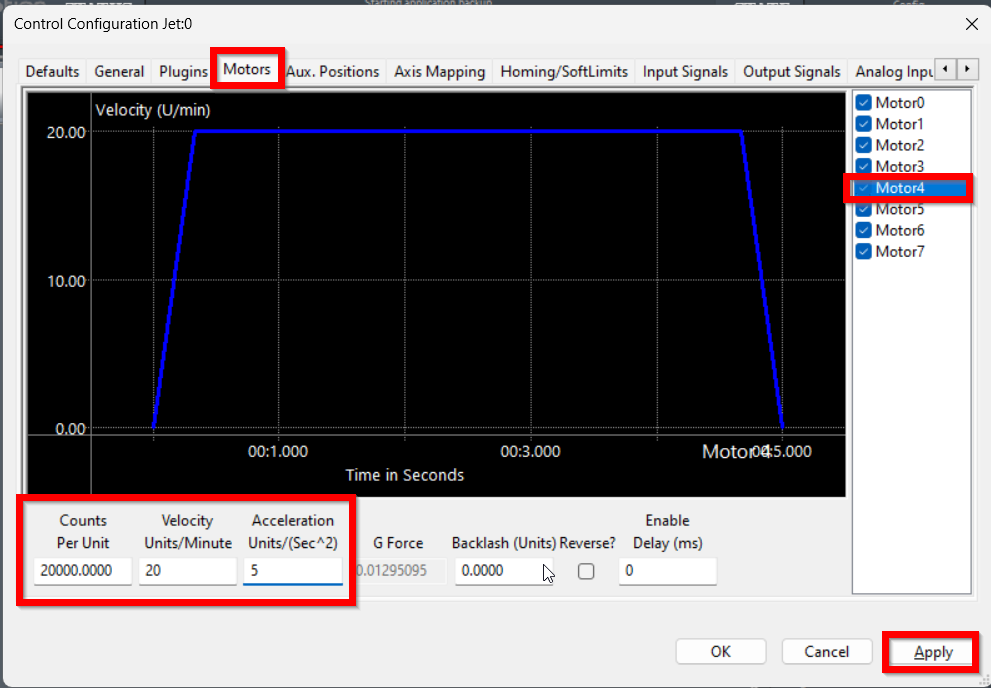
Click the Motors Tab and set the new motor up to match the Counts Per unit and direction as the desired motor you wish to jog while running a G-code file
You will want to set the Max Velocity and Acceleration very low so they can't jog it very fast while the file is running
Apply the settings before moving on to the next step
Click on the Aux Positions Tab
Here you just need to make sure that the out of band axis matches the desired motor it will be swapping with
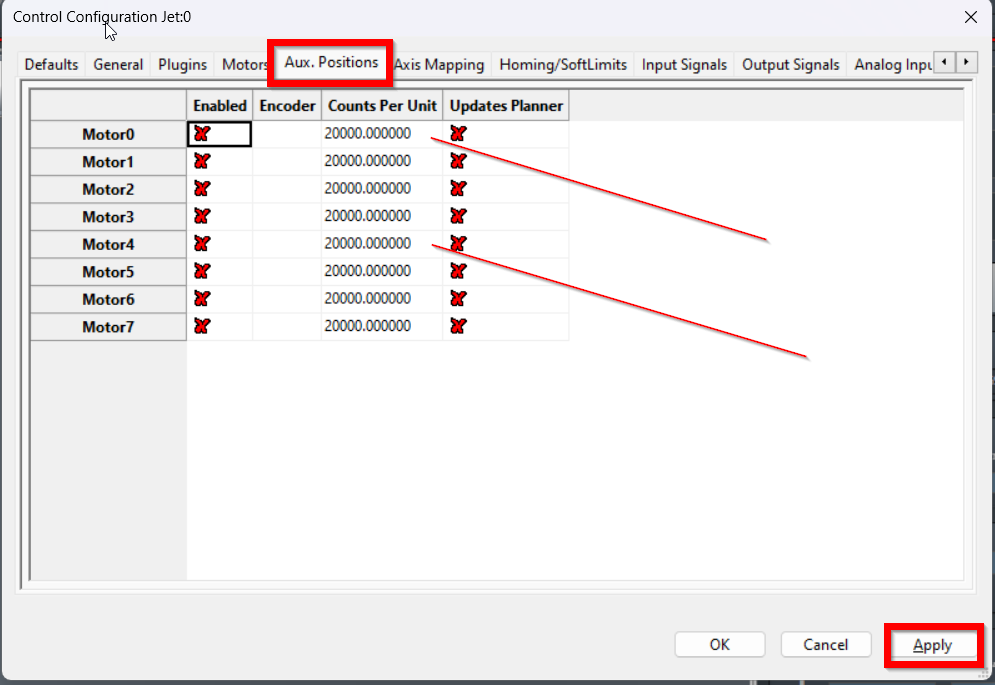
That should take care of the Settings side of things and the next step will be done in the Machine.ini folder
Close the Control software
Mach4>Profiles>Desired profile>Machine.ini (Open with NotePad++)
Find the External controllers (ExternalController0) and add this line to each of them
(Make sure you save the Machine.ini when you are finished and then you may open the control software and test)
SecondaryAxis3=6 (Z axis overridden by OB1)
SecondaryAxis1=6 (X axis overridden by OB1)
Something I observed on Gemini is that it seems like on new versions of the software after you configure everything in Mach if yo restart the software the .ini file will add these lines automatically. You will still have to manually add the necessary lines for jogging with the pendant.
Check to make sure not to configure SecondaryAxis multiple times or multiple axes will jog at the same time.
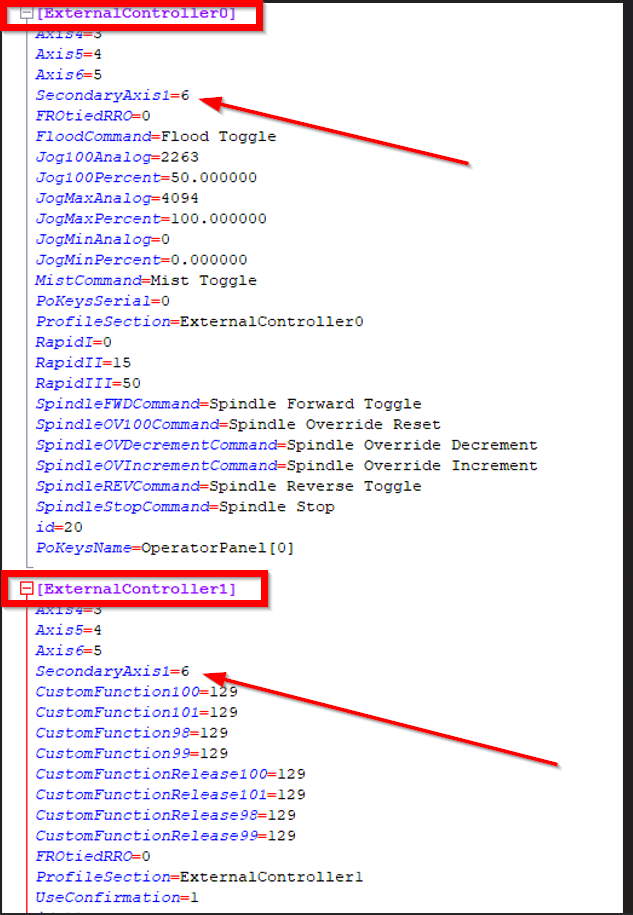
To Jog a OB axis with the Pendant, change the following:
[ExternalController0]
Axis1=6
Axis3=7