Maintenance: Re-homing an axis
Formatting not complete
This system initially had problems with couplers, and when a coupler is replaced, the axis needs to be re-homed to reset the absolute encoders.
The process involves telling the Yaskawa servo drive to forget its absolute encoder position number. That will trigger the servo drive into a re-home mode. Within the software, the homing motion direction is already set, and the home switches are correctly positioned.
Normally we have de-reference commands configured for all axes. Until that is complete, I will give you the slightly less pretty instructions, but they will work on all axes.
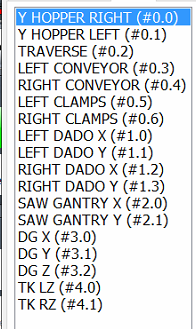
First determine the instance and motor number that needs to be re-homed. I will give you the current list as well as how to pull this list up.
|
As an example the back dado is Saw Gantry Y (#2.1). That means it is instance #2, and motor 1.
|
|
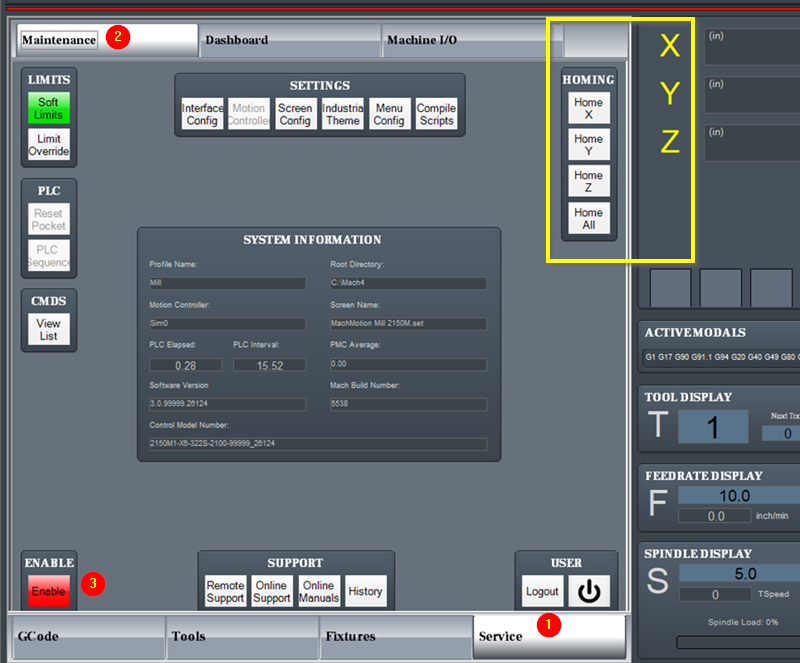
- Click on the service tab – at the bottom, then the maintenance tab – at the top.
- On the left side of the screen is a column of buttons. The enable button is at the bottom. The next button above that is the CMDS (Commands) button. Click View List.
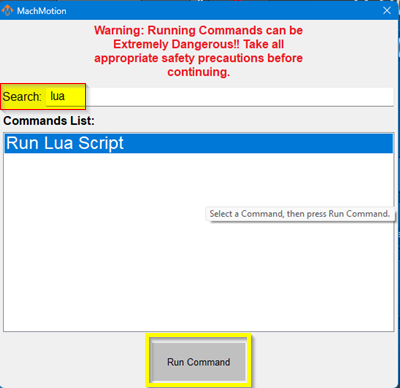
- A window will open with a list of commands. At the top there is a search bar. Search for Lua
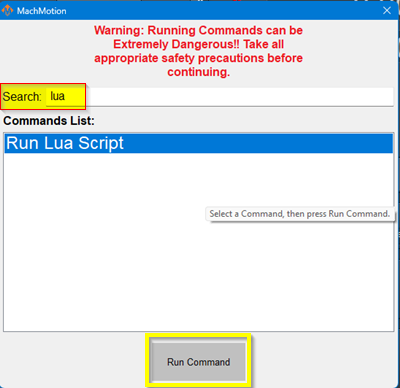
- It should highlight the Run Lua Script. Click the Run Command button at the bottom.
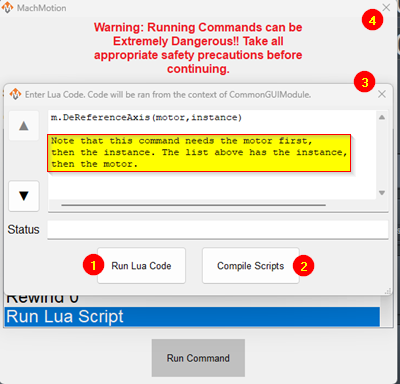
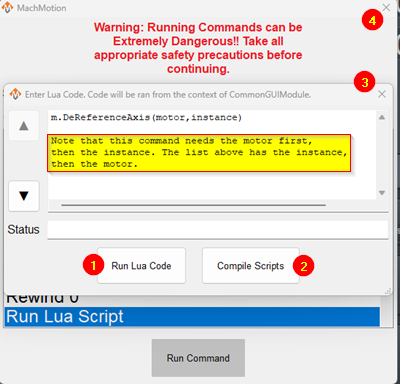
- A new window will open and you need to type in the de-reference command
m.DeReferenceAxis (motor,instance) (opposite of how it is listed above) examples: saw gantry Y: m.DeReferenceAxis (1,2) left clamps: m.DeReferenceAxis (5,0) left dado X: m.DeReferenceAxis (0,1) - Click the Run Lua Code button, and it will give you a completion status
- Click the Compile scripts button
- Close the Lua code window
- Close the Run Commands window
- Switch to the correct instance
- Click the service tab at the bottom and the Maintenance tab at the top
- Click the enable button. You should now have the Homing buttons in the middle of the screen, and the axis to re-home should be alternating red and yellow.
- Click the home button for that axis, then cycle start
The axis should move to the home switch, reset that axis’ machine zero, and the axis letter should change to black.
You are ready to run.