
Laser Controller Settings
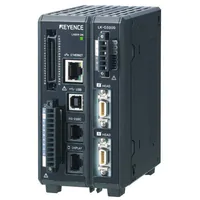
Keyence LK-G5001 Laser Controller
TODO:
* add saved settings file
* add mfg documentation and links
Hardware
The Keyence LK-G5001 is a laser controller that can handle as many as two "heads" (measurement lasers). It has two "outs" (measured values).
Lasers
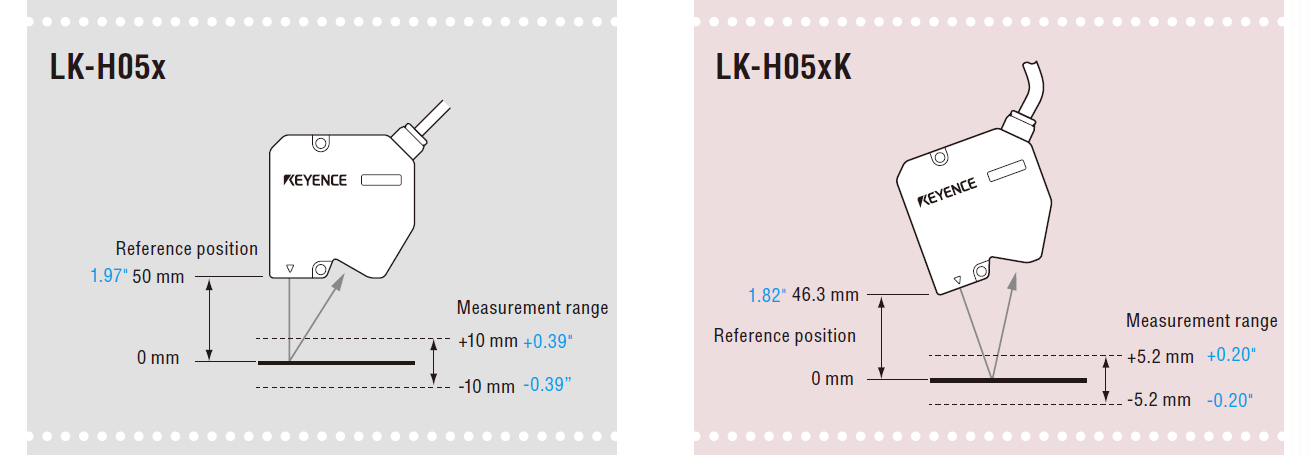
This machine uses two LK-H507 lasers.
Software
Keyence ships a desktop application that can be used to configure the laser controller: LK Navigator 2. It should be installed as a Windows application.
Configuration
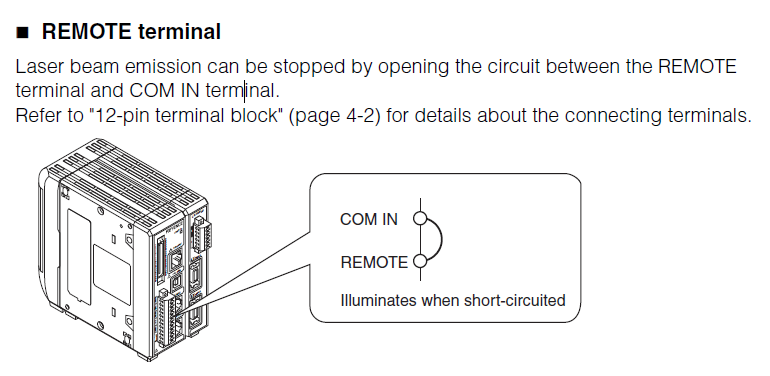
Safety Circuit
The device has a safety mechanism where pin 1 (REMOTE) must be wired to pin 0 (COM IN) on the 12-pin terminal block.
Device Access
We access this device via the Machine Network. The IP address we use for it is 192.168.208.70/24.
It's (factory) default IP address is 192.168.10.10/16.
If the device gets factory reset, you will not be able to connect to it without (temporarily) reconfiguring the Machine Network NIC in Windows first.
Head/Out Settings
The default settings for the device have both outs using head1. We want each head to have its own out.