
PRIVATE SOURCE Plate Alignment
Remove G69 (Coordinate System Rotation Cancel) from the MachPro initialization codes
Disable MachPro
Pull down Configure -> Control and select the Defaults tab.

If the G69 code is in the initialization codes, remove it and click OK to close this configuration window. You will also need to ensure that G69 is not in the safe start line of your G-Code files.
The plate alignment function asks you for two points along one edge of your work piece. The greater the distance between those two points on that edge, the more accurate the angle measurement will be. When the alignment function has those two points, it will then rotate the G-Code by that angle for this job. While that rotation is active, the Plate Alignment button will remain green. Clicking it again will allow you to turn off the current rotation, or revert to the previous rotation.
Machine needs to be homed, or it needs to be running with absolute encoders that retain the home location when the machine is powered down.
Set your part or fixture zero.
Verify the tool path on the G-Code screen to ensure it will cut the entire part from that work piece - not wander off the edge.
Run Plate Alignment process. You may load the G-Code file before or after the plate alignment process. The G68 rotation angle will be displayed in the upper left corner of the DRO axes.
|
I started with my tool, or probe at the edge of the plate near one end.
|
Then I jogged to my second location and again lined up with the edge of the plate there.
|
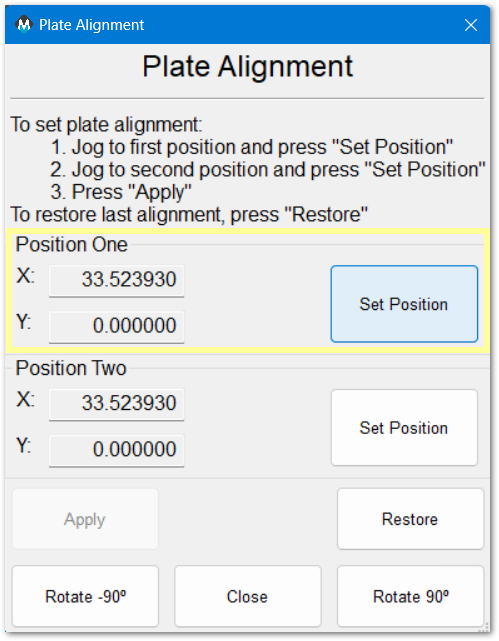
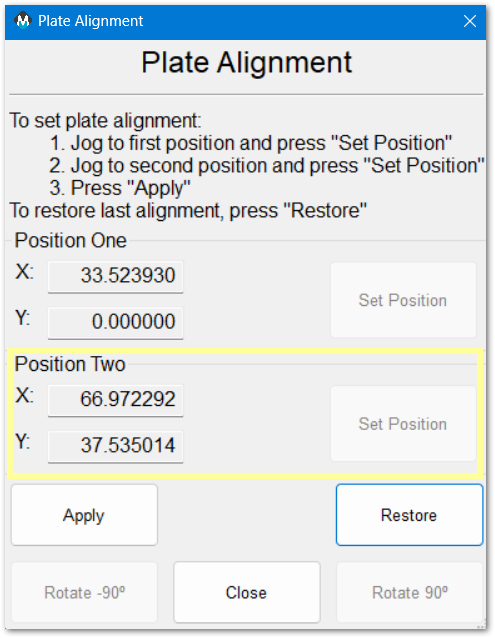
Then click Apply or Restore
Apply will apply the values and close the window
Restore will load the previous values
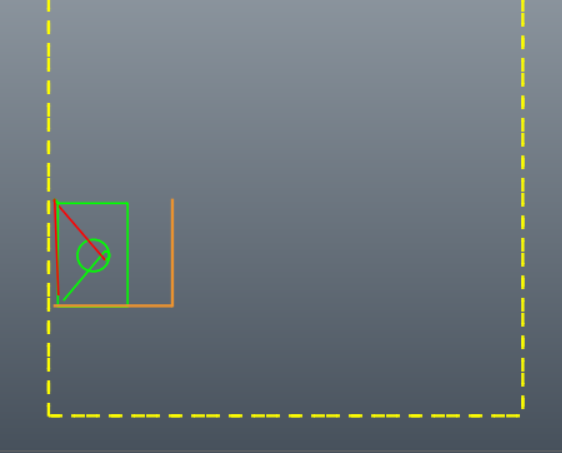
In my simulation I put my second point at approximately 45 degrees to make the rotation very obvious.
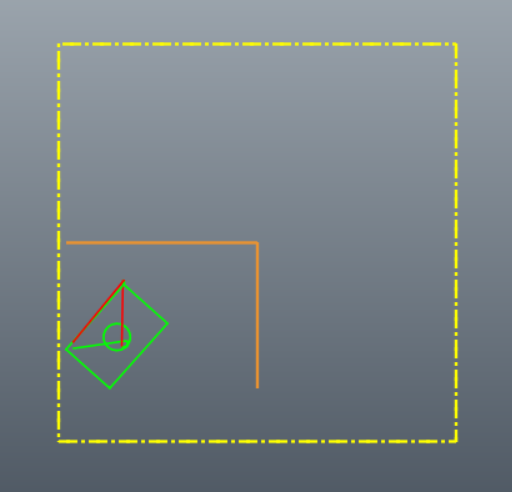
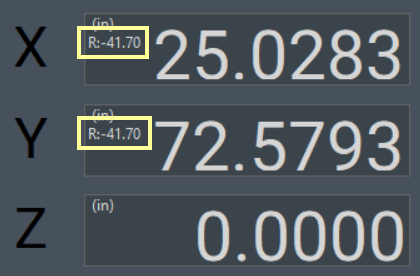
Run your G-Code file. While plate alignment is active, the button will be green.  When you click the green Plate Alignment button, it will turn off the plate alignment.
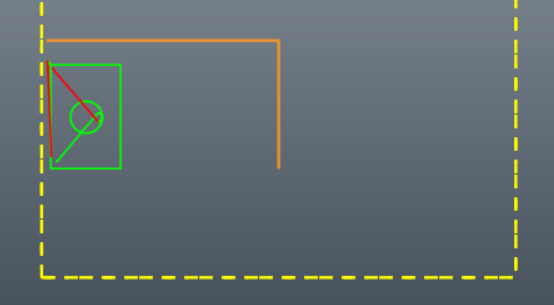
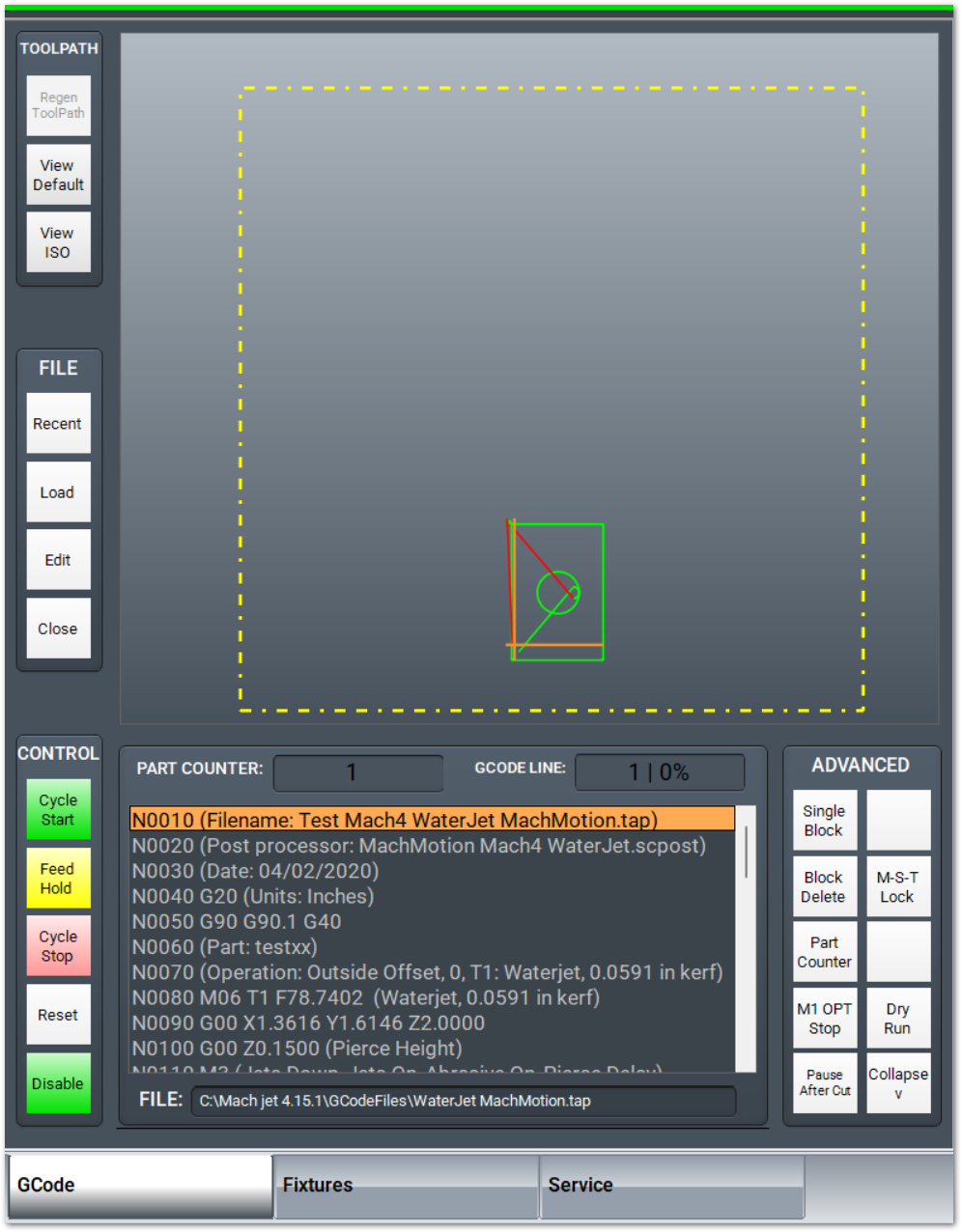
|
Rotate 90 degrees
|
No rotation
|
Rotate -90 degrees
|
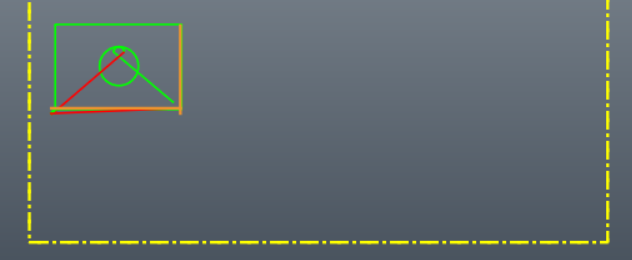
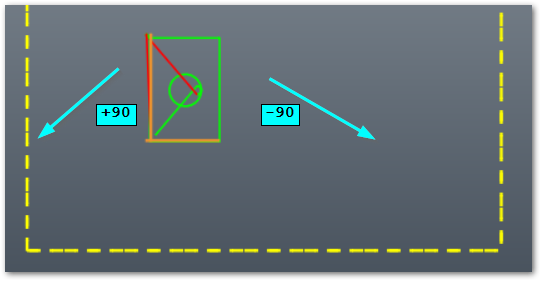
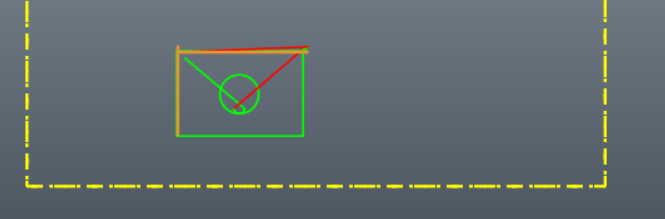
Application notes
Both G68: Coordinate System Rotation and G69: Coordinate System Rotation Cancel are modal commands, and can interfere with each other. It is best to only use them at the beginning of the blocks where they are to take effect. The G68 command is used as part of the plate alignment process and a G69 command in the initialization or safe start codes can cause the plate alignment to not work.