
MachPro Package Installation
Prerequisites
- A Windows computer that will function as the MachLabs CNC control PC for your system
- Windows version 10, 11 (only versions supported by Microsoft)
- 2GB of disk space
- 8GB of RAM
- Local administrative rights on the computer
- Internet access so that the current software packages can be downloaded
Run the Mach Package Installer
Download and run this installer: https://pkgcdn.machmotion.com:8765/static/Mach_Package_Installer.exe.
Install the package manager by clicking on the Install Package Manager button.
If you have already run the Mach Package Installer, then you will not see this button. Skip this step and move to Install MachPro packages below.
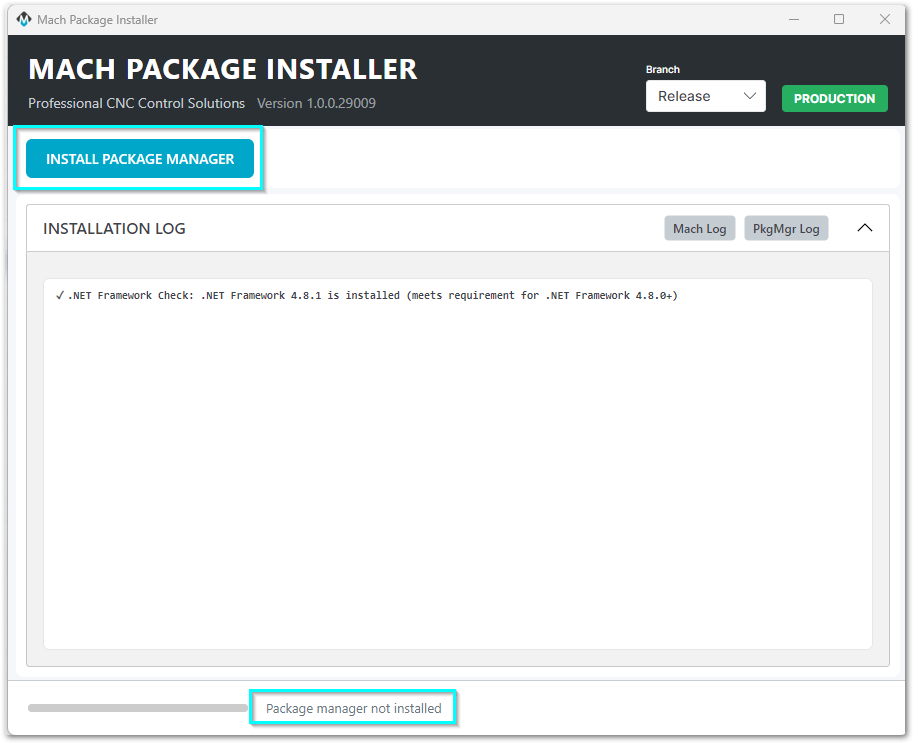
Infrastructure software requirements
The package manager needs specific versions of infrastructure software.
For example, it may require certain versions of .NET (Microsoft runtime library).
- If the control lacks these packages, the installer adds them automatically.
- During installation, a window opens with instructions to restart the control.
Follow these instructions and restart the control. - After the restart, the new infrastructure software loads.
It then runs for all package manager operations.
When the package manager has finished installing, the menu will show the packages that are available for you to install.
Install MachPro packages
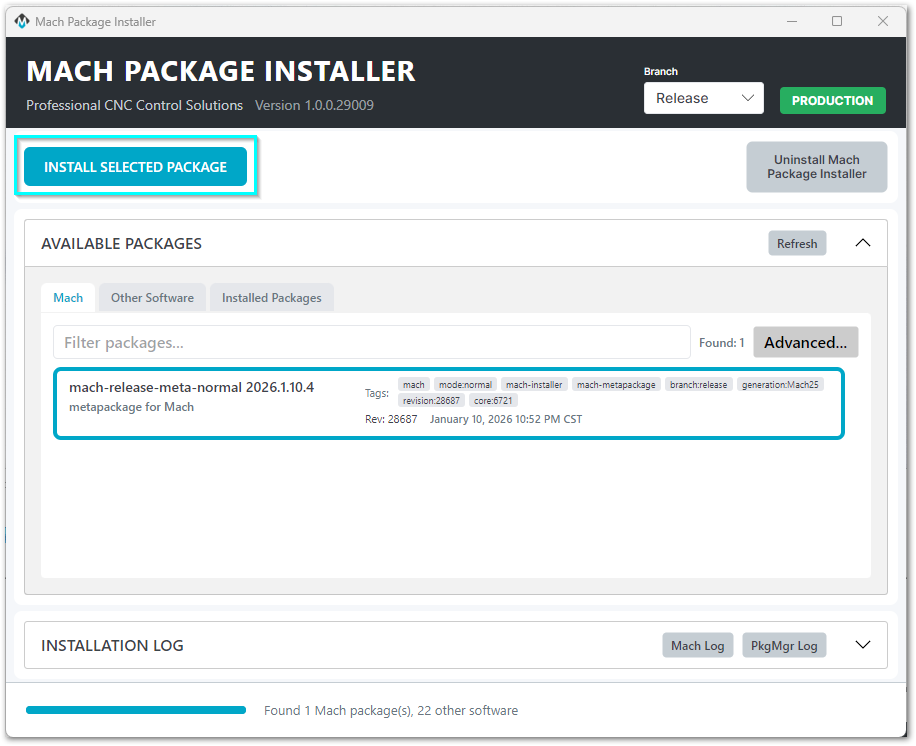
1. Set Branch to Release
2. Unless instructed otherwise, select the package at the top of the list
4. Click the Install Selected Package button to begin.
If this is the first time you've installed MachPro, be patient as it installs all the back-end libraries needed.
Once all of the prerequisites packages have been installed, the progress panel will show "Installing mach-(version)" and you will be presented with the MachPro install window.
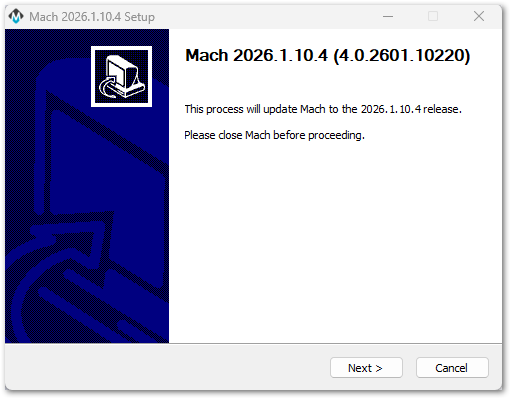
Take the default menu options throughout the install process. Exceptions will be noted below.

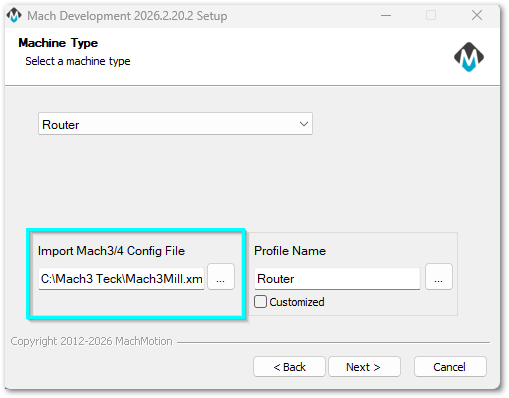
Select the Machine Type that you are installing and click Next
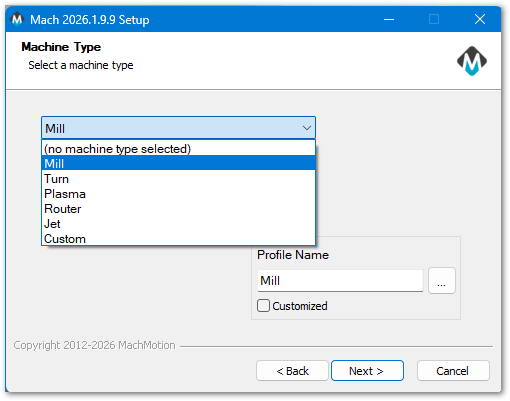
SelectIf theyou Developmentare branchinstalling ratherMachPro thanon thea Releasecontrol branchthat tohas upgradea fromworking Mach3 or Mach4.Mach4 install, please read this upgrade document for further instructions.
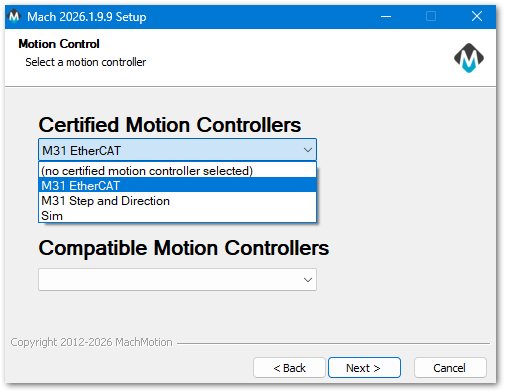
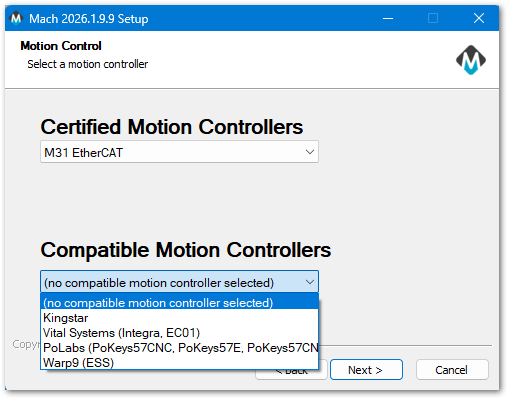
Select the motion controller that you will be using, then press Next.
Note: The next two screens are skipped if you are installing Demo.
|
|
|
Select Your Own PC and click Next

Choose Components: Accept the defaults and click the Install button. You will have a progress window with the details of your installation. Selecting additional options will cause undesired results.
|
|
|


When the MachPro Setup installation process is completed, click the Close button on the Mach setup window.

Wait for the Installer to show Install Completed at the bottom of the Installer screen. Then you can close the Mach Package Installer window.

If you installed Demo, the next step is to open the new machine type icon on your control screen

Otherwise, your next step is to configure your motion controller.
{{@2016}}