
MachPro Package Installation

Run the Mach Package Installer
Download and run this installer: https://pkgcdn.machmotion.com:8765/static/Mach_Package_Installer.exe.
When you run the installer, you may see these warnings. Select Yes and Run anyway.
|
|

Set the Mode to Normal and the Branch to ReleaseRelease-Beta. Install the package manager by clicking on the Install Package Manager button.
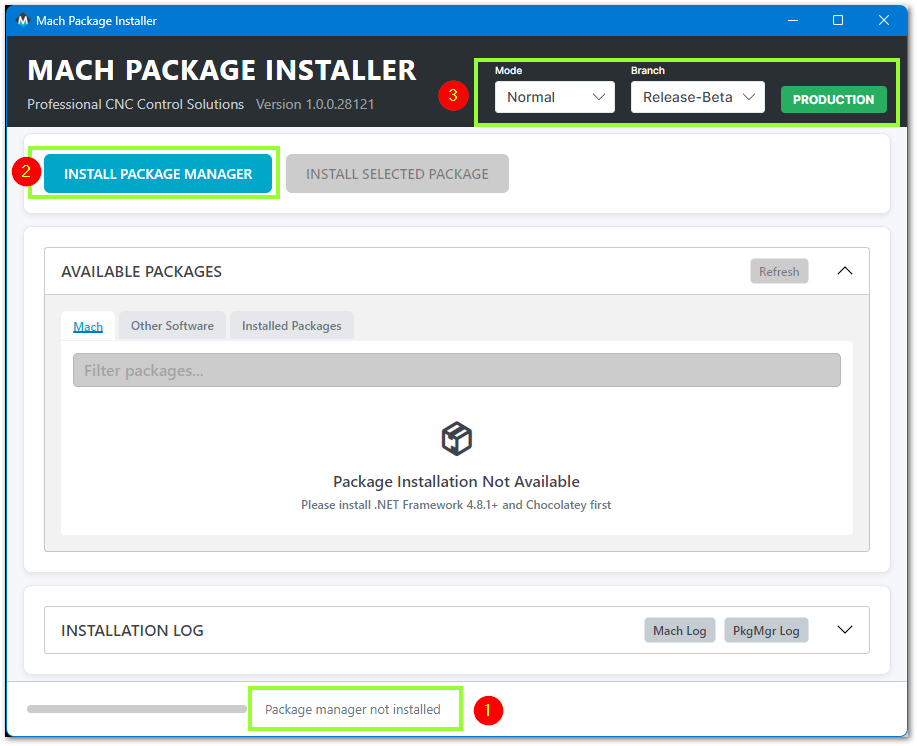
Throughout the install process, the progress will be displayed in the bottom panel

When the package manager has finished installing, the menu will show the software versions that are available for you to install. Unless instructed otherwise, select the release at the top of the list and click the Install Selected Package button to begin.
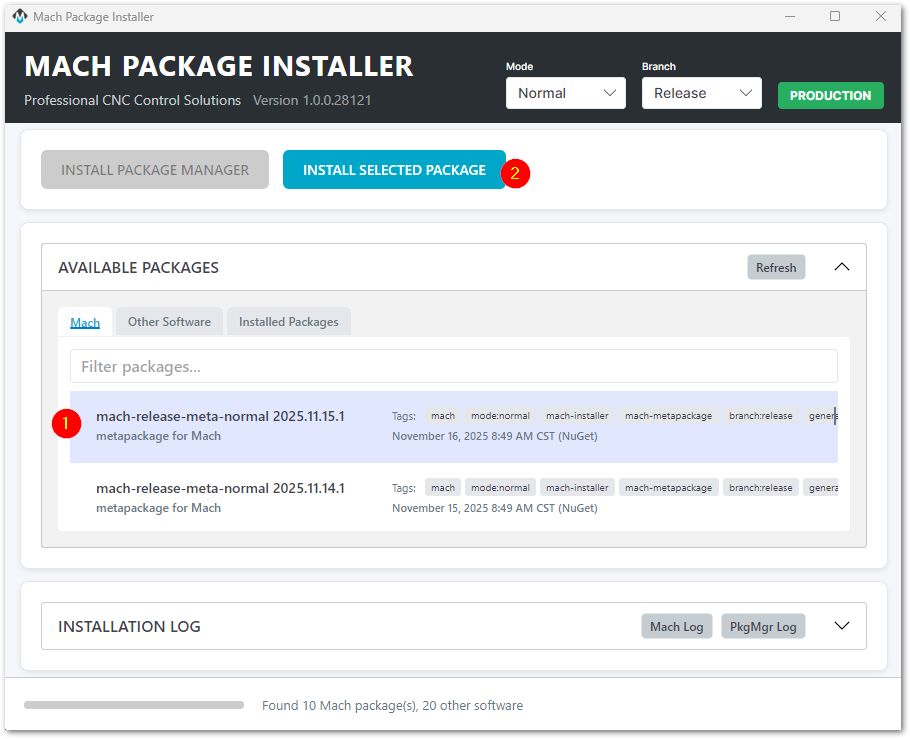
If this is the first time you've installed MachPro, be patient as it installs all the backend libraries needed.
Once all of the prerequisites packages have been installed, the progress panel will show "Installing mach-(version)" and you will be presented with the MachPro install window.

You will take the defaults throughout the menu screens. Exceptions will be noted below.

Select the Machine Type that you are installing and click Next

Select the M31 type of motion control that you will be using: either EtherCat or Step and Direction, then press Next

Select Your Own PC and click Next

Choose Components: Accept the defaults and click the Install button. You will have a progress window with the details of your installation.
|
|
|


When the Mach Setup installation process is completed, click the Close button on the Mach setup window.

Wait for the Installer to show Install Completed at the bottom of the Installer screen. Then you can close the Mach Package Installer window.

Your next step is to configure the M31 Motion controller.