
MachPro License Travel Limits
{{@2007#bkmrk--1}}
If you purchased a license with travel limits, you will need to define where you want those limits to be on each axis.
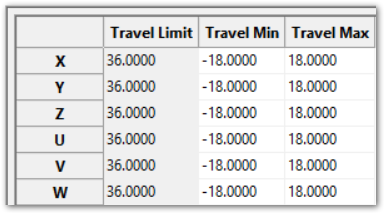
You are able to jog outside of the travel limits, but G-Code will only run if the system is inside of those limits.
In the example screen above, the license is limited to 36 inches. The default settings for that license are -36 and 0 on each axis. If you enter a value that exceeds your license, it will leave your starting value in that field and raise an alarm window
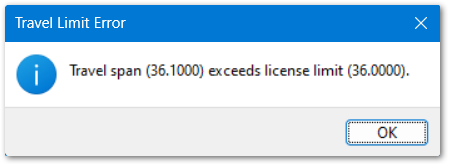
Determine where you want that travel to fall on each axis. The minimum and maximum distances are from the machine zero point on each axis.
You can jog each axis to one end of the table locations that you want to reach and record the machine coordinate of that point.
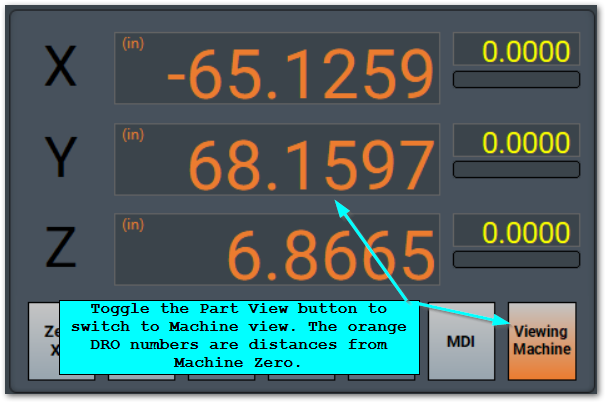
Jog to the other end of the the table locations that you want to reach and record the machine coordinates at that location also.
Rotary axes are not limited by the license.
Pull down Configure | Control and select the Travel Limits tab.
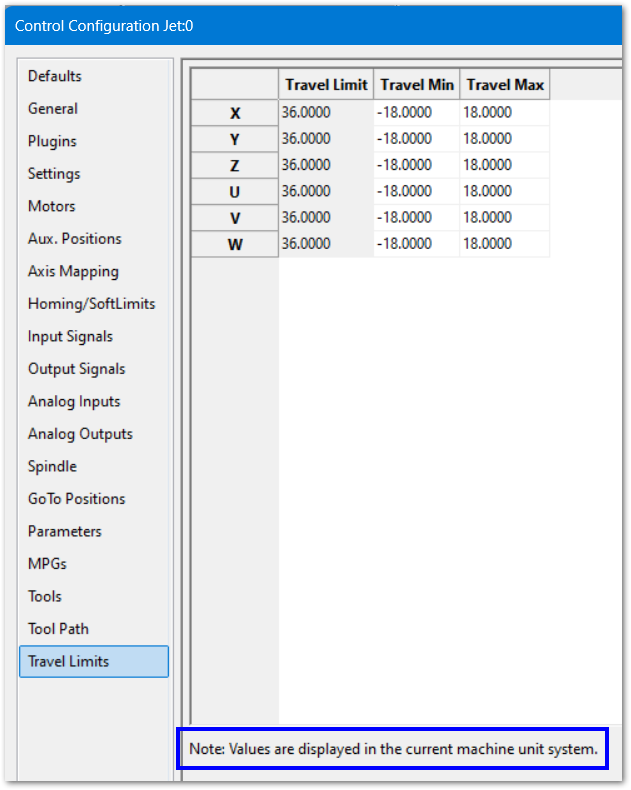
Update your minimum and maximum travel limits.
The Z axis often has short travel on mills and routers. Your license limit may exceed its physical capacity; so ensure that the license travel limit is set outside of your physical limits. Use soft limits to control the working travel limits of the short travel axes.
All of the commanded motion on this machine will now occur within the points you defined.
{{@2016}}