
2000 Series Waterjet Setup Manual
Mach Setup
Jet Setup
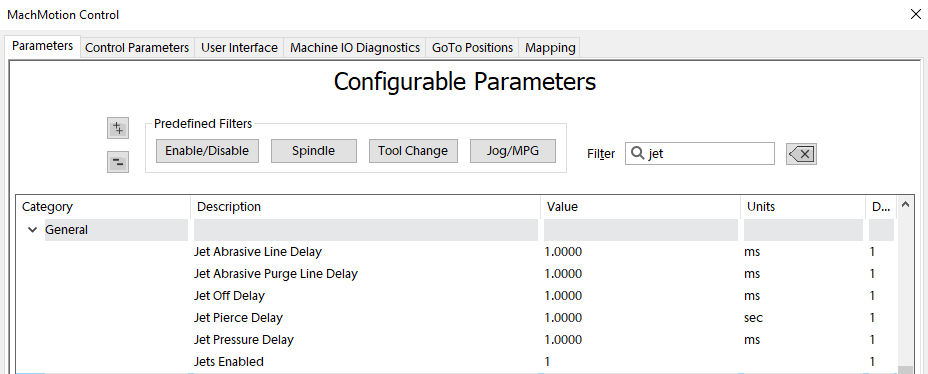
Configure the number of jets you need and your default delays.
IO Setup
Virtually every waterjet will need some of following signals. Map each of the ones you need to the correct output.

| Name | Function | Configuration |
| Jet Abrasive Output(s) | Turns on and off abrasive for the corresponding jet. | Map it to the correct output signal in Mach. |
| Jet High Pressure Output(s) | Turns on and off high pressure for the corresponding jet. | |
| Jet Pressure Output(s) | Turns on and off the actual jet. Often called Water On or Jet On. | |
| Jet Pump Output | This turns on the actual intensifier pump. If using a PLC this should trigger the PLC to start the intensifier. Often called Intensifier. |
Some waterjets may have some of these more advanced IO. This is more for when the intensifier is controlled inside the MachMotion PLC.
Outputs
| Name | Function | Configuration |
| HP Bleeddown Valve | When the jet turns off this valve must open to let the pressure out of the line. Should always be off when the pump is off. | Setup in the PMC. |
| Cooling Water Shutoff Valve |
This function keeps the pump cool. Should always be on when the pump is on. |
Setup in the PMC. |
| Filtered Water Shutoff Valve | ||
| Water On Solenoid | Jet on? | |
| INTENSIFIER LEFT SHIFT SOLENOID | Must be wired to the PLC and programmed in the PLC. | |
| INTENSIFIER Right SHIFT SOLENOID | Must be wired to the PLC and programmed in the PLC. | |
| BOOST PUMP | ||
Inputs
| Name | Function | Configuration |
| Garnet Empty | Tells the operator when to refill the garnet |
Setup in GMS. |
| INTENSIFIER LEFT CHECK VALVE OVERTEMP |
|
|
| INTENSIFIER RIGHT CHECK VALVE OVERTEMP |
|
|
| INTENSIFIER LEFT SHIFT SENSOR |
Must be wired to the PLC and programmed in the PLC. |
|
| INTENSIFIER RIGHT SHIFT SENSOR |
Must be wired to the PLC and programmed in the PLC. |
|
| INLET WATER PRESSURE WARNING |
|
|
| INLET WATER PRESSURE SHUTDOWN |
|
|
| HP BLEEDDOWN OVERTEMP WARNING |
|
|
| HYDRAULIC OIL OVERTEMP WARNING |
|
|
| HYDRAULIC OIL OVERTEMP SHUTDOWN |
|
|
| HYDRAULIC OIL LEVEL SHUTDOWN |
|
|
| INTENSIFIER ON?? |
|
|
|
|
Some waterjets have a servo controlled Abrasive. For that use these settings:

Analog Inputs and Outputs
You may have analog inputs and outputs used for setting pressure or garnet speed. Often you put them on the main screen of the waterjet. Configure them according to the device you are using (Siemens PLC Setup, or Rapidpath Beckhoff Setup).


PLC Setup
If the intensifier is controlled by the MachMotion PLC, then you need to program the PLC.
Before programming the PLC, make sure to test all the machine IO in Mach. That allows you to easily confirm the IO is working.
Then program the PLC with our default PLC program for waterjets. It is located under development SVN: C:\Mach4_Development\PLCs\PLC-Program-Generic-Waterjet-Intensifier-Pump-Control_V15 .
Map the IO inside the PLC based on how this machine is wired. Here are the main signals that must be wired to the PLC: