RapidChange Tool Changer and Tool Setter
RapidChangeATC provides a family of tool changers that work with a wide range of machines that do not have a traditional tool changer option.
Configure a RapidChangeATC tool changer on MachPro
- Wire the output for the RapidChangeATC dust cover (optional) to the motion controller outputs.
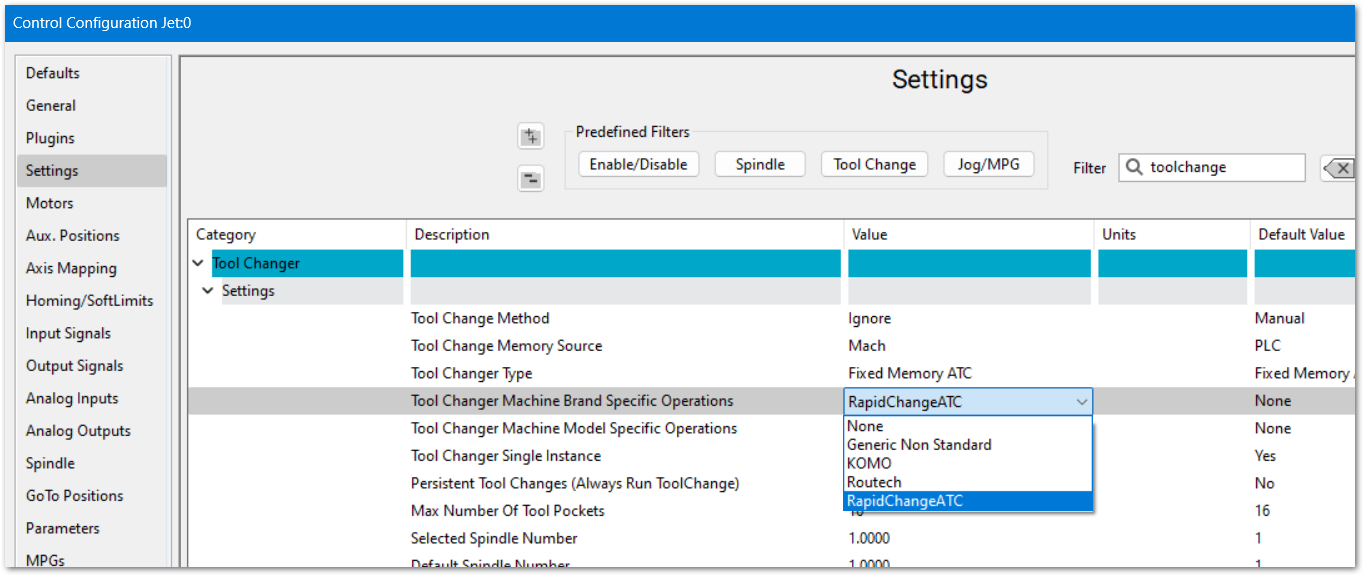
- Set the Tool Changer to RapidChangeATC. Pull down Configure -> Control -> Settings tab. Filter for Toolchange
- Change Tool Changer Machine Brand Specific Operations to RapidChangeATC and click OK to save your changes
- Install the MachPro module from RapidChangeATC
- Follow RapidChangeATC's MachPro configuration instructions
Updates in progress 2026-05-07-T12-13
Configure a RapidChangeATC Tool Setter
The RapidChangeATC tool changers have incorporated tool setters, and those are configured within MachPro Tool Setters and Offsets with the exception noted below.
- Wire the inputs for the tool setter's touch/IR Sensor, and over-travel to two motion controller inputs.
- Map the software input signals. (This will be in the RapidChangeATC module)
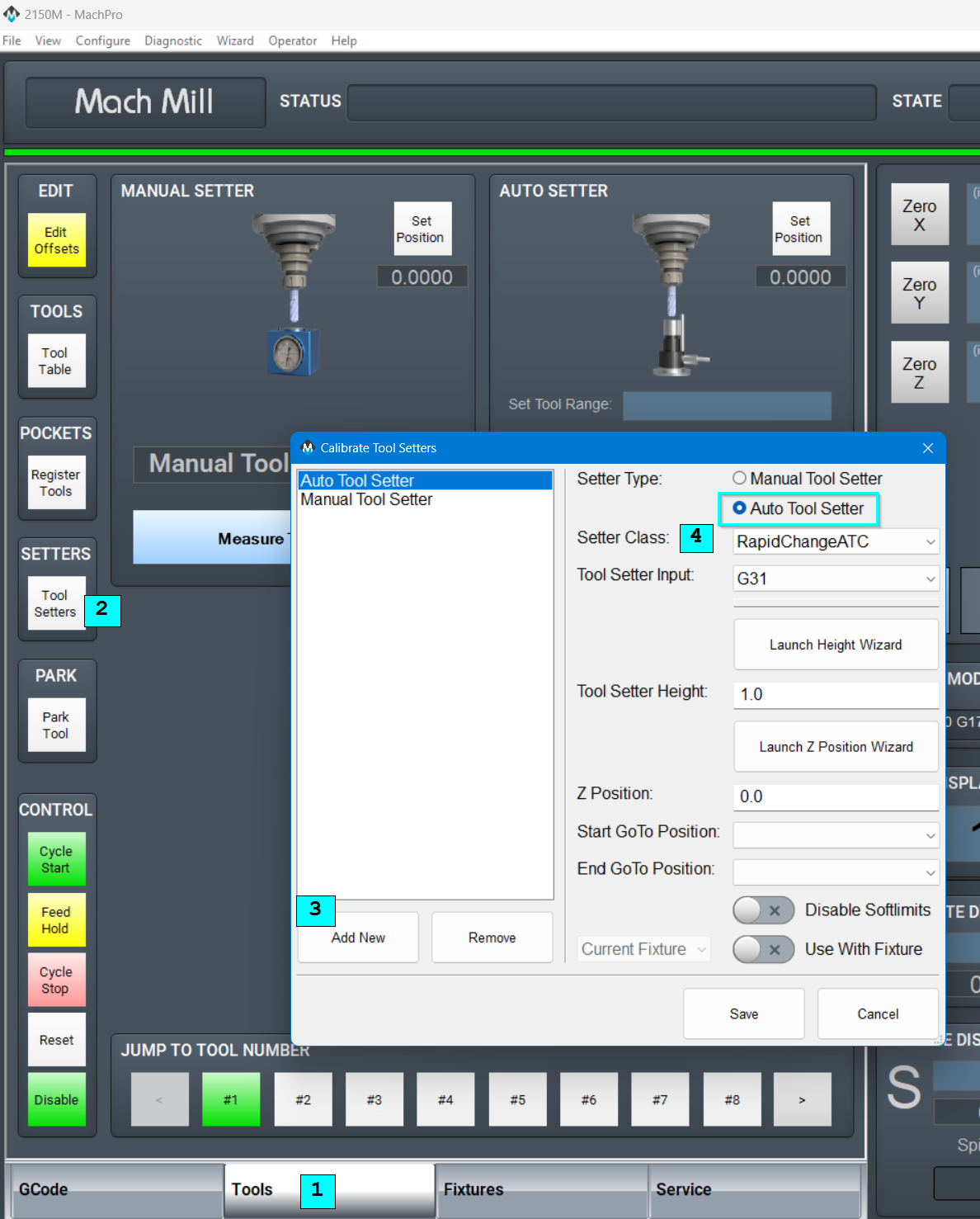
Create a new Tool Setter in MachPro, selecting RapidChangeATC as the Setter Class.
- Select the Tools tab
- Click the Tool Setters button
Either edit an existing Auto Tool Setter, or addAdd a new Auto Tool Setter- Select RapidChangeATC as the Setter Class
- Refer to MachPro Tool Setters and Offsets for the remaining tool setter options
- Refer to the RapidChangeATC documentation for remaining steps specific to their tool setter