
MachPro RapidChange Tool Changer and Tool Setter
{{@2007#bkmrk--1}}
| MachPro Version | 2026.5.13.1 and greater |
RapidChangeATC provides a family of tool changers that work with a wide range of machines that do not have a traditional tool changer option.
RapidChangeATC Resources
- RapidChange ATC Website
- RapidChange Documentation Portal
- RapidChange Web App (profile configuration)
- RapidChange Discord Community
Configure a RapidChangeATC Tool Changer on MachPro
Inputs
tool detection IR beam, basic input from the top section
tool setter position g31.1, about 2/3 of the way down the input signals list, probe1. Describe it as G31.1 RapidChangeATC tool setter input
probe z g31.2 (if MM supports this)
Outputs
Dust cover, basic output from the top section
- Wire the output for the RapidChangeATC dust cover (optional) to the motion controller outputs.
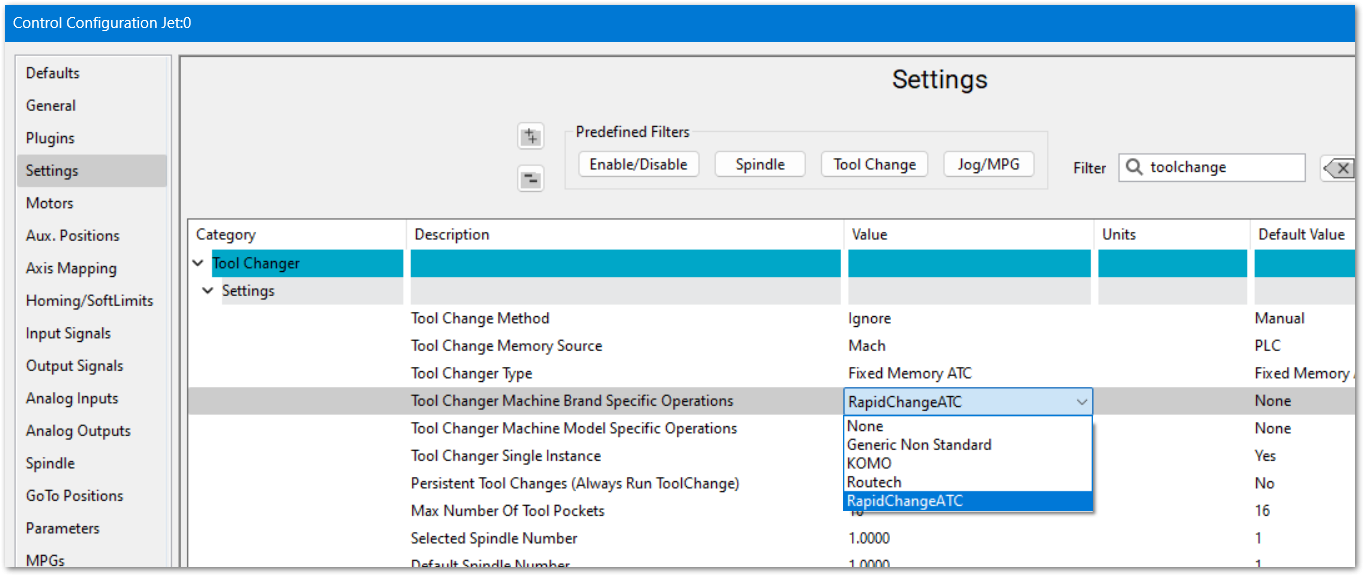
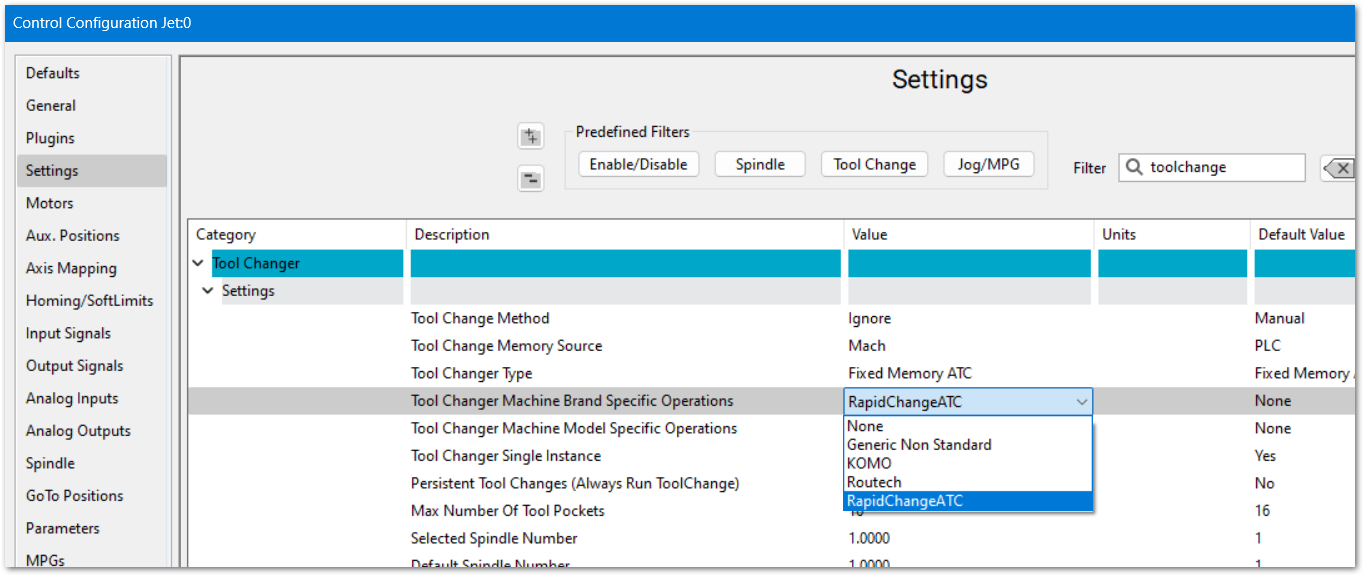
- Set the Tool Changer to RapidChangeATC. Pull down Configure -> Control -> Settings tab. Filter for Toolchange
- Change Tool Changer Machine Brand Specific Operations to RapidChangeATC and click OK to save your changes
InstallUse theMachProRapidChangemoduleDocumentationfromPortal to configure your RapidChangeATC(mainfordocumentation)MachPro- At the end of the setup you can download the RAPIDCHANGEMODULE.LUA
- At the top left of the screen is an Export/Download button. Use the drop down to select Download, then click the Download button.
- Copy that LUA file into your modules folder for Mach. C:\Mach\Modules
- Follow RapidChangeATC's MachPro configuration instructions
Configure a RapidChangeATC Tool Setter
The RapidChangeATC tool changers have incorporated tool setters, and those are configured within MachPro Tool Setters and Offsets with the exception noted below.
- Wire the inputs for the tool setter's touch/IR Sensor, and over-travel to two motion controller inputs.
- Map the software input signals. (This will be in the RapidChangeATC module)
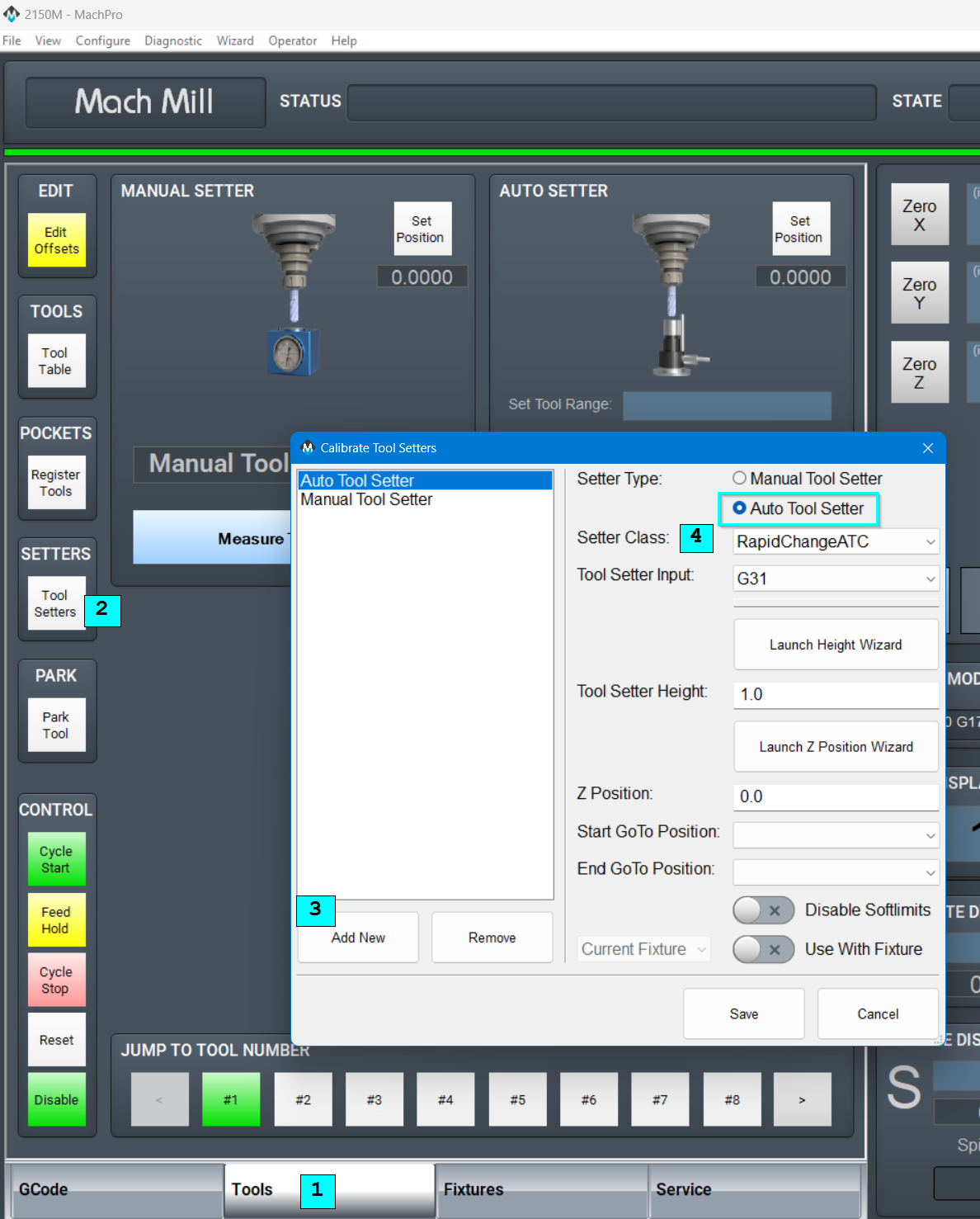
Create a new Tool Setter in MachPro, selecting RapidChangeATC as the Setter Class.
- Select the Tools tab
- Click the Tool Setters button
- Add a new Auto Tool Setter
- Select RapidChangeATC as the Setter Class
- Refer to MachPro Tool Setters and Offsets for the remaining tool setter options
- Refer to the RapidChangeATC documentation for remaining steps specific to their tool setter
{{@2016}}